What should you consider when choosing?
A wired model is a sensible starting point if you’ll be speaking from a fixed position. Choose the connection based on the microphone input you actually have, not just the shape of the plug.
| What matters |
What to check before buying |
Who is this important to? |
| Clear speech |
Test the clip and position; record and listen back in the clothes you’ll actually wear, with the booth ventilation running. |
If I’m speaking on my own, I want to know whether the announcement sounds clear in my booth, without overlooking noise from clothing or cable contact. Around 34% of consumers are likely to put speech clarity first when making this choice. |
| Compatible connection |
Check the device model, microphone input, plug wiring, power supply, adapter and recognition by the app together. |
If I want to use my existing smartphone, the microphone needs to work as an input and be recognised by the app. Around 33% of consumers are likely to focus mainly on device compatibility. |
| Simple set-up |
Work out the signal path in advance, and check what’s included, whether a battery is needed and whether you’ll need an adapter for the specific version. |
For a short announcement, I want to keep set-up and power requirements to a minimum. Around 20% of consumers are likely to prioritise a straightforward set-up. |
| Freedom of movement |
Consider whether a cable would really get in the way. For a wireless set, check the transmitter, receiver connection, power supply and frequency details. |
If I need to move around while speaking or a cable would disrupt my workflow, a wireless option is more worth considering. Around 13% of consumers are likely to place the greatest importance on freedom of movement. |
Lapel microphones at Joybuy
This selection includes wired lavalier microphones for analogue connections, as well as wireless models with different receiver connections. Before buying, check that the specific connection works with your recording device and consider whether you really need to move around while recording your announcement.
 No image available
SYNCO S8 lavalier microphone
Could suit an announcement recorded from a fixed position, if the analogue connection works with your recording device.
The product information lists a 3.5 mm connection with an adapter kit, an omnidirectional pickup pattern and a clip. Check that you have a compatible input and that your recording app recognises it.
View at Joybuy
 No image available
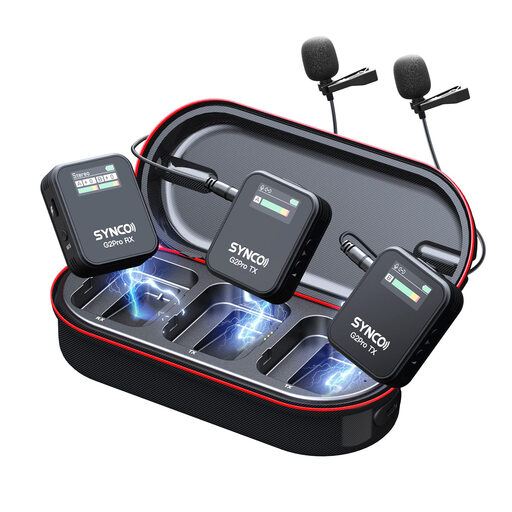
SYNCO G2(A2) Pro wireless lavalier microphone
A wireless lavalier could suit you if a cable gets in the way and you can connect the receiver to your recording device.
The product description lists mono, stereo and safety channel modes, a charging case and noise-reduction features. Check what’s included, the receiver connection and power requirements; these features don’t guarantee that booth or clothing noise will disappear.
View at Joybuy
 No image available
Moman M1CXT wireless lavalier microphone, USB-C, 2TX+1RX
Could suit a recording made with a compatible USB-C device, if a wireless connection works for your set-up.
The title lists the 2TX+1RX configuration; the product description lists a USB-C receiver, two omnidirectional microphones, audio monitoring on the receiver and DSP noise reduction. Check compatibility with your recording app.
View at Joybuy
 No image available
Moman MC1(C) wireless lavalier microphone, USB-C, 1TX&1RX
Could suit a single announcement recorded with a compatible USB-C phone, if you need a wireless connection.
The title lists 2.4 GHz and the 1TX&1RX configuration. The product description lists a USB-C receiver, three preset modes and a charging case; test it with your recording app.
View at Joybuy
 No image available
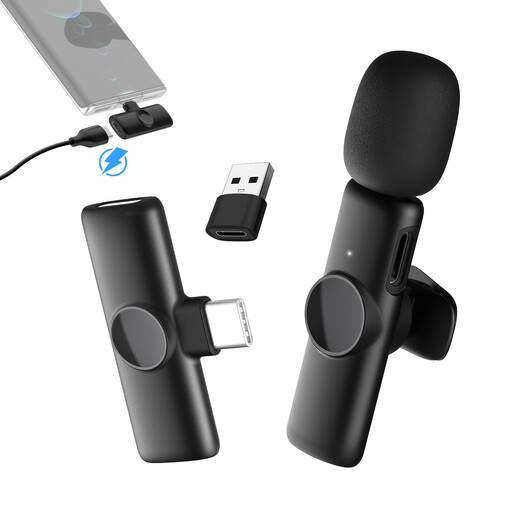
Moman MS1(C) wireless lavalier microphone, USB-C, 1TX&1RX
Could suit a single announcement recorded with a compatible USB-C phone, if freedom of movement is important.
The title lists the 1TX&1RX configuration. The product description lists a USB-C receiver and three preset modes; check that your device and recording app recognise it.
View at Joybuy
Frequently asked questions
Can I plug a TRS lavalier straight into any smartphone socket?
No. The plug size alone doesn’t prove that it’s compatible. RØDE distinguishes between the Lavalier GO with TRS and plug-in power, and the TRRS smartLav+; for the MVL, Shure specifies a suitable CTIA-compliant adapter for certain mobile devices. Test the exact combination of device and adapter by making a recording.
How can I check the microphone position before recording the final announcement?
Attach the microphone close to your voice, secure the cable so it can’t move around, then listen to a test sentence while wearing the clothes you’ll actually be recording in. RØDE recommends looping the cable to help prevent it from being pulled; check booth noise in the conditions you’ll be recording in.
What file format does my phone system require?
That depends on your phone system or service provider. Check their file format and upload requirements before creating the final file; choosing a microphone won’t answer this question.
Can I record someone else’s voice for the announcement?
Check that you have permission to record and use the voice before you begin. Section 201 of the German Criminal Code (StGB) makes it a criminal offence to record another person’s privately spoken words without authorisation; recording only your own voice is not the situation involving another person’s words described there.
Can I use a wireless microphone in Germany without an individual frequency assignment?
That depends on the frequency band used and the device specifications. For example, the Bundesnetzagentur lists a general frequency assignment for wireless microphones in the 863–865 MHz band, with a maximum of 10 mW ERP, valid until 31 December 2028. This isn’t blanket approval for every wireless set; check the current assignment and its conditions for the specific model.


