What should you look for when buying?
First, decide whether you’ll be speaking alone at a fixed desk, switching between devices, moving around or recording two separate contributions.
| What matters |
What to check before buying |
Who should pay particular attention? |
| Clear recording of your own voice |
Check the clip and windscreen; listen to a test recording made at your actual desk, speaking at your usual volume. |
If I’m recording alone at a shared desk, I want my voice to be clear without assuming the recording will be free of distractions. Around 30% of consumers put clear voice recording first. |
| The right device connection |
Check the microphone input and recording app on the specific device; confirm whether you need a suitable adapter. |
If I switch between a smartphone and computer, the microphone connection needs to work with both. Around 30% of consumers prioritise device compatibility. |
| Easy to use without a cable getting in the way |
Check the cable length and routing, or, for a wireless option, the set contents, receiver connection and charging requirements. |
If I don’t always sit in the same place, I want to be able to move around without getting caught up in a cable. Around 20% of consumers prioritise freedom of movement. |
| Two separate contributions |
Check for two transmitters or microphones, a compatible receiver and the agreement of everyone involved. |
If we’re both recording our own study contributions, each speaker needs a suitable microphone. Around 20% of consumers put microphones for two speakers first. |
Joybuy products for recording study summaries
This selection includes wireless sets for one or two speakers, as well as a wired lapel microphone for devices with a compatible connection.
 No image available
DJI Mic Mini 2S (2 TX + 1 RX + Charging Case)
This set is designed for recording two separate contributions, provided the receiver and recording device are compatible.
The product details list two transmitters and one receiver, along with clip or magnetic attachment and AI noise reduction. This feature doesn’t prove that conversations at the next table will be removed.
View at Joybuy
 No image available
Moman M1CT Wireless Lavalier Microphone, USB-C, 1TX+1RX
This wireless lapel microphone is described as suitable for one speaker using a compatible USB-C device.
According to the product details, the set includes one transmitter and one receiver. Before buying, check that the USB-C receiver works with your recording device.
View at Joybuy
 No image available
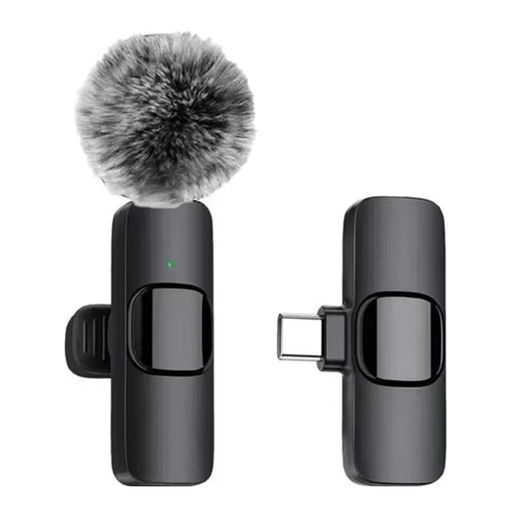
Verbex K9-Black Wireless Mini Microphone, Type-C
The Type-C connection is important if you want to speak hands-free and your recording device has a compatible socket.
The product description lists a clip for attaching the microphone to your collar, as well as noise reduction and a windscreen. Check that it connects to your specific device.
View at Joybuy
 No image available
SYNCO S8 Lavalier Microphone
This wired lapel microphone is worth considering if your smartphone, PC or laptop supports the right connection.
The product description lists a 3.5 mm connection and an adapter set. Check that the connection works with your specific device.
View at Joybuy
 No image available
Moman M1CXT Wireless Lavalier Microphone, USB-C, 2TX+1RX
This set is described as suitable for recording two separate contributions on a compatible USB-C device.
The product details list two transmitters and one receiver. The microphones are described as omnidirectional, so they can also pick up sound from other directions.
View at Joybuy
Frequently asked questions
How can I tell if the microphone will work with my device?
Check the microphone input and recording app against the specific microphone. The XS Lav USB-C uses USB-C, while the smartLav+ and MVL use 3.5 mm TRRS; TRRS and TRS aren’t interchangeable. A short test recording will show which input is actually being used.
Do I need a wireless microphone to record two speakers?
No. According to DJI, a suitably equipped DJI Mic Mini receiver can pair with two transmitters. For a wired alternative, RØDE describes the SC6 as a way to connect two smartLav+ microphones to a compatible TRRS device; both signals are combined into one channel.
How can I avoid clothing rustle in my recording?
Attach the clip and route the cable so they rub against your clothes as little as possible, then listen to a test recording before recording a longer study summary. Gearnews recommends test recordings as a practical tip; they don’t guarantee a particular recording quality.
Am I allowed to record other people’s conversations at a shared desk?
§ 201 StGB makes it a criminal offence to record another person’s private conversations without permission. Whether a conversation is private and whether you’re authorised to record it depends on the specific situation; sharing a desk doesn’t give you blanket permission. Record your summary in a way that avoids capturing other people’s conversations without permission.
Can I use any wireless lapel microphone in Germany without checking anything else?
No, there’s no blanket answer. The Bundesnetzagentur’s general assignment Vfg. 37/2026 specifies the frequency bands and technical and operational conditions permitted for wireless microphones. Before buying, check the frequency information for the specific system against the applicable conditions.


