What should you look for when buying?
First, check that the microphone can be secured close to your voice. Then choose between wireless and wired options based on how freely you need to move and which connection your recording device uses.
| Priority |
What to check when buying |
Who is this especially important to? |
| Record clear speech despite fan noise |
Secure the microphone close to your voice; test it with the actual fan noise, listening both with and without noise cancellation if available. |
If I’m speaking while walking with fan noise in the background, I want to record clearly without unknowingly changing the ambient sound I want to capture. Around 36% of consumers would put speech clarity first. |
| Freedom to move and a secure fit |
Check the cable route or wireless connection; test the clip or magnet and check for rubbing against clothing as you walk. |
If I want to move freely along my route, I don’t want a cable connecting me to my recording device, but I also want to avoid rustling noises. Around 29% of consumers would prioritise freedom of movement. |
| Compatible connection and recording set-up |
Check your device model, microphone input, USB-C, Lightning or TRRS version, and whether you need an adapter. |
If I want to use my existing phone or recording device, I need a connection and receiver that will actually record with it. Around 21% of consumers would check device compatibility first. |
| Make sure your recording is safely captured |
Listen to a test file, check the battery level and connection, and confirm whether the specific version lets you record separately on the transmitter. |
If I can’t easily repeat a commentary recording, I want to make sure it’s being saved before I set off. Around 14% of consumers would put recording security first. |
Joybuy products for recording while walking
These Joybuy products include wireless systems and bundles for recording speech on the go. Before buying, check the connection, what’s included in the set and whether it’s compatible with your recording device.
 No image available
DJI Mic Mini 2S (2 TX + 1 RX + Charging Case)
For recording while walking without a cable connecting to your recording device; the product description lists two transmitters, one receiver and clip or magnetic fastening.
The description lists two-level AI noise cancellation. This is a manufacturer’s claim, not proof of how well it works with a particular fan.
View at Joybuy
 No image available
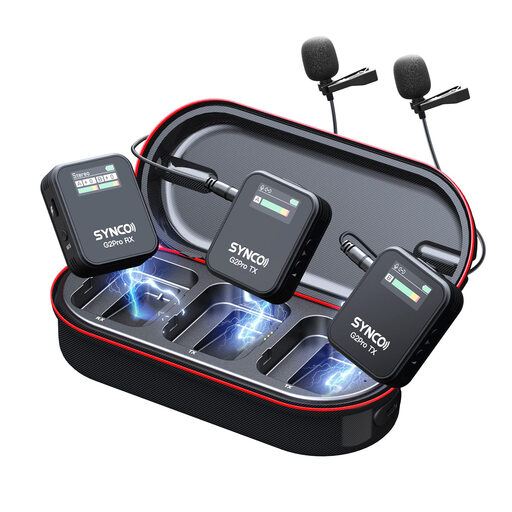
SYNCO G2(A2) Pro Wireless Lavalier Microphone
Described as a wireless lavalier system, the product description lists a transmitter and receiver for recording without a cable connection to your device.
The product description lists one-button noise cancellation and two transmission channels. Test the sound where you’ll actually be recording.
View at Joybuy
 No image available
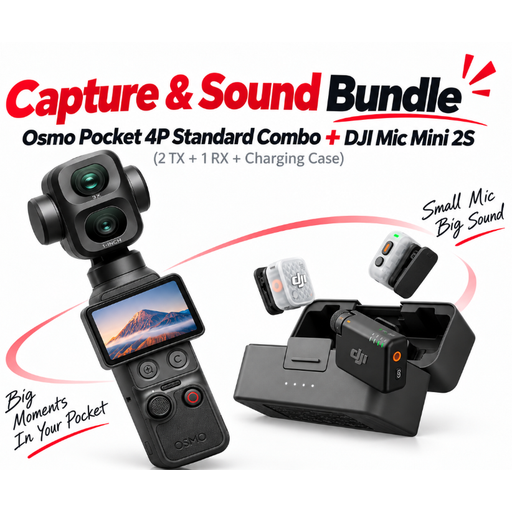
DJI Osmo Pocket 4P Pro Audio Bundle – Pocket 4P Standard Combo + Mic Mini 2S (2 TX + 1 RX + Charging Case)
A bundle for recording on the go which, according to the product description, includes a wireless DJI microphone system with two transmitters and one receiver.
The set also includes an Osmo Pocket camera. Check whether you need this part of the bundle as well as the microphone system.
View at Joybuy
 No image available
Wireless Lavalier Microphone Set with 2 Transmitters, 2.4 GHz, DSP Noise Reduction, USB-C and Lightning
For recording without a cable connection to your device; the product name lists two transmitters and USB-C and Lightning connections.
The product name lists 2.4 GHz and DSP noise reduction. Choose the connection that matches your recording device and test the saved recording.
View at Joybuy
 No image available
Moman M1CXT Wireless Lavalier Microphone, USB-C, 2TX+1RX
According to the product description, this wireless system is designed for recording without a cable connection to your recording device. It includes two wireless lavalier microphones and a receiver.
The description lists three levels of noise cancellation and TRS, TRRS and USB-C outputs. Check which output is compatible with your recording device.
View at Joybuy
Frequently asked questions
Will a furry windshield get rid of fan noise?
Not necessarily. A windshield is designed to reduce air movement around the microphone; for fan noise in the background, also consider the microphone’s position and listen to a test recording. DJI advertises a noise-cancellation level for the Mic Mini that covers fan noise, but this doesn’t guarantee a particular result wherever you record.
What should I test before setting off?
Secure the microphone so your clothing won’t rub against it, check the connection or wireless link and battery level, then listen to a short recording made while walking with the fan on. If noise cancellation can be switched on and off, compare how your voice sounds with the feature disabled too.
Who should I contact if there’s a fault after purchase?
For a consumer purchase from a trader in the EU, your statutory rights in respect of faulty goods are generally against the seller. The European Union specifies a minimum period of two years from receipt of the goods; any additional manufacturer’s guarantee does not replace these statutory rights.
Can I record other people’s conversations while on my route?
Section 201 of the German Criminal Code (StGB) covers unauthorised recordings of another person’s private speech. Whether a particular remark, perhaps captured incidentally, falls within its scope depends on the circumstances. To be safe, avoid recording other people’s private conversations.
Can I use any wireless microphone frequency in Germany?
No. The Bundesnetzagentur lists the frequency bands and technical conditions permitted for wireless microphones. General Allocation Vfg. 37/2026 of 15 April 2026 replaced earlier allocations. For the specific wireless version, check its frequency and the allocation that applies to it.


