Which microphone is right for you?

Recording one person’s memories

If you’ll mainly be recording someone who is seated, a microphone clipped close to the body can replace a handheld one. Check that the connector is compatible and that the capsule doesn’t rub against clothing. RØDE explains the connection options for its lavalier models.

Recording a conversation between two people

If you also want questions and comments to be clearly recorded, check whether the specific set includes two transmitters and how the recording device handles the voices. DJI describes a version of the Mic Mini with two transmitters for recording two people.

Preserving longer conversations

For a story that would be difficult to record again, plan ahead for the recording device’s power, recording function and storage, and listen back to a test recording. Stated wireless operating times apply only under the conditions specified by the manufacturer; DJI gives details of these test conditions for the Mic Mini.

What should you look for when buying?

What matters What to check before buying Who will find this especially useful?
Clear speech without clothing rubbing against the microphone Attach the clip and capsule to the clothing you plan to wear, then listen back to a test recording while speaking and moving. If the person telling the story moves their head, their voice should remain clear without fabric rubbing against the capsule. Around 36% of consumers put this concern first.
Connecting to the recording device Check whether you need TRS or TRRS, whether there’s a microphone input, if power is required and whether you’ll need a suitable adapter. If you want to keep using a smartphone, camera or recorder you already own, check the entire signal path through to the recording device. Around 29% of consumers say connecting to their device is their main concern.
Recording two voices Check the number of transmitters and the output supported by the receiver or recording device. If you want to record both the memories and the questions, a second transmitter matters. It also means extra setup and charging to plan for. Around 21% of consumers put recording two clear voices at the top of their list.
Making sure a longer recording is captured Check the recording device’s storage and operating time, and the battery level for wireless systems. Then check a saved test recording. If you want to capture a long conversation that would be difficult to record again, test the entire recording setup before you begin. Around 14% of consumers pay particular attention to making sure they can record for long enough.

Common buying pitfalls

  • A compatible 3.5 mm plug doesn’t automatically mean the microphone input is compatible

    TRS and TRRS are different connection types. A microphone may also need a specific power supply.

    Check the connection all the way through to the recording device you’ll be using, and test the combination with a recording. For the smartLav+ connected to a TRS input on the Wireless GO range, RØDE specifies a suitable TRRS-to-TRS adapter.

    Depending on your device combination, you may need a suitable adapter. Be sure to test that it works, too.

  • Choosing a wireless system based only on the product range name

    Sets in the same range can include different numbers of transmitters and receivers with different connectors. A set with just one transmitter won’t automatically record the interviewer on their own microphone as well.

    Before buying, compare everything included in the set with the connection on your recording device. Hollyland offers different versions of the LARK M2, while DJI has Mic Mini sets with one or two transmitters.

  • Assuming the stated wireless range guarantees a connection in your interview room

    DJI identifies its maximum range as a measurement taken in an open environment without interference. This doesn’t guarantee a connection at a particular seat indoors.

    Test the connection at the actual recording location, and don’t rely solely on a range figure for a conversation that would be difficult to record again.

Brands to consider

RØDE

RØDE describes wired lavalier models for different types of microphone input.

  • According to RØDE, the smartLav+ is designed for a compatible TRRS smartphone connection, while the Lavalier GO needs a TRS input with plug-in power.
  • RØDE specifies a suitable adapter for connecting the smartLav+ to Wireless GO. The plug alone doesn’t guarantee compatibility with every device.

DJI

DJI offers the Mic Mini in versions with different numbers of transmitters.

  • DJI describes the set with two transmitters as suitable for recording two people.
  • Check the connector on the specific receiver and what’s included in the set. Manufacturer figures for operating time and range apply under the stated test conditions.

Hollyland

The LARK M2 is available in versions for mobile devices or cameras.

  • Hollyland describes versions with USB-C, Lightning and camera connections.
  • The right connector depends on the version you choose. Advertised noise cancellation or battery life doesn’t tell you how a particular voice will sound.

Shure

Shure describes the MVL as a wired lavalier for compatible mobile device connections.

  • Shure includes a clip and windscreen, and describes the microphone as suitable for interviews.
  • It’s compatible with suitable TRRS sockets or compatible CTIA adapters, not necessarily every smartphone.

OM SYSTEM

OM SYSTEM describes the ME-15 as a small wired lapel microphone, particularly as an accessory for compatible voice recorders.

  • OM SYSTEM specifies a 1 m cable and power supplied by the recorder.
  • A 3.5 mm plug alone doesn’t guarantee that the microphone will work with any smartphone.

Joybuy products

The selection includes wired lavalier microphones for mobile devices, as well as wireless sets for one or two voices. Before buying, check the connector for your specific device and what’s included in the set.

SYNCO S8 lavalier microphone

SYNCO S8 lavalier microphone

The wired design could suit a seated conversation, provided the recording device supports a microphone input.

The product details list a 3.5 mm connection, an adapter kit, a windscreen and a clothing clip. Check that the connection is compatible with your device.

View at Joybuy
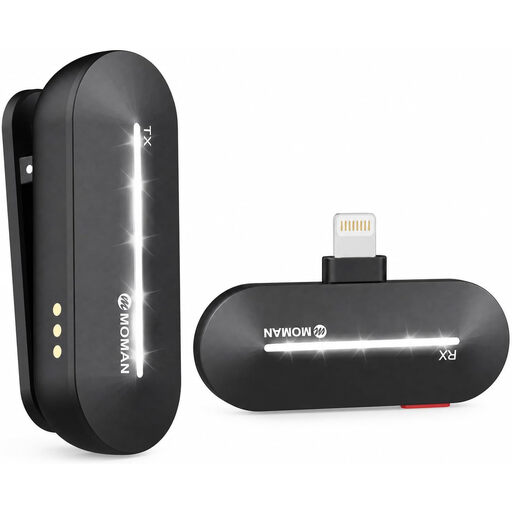
Moman M1CL wireless lavalier microphone, 1TX + 1RX

Moman M1CL wireless lavalier microphone, 1TX + 1RX

This set with one transmitter and one receiver is worth considering if you want to record someone who is seated without a cable running to the recording device.

The product title lists the iPhone 14, 13, 12, 11 and X as compatible devices. Before buying, check that your specific device and the connection you plan to use are supported.

View at Joybuy
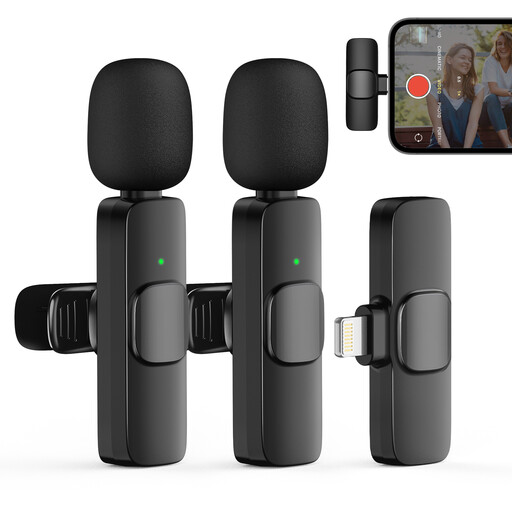
Moman CP1XA wireless lavalier microphone, 2TX + 1RX

Moman CP1XA wireless lavalier microphone, 2TX + 1RX

Two transmitters and one receiver could be a good fit if both the person telling the story and the interviewer need to wear a microphone.

The product details list iPhone and iPad as compatible devices. Check how the receiver connects to your specific recording device.

View at Joybuy

Moman MS1X(C) wireless lavalier microphone, 2TX + 1RX

Moman MS1X(C) wireless lavalier microphone, 2TX + 1RX

This set with two transmitters could suit a conversation recorded with two microphones, provided you’re using a compatible USB-C Android phone.

The product title lists USB-C Android phones and 2.4 GHz. Check that your device supports the connection described.

View at Joybuy
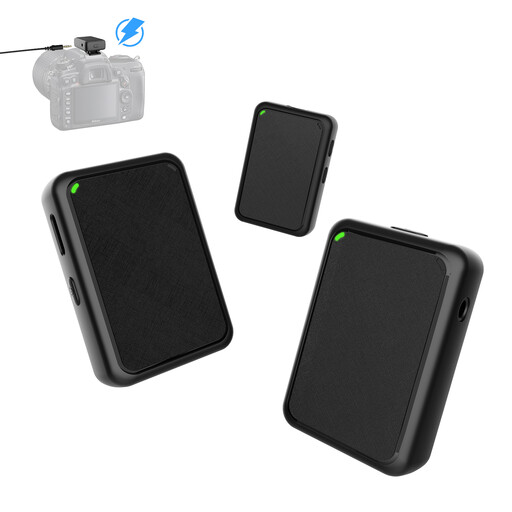
Moman MB1X(M) wireless lavalier microphone, 2TX + 1RX

Moman MB1X(M) wireless lavalier microphone, 2TX + 1RX

Two transmitters can be useful if the interviewer also needs to be recorded on their own microphone.

The product details list a 3.5 mm cable for connecting to a camera. Before you begin, check that this cable is compatible with your camera’s microphone input.

View at Joybuy

Frequently asked questions

Will any 3.5 mm socket work with a wired lapel microphone?

No. Check whether it’s a microphone input, whether you need TRS or TRRS, and if a specific power supply is required. RØDE specifically recommends a TRRS-to-TRS adapter for connecting the smartLav+ to Wireless GO; according to RØDE, the Lavalier GO needs a TRS input with plug-in power.

How should I prepare the microphone for a seated conversation?

Attach the clip to the clothing the person will actually be wearing, then listen back to a test recording while they speak normally and move their head. This lets you check for clothing noise and make sure the recording device is using the connected microphone. RØDE specifies a clip with cable management and a pop filter for the Lavalier GO.

What other preparation might be needed?

Depending on your devices, you may need a suitable connection adapter. For wireless sets, check the transmitters, receiver and power supply for the specific set. The OM SYSTEM ME-15 needs a compatible recorder. Test the complete signal path with a recording before the conversation.

Can I simply record someone else’s memories in Germany?

Not without taking further steps: under § 201 of the German Criminal Code (StGB), making an unauthorised recording of words spoken in private is a criminal offence. The Federal Ministry of Justice and the Federal Office of Justice publish the text of the law. Before you begin, check that you’re authorised to make the recording, and get the speaker’s consent for an ordinary interview. Whether, and on what legal basis, an identifiable recording can then be stored, shared or published must be considered separately. The German Data Protection Conference sets out the requirements for consent when it is used as the legal basis under data protection law.

Can any wireless microphone be used in Germany without further checks?

No. There isn’t a blanket answer for every frequency band and device. The Federal Network Agency publishes frequency-specific allocations and conditions of use; its latest overview notes that older, separate general allocations were replaced by Decision 91/2025. For a specific wireless model, check its frequency range against the relevant conditions.