What to consider when buying
First, check whether your development and testing tools require Windows or macOS. Then compare the keyboard on the specific variant and decide whether you’ll mainly work on the move or at a workstation with additional equipment.
| What matters when buying |
What to check |
Who it matters most to |
| Keyboard and testing without a mouse |
Check the layout and feel of the keyboard on the specific variant; test website workflows using the keyboard. |
If I need to test forms, search and navigation without a mouse, I need a suitable keyboard and want to test every workflow using the keyboard. Around 36% of consumers put the keyboard and testing first. |
| Compatibility with development tools |
Check that the operating system supports your development, testing and local server tools. |
If my chosen tools need to run on the system I select, I’ll check compatibility before buying. Around 29% of consumers prioritise tool compatibility. |
| Screen and longer work sessions |
Check the screen on the specific variant, as well as the ports for an external monitor and separate keyboard. |
For longer sessions working with code and a browser view in the same place, I want to set up my workstation to suit my needs. Around 21% of consumers put the screen and workstation first. |
| Portability and ports |
Compare the weight and ports on the variant with the devices you’ll actually use. |
If I work in different locations, I want to be able to use the device easily with the peripherals I need. Around 14% of consumers prioritise portability and suitable ports. |
Joybuy laptops for developing a lost property website
The listings below include compact and larger Windows laptops for developing and testing a lost property website. For each variant, check that the keyboard layout and operating system work with your tools.
 No image available
Lenovo Yoga Slim 7i Aura Edition, 14-inch, Core Ultra 7 355, 16 GB RAM, 1 TB SSD
A compact Windows option if your development tools require Windows and you need a German keyboard layout.
The listing specifies Windows 11 Home, a German keyboard, a 14-inch 2.8K OLED screen, 16 GB RAM and a 1 TB SSD.
View at Joybuy
 No image available
MSI Prestige N16 Flip AI+ C1XMT-027Y, 16-inch, 2-in-1
A larger Windows option if you want to work with code and a browser view on the built-in screen.
The title lists 128 GB DDR5, a 2 TB SSD and Windows 11 Pro; the listing description specifies a QWERTZ layout.
View at Joybuy
 No image available
HP OmniBook Ultra Flip 14-fh0670ng, 14-inch, 2-in-1
A compact Windows convertible if you’re looking for a fold-back 14-inch device.
The listing specifies an Intel Core Ultra 7 258V, 32 GB RAM, a 1 TB SSD, a 2.8K OLED screen, Windows 11 Home and Thunderbolt 4 ports. Check the keyboard layout of the specific variant.
View at Joybuy
 No image available
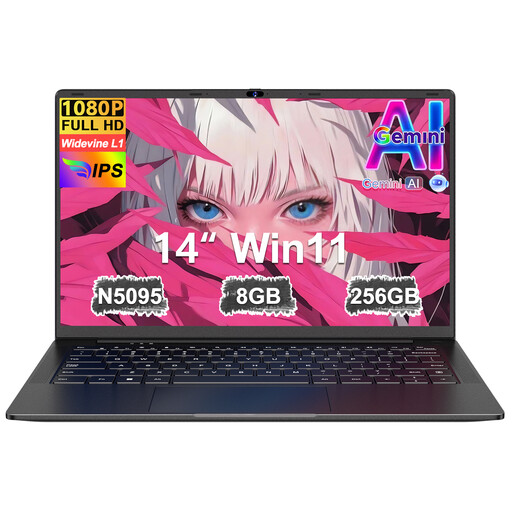
Ruzava 14-inch laptop, N5095, 8 GB RAM, 256 GB SSD
A compact option if you’re looking for a German keyboard layout and a 14-inch format.
The title lists an N5095 processor, 8 GB RAM, a 256 GB SSD and an FHD screen; the description specifies a German keyboard layout. The title states that storage can be expanded to up to 1 TB.
View at Joybuy
 No image available
16-inch laptop with FHD screen, Intel Core i5-8210Y
A larger Windows option if you want to work on a built-in 16-inch screen.
The title lists 16 GB RAM, a 512 GB SSD and Windows 11 Pro. The description specifies an anti-glare screen and an RJ45 port.
View at Joybuy
Frequently asked questions
Is a good laptop keyboard enough to make a lost property website usable without a mouse?
No. The W3C Web Accessibility Initiative describes keyboard accessibility and avoiding keyboard traps as requirements for web content. So test the actual website workflows using the keyboard; a laptop’s spec sheet can’t confirm the result.
What’s useful for long development sessions on a laptop?
For longer work sessions, the DGUV recommends an external keyboard and mouse, as well as an external monitor where possible. This is an ergonomic recommendation, not a blanket requirement when buying.
What rights do I have if my laptop is faulty?
When you buy as a consumer from a trader in the EU, you generally have a statutory guarantee of at least two years from receiving the goods. Your Europe distinguishes this right from any additional manufacturer’s guarantee; check the terms of the specific listing.
Can I return a laptop bought online?
For a relevant distance contract, Your Europe explains that you generally have a 14-day right to cancel. Whether this applies to your purchase depends, among other things, on the type of contract and any applicable exceptions.
Does the BFSG automatically apply to a lost property website?
No, not just because of the website’s subject matter. According to the Federal Accessibility Agency, for services provided through electronic commerce, one factor is whether they are supplied in response to an individual request in connection with a consumer contract. For services, the agency lists an exemption for microenterprises with fewer than ten employees and an annual turnover of no more than 2 million euros. Whether this applies to a specific website depends on the operator and what it offers.


