Start by choosing a laptop that works with your animation software, then consider whether you mainly create in 2D or render complex 3D scenes. For 3D, support for your chosen rendering method, along with RAM and graphics memory, is crucial. At a shared desk, the laptop’s size, ports and ability to lock it securely matter too. A compact device makes it easier to move your setup regularly, but offers less room for your timeline and preview than a larger display.
Who this guide is for
3D animators working on rendering projects
If you work with complex 3D scenes, check that your software and rendering method are supported, and consider the laptop’s RAM and graphics memory before choosing. The Blender Foundation sets out both minimum and recommended requirements.
Creatives who move between desks
If you regularly set up and pack away your workstation, practical factors include the laptop’s size, suitable monitor ports and being able to lock your device. Microsoft explains how to lock your screen manually in Windows.
2D and motion graphics designers
If your work is mainly in 2D, check the requirements for your specific software and whether there’s enough room for your timeline and preview, rather than automatically making 3D rendering performance your main priority. Adobe publishes version-specific system requirements for After Effects.
What to consider and check before buying
First, decide which software you’ll use and how you prefer to work. Then you can match the right configuration to the space and connections available at your shared workstation.
| What matters to you |
What to check before buying |
Who should pay particular attention |
| Graphics and memory for 3D |
Blender version and supported rendering method; RAM and graphics memory for the specific configuration. |
If you render complex 3D scenes, choose a configuration based on your software rather than a general ‘creator’ label. Around 31 % of consumers put 3D rendering first. |
| Space and frequent moves |
Device dimensions and screen size; ports that work with your monitor or dock. |
If you regularly clear your desk, look for a size that’s easy to carry and reconnect. Around 25 % of consumers prioritise moving between workstations frequently. |
| The right setup for 2D |
Software and plug-in versions, plus supported operating system; RAM and room for your timeline and preview. |
If you mainly create 2D animation or motion graphics, make sure the specific application fits smoothly into your workflow without making unnecessary 3D performance your benchmark. Around 25 % of consumers put a 2D workflow first. |
| Assessing images and screen reflections |
Display finish and stated colour specifications; only apply test results to the configuration that was actually tested. |
If you assess colours at a shared desk, consider the lighting conditions and possible reflections too. Around 19 % of consumers put display assessment first. |
Common selection mistakes
-
Treating Blender recommendations as minimum requirements for all animation software
The Blender Foundation distinguishes between minimum and recommended specifications. After Effects has its own version-specific requirements.
First decide which applications and versions you’ll use, then check the specific laptop configuration against their respective requirements.
-
Focusing only on the processor and graphics card at a shared desk
Ports and power requirements vary between models and configurations. A monitor port that doesn’t fit, or an essential accessory that isn’t included, can make setting up more difficult.
Before ordering, check that your monitor, dock and cables are compatible with the ports on the specific configuration, and see which accessories are included in the offer.
If the ports or charging accessories aren’t compatible with your existing workstation, you may need to buy additional accessories.
-
Assuming an OLED specification means you won’t get screen reflections
An independent review of the Lenovo Yoga Pro 9i Gen 10 notes good colour profiles, but also reflections on the display. This finding applies to the configuration that was tested.
Consider the screen finish and lighting at your actual workstation. Don’t assume test results apply to other configurations.
Brands to consider
ASUS
The ProArt P16 range is a Windows option for creatives looking for dedicated graphics and a large built-in display.
- For the H7606WP-RJ084X configuration, ASUS lists 64 GB of soldered RAM, an RTX 5070 with 8 GB of graphics memory, a 16-inch OLED touchscreen, USB4 and HDMI 2.1.
- These specifications apply to the configuration listed and aren’t independent evidence of performance across all ProArt devices.
Apple
The 14-inch MacBook Pro with M5 Pro or M5 Max is a more compact macOS option, provided it’s compatible with your animation software and extensions.
- Apple documents different chip, memory and SSD configurations for the model introduced in 2026. For current versions of Blender on macOS, consider Apple silicon and the rendering feature supported by your version.
- Check the specifications of the specific configuration and make sure it’s compatible with your software and plug-ins. The manufacturer’s battery-life claims don’t measure how long it will last during your own animation workflow.
Lenovo
The Yoga Pro 9i Gen 10 is a 16-inch Windows option with dedicated graphics and a larger built-in workspace.
- For the 83L0008GGE configuration, Lenovo lists 64 GB of soldered RAM, an RTX 5070 with 8 GB of graphics memory and a glossy 16-inch Tandem OLED display.
- An independent review of the equivalent configuration notes screen reflections and loud fans in performance mode. These observations can’t necessarily be applied to other configurations.
Joybuy products for animation at a shared desk
This selection includes compact 14-inch MacBook Pro configurations for compatible macOS workflows, as well as Windows laptops with different screen sizes and graphics solutions. Compare the specifications of each configuration with your software and the space available at your workstation.
 No image available
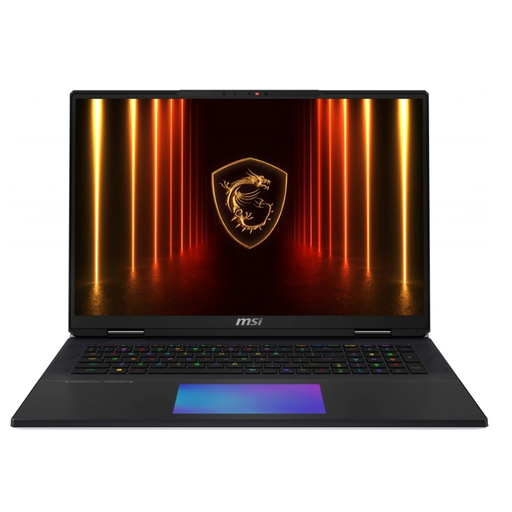
MSI Titan 18 HX AI A2XWJG-656
For 3D projects using GPU rendering, if you have the desk space for a large laptop.
18-inch display; Intel Core Ultra 9 285HX; 64 GB RAM; 6 TB SSD; NVIDIA GeForce RTX 5090; Windows.
Its 18-inch size and stated weight of 3.6 kg mean it takes up more space and is less convenient to carry.
Joybuy
 No image available
Apple MacBook Pro 14-inch, M5 Pro, 15-core CPU, 16-core GPU, 24 GB, 1 TB SSD, Space Black, German QWERTZ layout
A compact option if your animation software is compatible with macOS and Apple silicon, and you regularly move between workstations.
14-inch display; M5 Pro with 15-core CPU and 16-core GPU; 24 GB RAM; 1 TB SSD.
The built-in display offers less room for your timeline and preview than a larger device.
Joybuy
 No image available
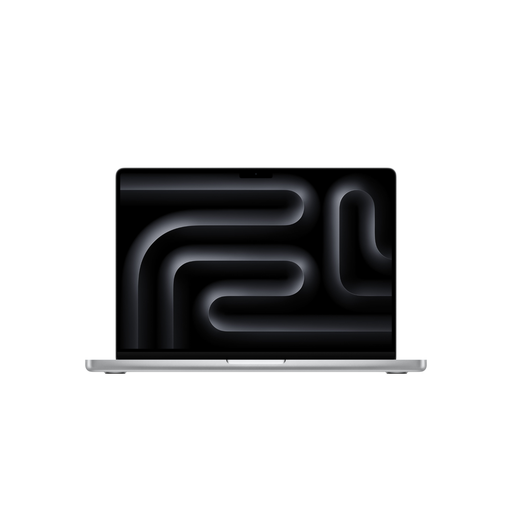
Apple MacBook Pro 14-inch, M5 Pro, 18-core CPU, 20-core GPU, 24 GB, 2 TB SSD, Silver, German QWERTZ layout
A compact option if your animation software is compatible with macOS and Apple silicon, and you regularly move between workstations.
14-inch display; M5 Pro with 18-core CPU and 20-core GPU; 24 GB RAM; 2 TB SSD.
The built-in display offers less room for your timeline and preview than a larger device.
Joybuy
 No image available
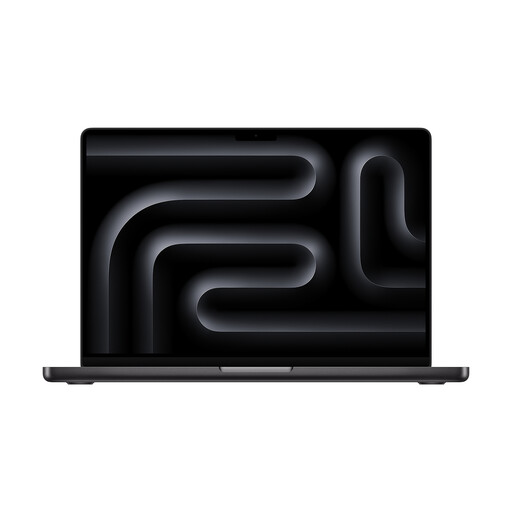
Apple MacBook Pro 14-inch, M5, 10-core CPU, 10-core GPU, 24 GB, 1 TB SSD, Space Black
A compact option for animation, provided the software and features you need are compatible with this specific macOS configuration.
14-inch display; M5 with 10-core CPU and 10-core GPU; 24 GB RAM; 1 TB SSD.
The built-in display offers less room for your timeline and preview than a larger device.
Joybuy
 No image available
Lenovo ThinkPad E16 Gen 3 21ST, Ryzen 7 250, Radeon 780M, 32 GB RAM, 1 TB SSD
A 16-inch Windows option for 2D work and workflows where the stated integrated graphics are compatible with your software.
16-inch display; AMD Ryzen 7 250 at 3.3 GHz; Radeon 780M; 32 GB RAM; 1 TB SSD; Windows 11 Pro.
For GPU-intensive 3D rendering, check whether the integrated graphics support your software’s rendering method. The Blender Foundation recommends 8 GB of graphics memory for Windows; this isn’t a universal requirement when buying a laptop.
Joybuy
Frequently asked questions
Are Blender’s minimum requirements enough for regular 3D animation?
Not necessarily. The minimum specifications describe what Blender can run on, not the right setup for every project. For Windows, the Blender Foundation lists 8 GB RAM and 2 GB of graphics memory as the minimum, and 32 GB RAM and 8 GB of graphics memory as the recommended specifications. Check your Blender version and the renderer you use as well.
How do I set up a laptop at a shared workstation?
First, check that your laptop model’s video ports are compatible with your monitor and, if applicable, your dock. If you’re leaving a Windows workstation, Microsoft recommends securing your device by locking it manually with Windows+L or setting it to lock automatically.
Are statutory rights and a guarantee the same thing?
No. If you buy from a business seller as a consumer, you have a legal right to a remedy if the goods are faulty; the EU explains that this right applies for two years. Any additional guarantee offered comes with its own terms and doesn’t replace your statutory rights.
Can I return a laptop bought online in Germany without giving a reason?
In general, you have the right to cancel a consumer contract made online. According to the Verbraucherzentrale, the cancellation period for ordered goods is usually 14 days from the date you receive them. You must notify the seller that you wish to cancel, and some exceptions may apply.


