Who tests mobile apps on a laptop?

iOS and Android testers

If you want to test iOS locally in Xcode as well as Android apps, start by considering the operating system and development workflow you need. Apple Developer describes Xcode and the iOS Simulator as a Mac workflow. Then match the RAM and SSD to the test environments you’ll be using at the same time.

Android testers using emulators

If you test Android apps with one or more virtual devices, plan for the RAM, storage and emulator acceleration your projects require. Google’s Android Developers gives an approximate memory requirement per device when running several AVDs at once, though your actual needs may vary.

Testers at a hot desk

If you regularly connect monitors, input devices and physical test phones at a shared desk, check the ports on the specific configuration you’re considering. Also think about how you’ll lock your laptop when you leave your desk.

What should you look for when choosing?

Mac for local iOS testing

A good fit if: you want to test iOS apps directly in Xcode, using a simulator or a connected iPhone.

Trade-off: Check that your macOS version supports the Xcode version you need. A simulator can’t fully replicate the performance and features of a physical device.

Windows or Linux laptop for Android

A good fit if: your local workflow is based on Android Studio, emulators and physical Android devices, and you don’t need Xcode locally.

Trade-off: Requirements increase with larger projects and multiple AVDs running at once. On Windows, you should also check Android Studio’s limitations on ARM-based CPUs.

Android testing with physical devices

A good fit if: you mostly test with a physical Android device, or Android Device Streaming works with your workflow.

Trade-off: Testing without a local emulator won’t automatically cover every device configuration and Android version you may need.

What matters What to check before buying Who it matters most to
Supported testing platform For local iOS testing, match the Xcode version you need to a supported version of macOS. If you don’t need to test iOS locally, first decide which Android workflow you’ll use. If I need to test iOS locally in Xcode, the right Mac and macOS configuration is essential. This is the top priority for consumers who need local iOS testing, accounting for around 33%.
Android emulators Consider how many AVDs you plan to run at once, along with RAM and SSD requirements. Check whether the specific system configuration supports emulator acceleration. If I run several virtual devices at once, I want to plan for the resources my projects actually need. Consumers whose main concern is emulator capacity account for around 33%.
Devices and desk connections Check that the ports on the specific configuration suit your test devices, monitor, dock and network. If I often switch devices and peripherals at a shared desk, I want the connection options to work with my existing setup. Around 25% of consumers have this as their main concern.
Moving between workspaces and locking your laptop Check the size and weight of the model you choose, and set up a manual or automatic screen lock. If I often leave my desk, I want a laptop that’s easy to take with me and a straightforward way to protect my session. Around 9% of consumers prioritise moving between workspaces and securing access.

Common buying mistakes

  • Choosing a Windows laptop for local iOS testing based on performance alone

    The local Xcode and iOS Simulator workflow requires a Mac. The macOS version must also support the Xcode version you need.

    Before choosing your hardware, decide whether you need to test iOS locally and which Xcode version you’ll use.

  • Assuming Android Studio’s minimum requirements will be enough for lots of AVDs

    Larger projects and several virtual devices running at once can use more memory and storage. Google provides approximate guidelines, but notes that requirements may vary.

    Plan around the tests you’ll actually run and the RAM and SSD fitted to the laptop, rather than a possible maximum upgrade.

  • Assuming every USB-C port supports docks and displays in the same way

    Port capabilities can vary by model and configuration. Supported features may also differ between expansion card slots.

    Check the specific ports against your monitor, power supply, network and test devices.

    If your existing equipment isn’t compatible, you may need a different dock, expansion cards or extra cables.

Key brands at a glance

Apple

The MacBook Air is a Mac option for buyers who need Xcode locally. Depending on the configuration, Apple lists 16 GB to 32 GB of unified memory.

  • Xcode and the iOS Simulator are part of the local Mac workflow.
  • Check the macOS and Xcode versions you need, as well as the specific memory configuration. Manufacturer specifications don’t provide independent performance measurements for simultaneous test runs.

Lenovo

The ThinkPad T14 Gen 6 (AMD) is a documented example of a business laptop offering a range of connection types for an Android-focused workspace.

  • Lenovo lists USB-A, Thunderbolt 4/USB4, HDMI and Ethernet among the ports available for this range.
  • Features and memory vary by model. The documented variant 21QJ00EPGQ has 16 GB RAM and an English keyboard; it isn’t representative of every German configuration.

HP

The EliteBook 8 G1i 14 is a business laptop range for a compact Windows workspace. The documented variant AD3G8ET#ABD lists 16 GB RAM and a 512 GB SSD.

  • The specific variant is listed with Windows 11 Pro, 16 GB RAM and a 512 GB SSD.
  • Manufacturer claims about portability or productivity don’t prove that a laptop will suit a particular mix of emulators. Match the RAM and SSD to the testing you plan to do.

Dell

The Dell Pro 14 PC14250 is a configurable business laptop range for a Windows-based Android workflow.

  • Dell’s German model page lists the PC14250 range.
  • Images and features may vary by configuration. Check the ports, RAM and operating system for the specific product; the range as a whole can’t be assumed to suit every emulator setup.

Framework

The Framework Laptop 13 with AMD Ryzen AI 300 Series is aimed at buyers who value the option to change the RAM, storage or ports later on.

  • Framework describes upgrade options for RAM and SSD, as well as replaceable expansion cards.
  • Not every expansion card supports the same features in every slot. Also check the specific German configuration, keyboard and items included.

Joybuy products for app testing

The laptops below cover Windows-based Android testing and a Mac option for local iOS testing. Compare the specific configuration with your test plan and the ports available at your shared desk.
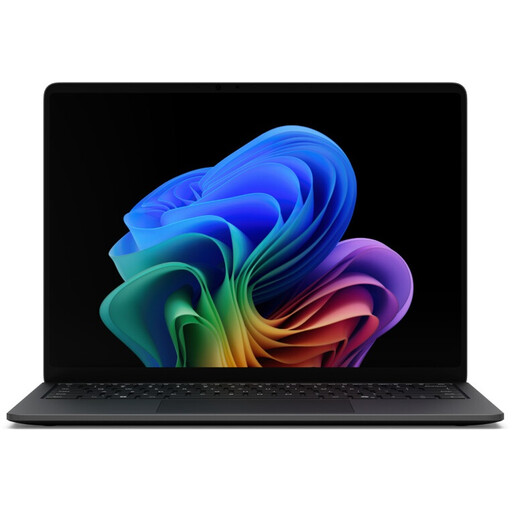
Microsoft Surface Laptop 8, Core Ultra 5, 16 GB RAM, 512 GB SSD, Black

Microsoft Surface Laptop 8, Core Ultra 5, 16 GB RAM, 512 GB SSD, Black

A Windows option for Android testing. Check that it supports emulator acceleration and is compatible with your test plan.

Windows 11 Pro, 16 GB RAM and a 512 GB SSD.

Listed with two USB 4.0 ports and Thunderbolt 4.

View at Joybuy

Microsoft Surface Laptop 7, Snapdragon X Plus, 16 GB RAM, 512 GB SSD, Black

Microsoft Surface Laptop 7, Snapdragon X Plus, 16 GB RAM, 512 GB SSD, Black

A Windows option for Android testing. Before you buy, check Google’s guidance on using Android Studio on Windows with ARM-based CPUs.

Windows 11 Pro, 16 GB RAM and a 512 GB SSD.

Listed with USB 4.0 and Thunderbolt 4.

View at Joybuy

Microsoft Surface Laptop 8, Core Ultra 5, 24 GB RAM, 1 TB SSD, Platinum

Microsoft Surface Laptop 8, Core Ultra 5, 24 GB RAM, 1 TB SSD, Platinum

A Windows option for Android testing if you want to match your planned projects to the listed memory and RAM configuration.

Windows 11 Pro, 24 GB RAM and a 1 TB SSD.

Listed with Intel Core Ultra 5 and integrated Intel graphics.

View at Joybuy

Samsung Galaxy Book6 Enterprise Edition 14, Intel Core Ultra 7 355, 16 GB RAM, 512 GB SSD, RJ45

Samsung Galaxy Book6 Enterprise Edition 14, Intel Core Ultra 7 355, 16 GB RAM, 512 GB SSD, RJ45

A Windows option for Android testing if a wired network connection is part of your setup.

Windows 11 Pro, 16 GB RAM and a 512 GB SSD.

Listed with Intel Core Ultra 7 355 and RJ45.

View at Joybuy

Apple 13-inch MacBook Air with M5, 16 GB RAM and 512 GB SSD, Midnight, German QWERTZ layout

Apple 13-inch MacBook Air with M5, 16 GB RAM and 512 GB SSD, Midnight, German QWERTZ layout

A Mac for local iOS testing with Xcode. Match the Xcode version you need to a supported version of macOS.

16 GB unified memory and a 512 GB SSD.

Listed with a 13.6-inch display, a weight of 1.23 kg and two Thunderbolt 4 ports; supports up to two external displays.

A power adapter is not included; a separate compatible adapter is required.

View at Joybuy

Frequently asked questions

Can I test iOS apps locally in a simulator on any laptop?

No, not with the local Xcode workflow described here: Apple Developer describes the iOS Simulator as running on a Mac. Check the macOS requirements for the Xcode version you need too; an older Mac won’t necessarily be compatible with every version.

Do I need an emulator for Android testing?

No. Google’s Android Developers also lists a physical Android device or Android Device Streaming as testing options. Choose based on the devices and Android versions you need to cover; an emulator lets you test different virtual configurations.

Is a simulator enough to fully test features on a real iPhone?

Not for every test. Apple notes that simulators can’t fully replicate the performance and features of physical devices. If you need to assess how an app behaves on a real device, supplement simulator testing with tests on physical devices.

What should I set up first at a shared desk?

Check that your dock and ports work with the devices you already have, and set up a screen lock. For Windows, Microsoft describes how to lock your laptop manually with Windows+L, or set it to lock automatically after a period of inactivity.

What rights apply when buying a laptop online in Germany?

When you buy as a consumer from a business seller, statutory rights for faulty goods generally apply for a minimum of two years from the date you receive the product. For ordinary online distance sales, you generally have 14 days from delivery to withdraw from the purchase; exceptions and rules on return costs apply. The Your Europe information from the EU covers consumer rights and doesn’t automatically apply to business purchases or purchases from private individuals.