For reviewing plans at a desk
You mainly compare PDF floor plans and details, and want plenty of usable screen space. Your main purpose isn’t 3D modelling.


If you mainly check architectural plans as PDFs, a clear, easy-to-read display should take priority over the most powerful graphics card. If you regularly add handwritten notes, consider a convertible with a compatible stylus. For your own CAD or BIM work, check that the operating system and hardware meet the requirements of the specific software version.
You mainly compare PDF floor plans and details, and want plenty of usable screen space. Your main purpose isn’t 3D modelling.
You regularly add sketches or notes directly to plans on screen. Check that the touchscreen, stylus and app you use are all compatible.
Alongside PDFs, you work on projects in specific CAD or BIM software. The software’s operating system and hardware requirements are what matter most.
First, decide whether you’ll mainly review PDFs, add handwritten notes or do your own CAD or BIM work. This will help you identify the right display, input and software requirements.
| What you need | What to look for when buying | Who it matters most to |
|---|---|---|
| Readability and space for plans | Compare screen size, resolution and anti-glare finish. Lenovo lists an anti-glare 16-inch WUXGA display for the ThinkPad E16 Gen 3 21ST001YGE. | If I compare floor plans and details at a desk, usable screen space matters more than doing my own 3D modelling. Around 29% of consumers put plan readability first. |
| Portability | Check the dimensions, weight and ports of the specific configuration. If you already have a monitor, make sure it has a compatible port too. | If I regularly take my laptop between my room and university, its size and weight matter to me. A smaller display may mean more zooming. Around 23% of consumers prioritise portability. |
| Handwritten annotations | Check the touchscreen, compatible stylus, what’s included and the features of the PDF app you use. Lenovo lists the Yoga Pen as an optional accessory for the Yoga 7 2-in-1. | If I want to sketch directly on digital plans, I need a screen, stylus and app that work together. Around 18% of consumers put handwritten annotations first. |
| Your own CAD or BIM work | Check the software version, operating system, project size and RAM against the manufacturer’s requirements. Autodesk specifies Windows for Revit 2026; Graphisoft recommends 32 GB RAM for medium-sized Archicad 30 projects. | If I work on my own models as part of my course, my laptop needs to meet the requirements of the software and project size. Around 12% of consumers prioritise their own CAD or BIM work. |
| Features you actually need | Only consider features your software and working style genuinely require. If you need stylus input, check what’s included with the specific configuration. | If I mainly review PDFs, I don’t want to choose features my work doesn’t require. Around 18% of consumers put choosing only the features they need first. |
The requirements for Revit and Archicad apply to those specific software packages and tasks, not to every PDF. Simply reading and annotating plans doesn’t mean you need a dedicated graphics card.
Before you buy, distinguish between reviewing PDFs and doing your own CAD or BIM work. Then check the requirements for the software version you’ll actually use.
Lenovo lists the Yoga Pen as optional for the Yoga 7 2-in-1. So a touchscreen alone doesn’t tell you whether a compatible stylus is included.
Check the exact configuration against the stylus compatibility and features of the plan app you use.
Platform requirements vary by software. Autodesk specifies Windows for Revit 2026 and deals with Apple computers separately, using Parallels Desktop.
Before settling on an operating system, compare your university’s software list with the requirements for the relevant version.
The ThinkPad E16 is a traditional laptop with a larger display, while the Yoga 7 2-in-1 adds touchscreen and convertible functionality.
The ProBook 4 G1a is a traditional 14-inch Windows laptop for anyone who prefers a smaller display.
The TUF Gaming A16 FA608UH-RV027W is worth considering if your work alongside reviewing plans genuinely involves graphics-intensive tasks.
The MacBook Air is an option if the plan and study software you need is compatible with macOS.
The Joybuy products below are traditional laptops with 16-inch displays. Some of the listed configurations include additional graphics capabilities. If you want to work on your own CAD or BIM projects, check the requirements of the software and version you’ll use.
 No product image available
The 16-inch display is designed for reviewing plans at a desk.
AMD Ryzen 5 220, Windows 11 Pro, Radeon 740M, 32 GB RAM, 1 TB NVMe SSD and anti-glare 16-inch WUXGA IPS display with 1920 × 1200 pixels.
 No product image available
The configuration described has an anti-glare 16-inch display for reviewing plan PDFs at a desk.
AMD Ryzen 7 250, Windows 11 Pro, Radeon 780M, 32 GB RAM, 1 TB NVMe SSD and WUXGA resolution of 1920 × 1200 pixels. Listed weight: 1.71 kg.
 No product image available
Consider this configuration only if you have graphics-intensive tasks in addition to reviewing PDFs. Check the CAD or BIM requirements separately.
AMD Ryzen 9 8940HX, 24 GB RAM, 1 TB SSD, GeForce RTX 5070 and Windows 11 Home. The anti-glare 16-inch IPS display is specified as 2560 × 1600 pixels and 240 Hz. Listed weight: 2.43 kg.
 No product image available
The configuration described may suit plan reviews and additional CAD tasks. Check your actual project requirements first.
Windows 11 Professional, 64 GB RAM, 2 TB storage and NVIDIA RTX A500. The anti-glare 16-inch WUXGA display is specified as 1920 × 1200 pixels. Listed weight: 1.72 kg.
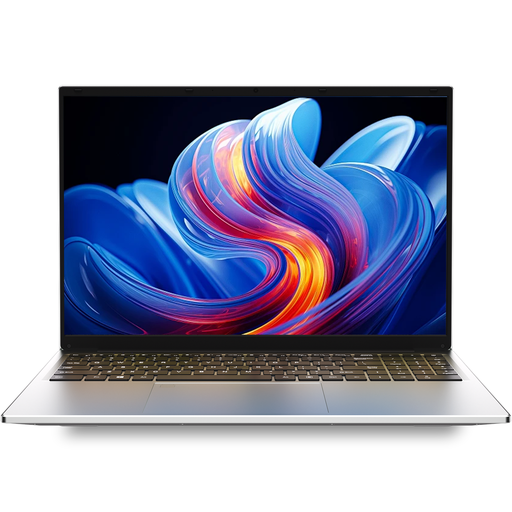 No product image available
The 16-inch display is designed for reviewing plans at a desk.
I3 1000NG4, 16 GB DDR4 and 1 TB SSD. The 16-inch IPS display is specified as 1920 × 1200 pixels.
The requirements mentioned don’t make a dedicated graphics card essential for simply reading and annotating PDFs. If you also work on models, check the requirements for the specific CAD or BIM version.
Adobe describes tools for measuring distances and areas in PDF files. Before measuring, check the scale and properties of the specific file; the on-screen view alone doesn’t guarantee reliable building dimensions.
Compare your monitor’s input with the ports on the exact laptop configuration. For handwritten notes, also check stylus compatibility, what’s included and the features of your PDF app. Lenovo lists the Yoga Pen as optional for the Yoga 7 2-in-1.
Not necessarily: Graphisoft offers a free educational version to eligible school pupils, students and teachers. Graphisoft says you can register with a school email address. Check your eligibility and the terms for the software you need.