For analysing large observation datasets
If you work with extensive local spreadsheets or R analyses, the memory capacity should suit your datasets. Posit says the resources required by the RStudio IDE depend on the work and analysis involved.


When choosing a laptop for bird survey data, start with the size of your datasets and the software you need. Then consider screen space and the ports that suit your workspace. For larger R datasets, choose enough RAM for your analysis; extra processor cores are no reliable substitute. For mapping, consider whether the built-in display or a connected monitor gives you enough room for your windows.
If you work with extensive local spreadsheets or R analyses, the memory capacity should suit your datasets. Posit says the resources required by the RStudio IDE depend on the work and analysis involved.
If you work with georeferenced observations alongside maps, spreadsheets and reports, consider the screen space available on your laptop or an external monitor. The Dachverband Deutscher Avifaunisten (German Avifaunists’ Association) describes how observations are plotted on maps.
If you switch between data collection, meetings and analysis, portability, suitable ports and software compatibility all matter. QGIS lists installation options for several operating systems; check other software and connected devices individually.
When choosing a laptop for bird survey data, assess dataset size, map viewing, the specific software you use and file storage separately.
| Consideration | What to check | Who should pay particular attention? |
|---|---|---|
| RAM | The size of your own datasets and the programmes you run at the same time; the RAM included and whether it can be upgraded on the exact model variant. | If my local R datasets are growing or I run several projects at once, I want to choose memory based on how I actually use my laptop. Around 36% of consumers are likely to rank RAM as a top buying consideration. |
| Screen space for mapping | The display size and resolution of the exact model variant, plus the ports available for an external monitor. | If I have maps open alongside spreadsheets and reports, I need enough visible screen space on my laptop or a monitor. Around 29% of consumers are likely to prioritise screen space for mapping. |
| Software compatibility | Check that the operating system and processor architecture support the required software versions, extensions, file formats and device drivers. | If I already know which specialist programmes and devices I need, I’ll base my choice first on compatibility. This is likely to be the most important buying consideration for around 21% of consumers. |
| Data backup and workspace | The space required for project files, ports for the storage devices you already own and a practical way to keep separate backups. | If I want to store and back up survey files and analyses reliably, a suitable workflow matters to me. Around 14% of consumers are likely to put file storage and integration with their workspace first. |
Memory requirements depend on dataset size and the analysis you’re running. The RStudio interface alone won’t tell you what specification is right for your projects.
Estimate the size of your own datasets and check the RAM and upgrade options for the exact model variant.
Upgrading the RAM later can be difficult or even impossible, depending on the device.
Memory, ports and other features can vary between configurations within the same laptop range.
Before buying, compare the full model name and the specifications for the exact configuration with the devices you already own.
Depending on your existing peripherals, you may need an extra adapter or a dock.
If a survey or analysis file is stored only on the internal SSD, you don’t yet have a separate backup.
Plan a separate backup for your working files and check that you can restore them.
The fact that many applications run on Windows-on-Arm devices doesn’t automatically mean that every specialist application, extension and driver is compatible.
Check your specific software, extensions and connected devices against the operating system and processor architecture you’re choosing.
If the software or a driver you need isn’t compatible, you may need an alternative or a different device.
ThinkPad T models are one possible compact work option; their specification and suitability depend on the exact configuration.
Some EliteBook 8 G1i variants have a larger display, making them an option for a mainly desk-based workspace.
The Pro 16 Plus PB16250 is a configurable 16-inch range for a workspace that benefits from a larger built-in display.
The MacBook Air with M5 is a macOS option if your required analysis programmes and extensions are compatible with the variant you choose.
The ExpertBook P3 PM3406 is another 14-inch business laptop family with specifications that vary by configuration.
The products below are suited to a fixed workspace for maps, spreadsheets and local analysis; a portable additional display is included as an extra option. Check that your software is compatible before choosing.
 No image available
The listed 16-inch variant is worth considering for working with maps and spreadsheets at a fixed workstation.
AMD Ryzen 5 220 at 3.2 GHz, Radeon 740M, Windows 11 Pro, 32 GB RAM and a 1 TB NVMe SSD.
 No image available
The memory specification shown in the product name may suit large local projects; compare it with the requirements of your analysis.
16 inches, Intel Core Ultra 7 265H, 64 GB RAM and a 2 TB SSD.
 No image available
The listed 16-inch screen is a useful starting point when checking whether maps and other work windows will fit on the built-in display.
16 inches, Windows 11 Pro, 32 GB DDR5 RAM and a 512 GB PCIe SSD.
 No image available
This model can add extra screen space for maps or documents; check that its ports are compatible with your laptop.
FHD 1080p, IPS, USB-C and HDMI.
 No image available
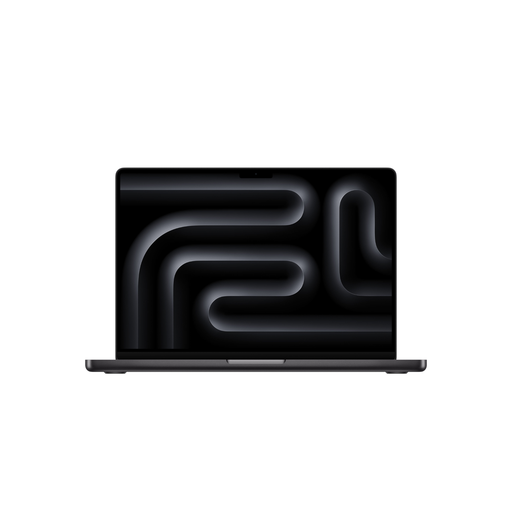
This macOS variant is an option for analysis if your programmes and extensions are compatible with the exact configuration.
M5 Pro with an 18-core CPU and 20-core GPU, 24 GB memory, a 1 TB SSD and a German QWERTZ keyboard layout. According to the product listing, a power adapter isn’t included and must be bought separately.
No, what matters is the specific software and projects you use. Posit says the resources required by the RStudio IDE depend on the analysis involved; QGIS lists installation options for Windows, macOS and Linux. Also check any required extensions and connected devices.
It depends on the dataset size and analysis, so there’s no single RAM figure that works for everyone. Posit recommends considering more memory for datasets larger than 1 GB. Also check which programmes you’ll run at the same time and whether the RAM in the specific laptop variant can be upgraded.
Keep a separate backup of raw and edited files, and check that you can restore them. A file stored only on the internal SSD isn’t backed up.
For a qualifying online consumer purchase in Germany, you generally have 14 days from delivery to withdraw from the contract. Exceptions may apply and return costs may be charged; the right of withdrawal described by Your Europe doesn’t apply to purchases from private individuals.
For qualifying consumer purchases within the EU, you generally have at least two years of legal protection from the seller if the goods don’t conform to the contract. A voluntary manufacturer’s warranty can’t reduce these rights; the consumer rules don’t automatically apply to a business purchase. Your Europe explains this EU-wide minimum protection.