Students who write a lot in a small room
If you read sources and edit longer passages at the same desk, screen space, readability and the keyboard are important factors to consider.


Choose a laptop based first and foremost on how well its display and keyboard suit the reading and writing you’ll be doing at your desk. A particularly powerful graphics card isn’t a priority for writing a book review. Then check that your word-processing software and required submission format will work, and consider whether the size, accessories and portability suit your day-to-day routine.
If you read sources and edit longer passages at the same desk, screen space, readability and the keyboard are important factors to consider.
If you’re looking for a laptop for writing and research, remember to factor in the software you’ll need and any accessories that may not be included.
If your review has to be produced using a particular programme or file format, check that your entire workflow is compatible before choosing an operating system.
A good fit if: You need to use a particular Windows programme or prefer working this way.
Keep in mind: With devices powered by Arm processors, check each of the applications and peripherals you need.
A good fit if: You want to use macOS and your word-processing software and submission format are compatible.
Keep in mind: Apple lists two Thunderbolt 4 ports on the 13-inch model, so check whether you’ll need additional ports or accessories.
A good fit if: Browser-based writing tools are enough and you don’t need specialist software that has to be installed locally.
Keep in mind: Google notes that some apps don’t work offline. Set up the files you need for offline access in advance.
| What matters when buying | What to look for | Who will find this important? |
|---|---|---|
| Reading and writing | Compare the screen size, aspect ratio and finish, as well as the keyboard layout on the exact model. | If I want to read longer sources and my draft on a small desk, readability and the keyboard matter most. Around 36% of consumers put comfort when reading and writing first. |
| Total cost | Check whether the power adapter and any accessories you need are included, and which word-processing software your workflow requires. | If I need to keep spending on equipment down, I want to plan for any extra costs for the laptop and software in advance. Around 29% of consumers prioritise the purchase price and ongoing costs. |
| Software and submission format | Test a sample file in the required programme and format. Check offline access on a Chromebook and the apps you need on Windows on Arm. | If my university requires a particular programme or file format, my entire submission process needs to work. Around 21% of consumers focus mainly on software and submission compatibility. |
| Portability | Compare the size and weight of the exact model. Consider the manufacturer’s battery-life claims in the context of your own usage. | If I regularly take my laptop between my room and university, I want to weigh its size and weight against the screen space I need. Around 14% of consumers put portability first. |
A larger built-in display takes up more room on your desk. What matters is how much screen space you actually need for your sources and draft.
Measure the space you have available and think about whether you want to read both texts on the laptop screen or arrange them another way.
Dell’s XPS 13 DX13260 configuration is specifically listed as not including a charger, while a power adapter is listed for the HP OmniBook mentioned here.
Check the power adapter, the ports you need and the word-processing software required for the exact model on offer before comparing the total cost.
If you don’t already have a suitable power adapter, you may need to buy one separately.
Google notes that some apps don’t work offline on Chromebooks. On Windows on Arm, native and emulated apps may behave differently.
Test a file in the required submission format and check that the specific apps and peripherals you need are compatible with your chosen platform.
The ThinkPad E14 Gen 7 offers a 14-inch Windows configuration for writing on a compact desk.
The Aspire Go 15 is an option if you’d prefer a larger built-in display for mostly desk-based work.
The 13-inch MacBook Air with M5 is a macOS option, provided its software and file formats fit your workflow.
The OmniBook 5 range includes compact Windows models; model 14-he0754ng uses an Arm-based Snapdragon processor.
The XPS 13 DX13260 is a compact Windows option where the exact configuration and accessories matter.
The Joybuy models below include Windows laptops for writing at your desk and for taking between your room and university.
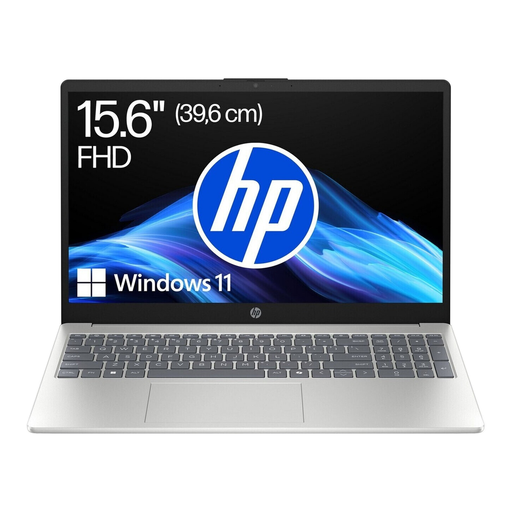 No image available
The stated screen size may suit desk-based work if you have enough space on your desk.
15.6-inch FHD display, AMD Ryzen 5 7520U, 8 GB RAM, 256 GB SSD and Windows 11 Home.
The stated weight is 1.59 kg.
 No image available
The more compact display may suit you if you also want to take your laptop with you and the Windows software you need works with the Arm platform.
13.8-inch touchscreen with a 3:2 aspect ratio and 2,304 × 1,536 pixels, 16 GB RAM, 512 GB SSD and Windows 11 Professional.
The stated weight is 1.34 kg. Check that the specific apps and peripherals you need are compatible with Windows on Arm.
 No image available
The 11.6-inch display could be an option for a small desk. Check whether it gives you enough room to read and edit your work.
Intel Pentium Gold 6500Y, 8 GB RAM, 256 GB SSD and Windows 11 Pro. The device is described as having a 360° hinge.
 No image available
The 14-inch model may suit longer writing sessions and occasional travel, provided its specifications meet your needs.
Intel Core Ultra 7 258V, 32 GB RAM, 1 TB SSD, 14-inch 2.8K OLED touchscreen and Windows 11 Home.
The stated weight is 1.34 kg; the listed modes are laptop, tablet, stand and tent.
 No image available
The 14-inch display gives you a specific size to compare if you want to read your sources and draft on your laptop.
Intel N5095, 8 GB RAM, 256 GB SSD and 14-inch FHD IPS display. The stated weight is 1.39 kg; the device is described as having a 180° hinge.
Not just for the assignment itself. First find out which programme and file format your university requires, then test the process on the device you plan to use. Browser-based word processing may be enough; with a Chromebook, you’ll need to prepare any Drive files you need for offline use.
Open a sample file, edit it and check that you can create the required output format. If you want to work offline on a Chromebook, set up access to the Drive files you need beforehand and test it without an internet connection.
No, check both for the specific offer. Dell lists the XPS 13 DX13260 configuration described as not including a charger, while HP lists a power adapter for the OmniBook mentioned here. Microsoft offers a free online version of Word; additional features may require a subscription.
For a standard online purchase made by a consumer, you generally have a 14-day right to cancel, starting when you receive the goods in full. Exceptions may apply in some cases, and you must notify the seller that you wish to cancel. Your statutory rights against the seller are separate from any voluntary guarantee.
Check where it will be shipped from and whether there’s a contact in the EU. As part of its market surveillance, Germany’s Federal Network Agency checks things including CE marking, manufacturer details and the required German-language instructions and safety warnings. A product listing alone doesn’t prove that all these requirements have been met.