When choosing a laptop for writing a book summary in your student room, start by checking the keyboard, how easy the display is to read and whether it works with the writing software you need. More memory alone won’t determine how comfortable it is to write on. If you usually work at a desk and switch between your book and draft, a larger screen may suit you. If you regularly take your laptop to the library, its size and weight matter more. Check the specifications of the exact model, and set up a way to back up your drafts whatever laptop you choose.
Which laptop is right for you?
For students who write a lot in their room
If you write and edit longer pieces at a desk, check the keyboard layout and display of the exact model. Lenovo lists a German keyboard and matte 14-inch display for the ThinkPad E14 Gen 7 21SX003SGE; Acer lists a matte 15.6-inch display for the Aspire Go 15 AG15-72P-51GW.
For readers working with several sources
If you switch between your book, notes and draft while writing, screen size is an important consideration. The display sizes listed for the models covered here range from 13 inches on the MacBook Neo to 15.6 inches on the Acer Aspire Go 15.
For writing between your room and the library
If you regularly take your draft with you, compare the size and weight of the exact model with the larger working area you’d like at your desk. Apple describes compact MacBook models with different display and storage configurations; also check the keyboard layout and ports on the version you’re considering.
What should you look for when buying?
Compact Windows laptop
A good fit if: you do a lot of writing, want to take your laptop with you and need Windows software.
Consider: For the listed ThinkPad E14 Gen 7 21SX003SGE, check whether 32 GB RAM and a 1 TB SSD are right for your needs.
Larger Windows laptop
A good fit if: you mainly work in your room and want to work on your book and draft on a larger built-in display.
Consider: The larger case takes up more space; the Aspire Go specifications listed here apply only to model AG15-72P-51GW.
Compact Mac
A good fit if: your writing software works with macOS and you prefer a smaller laptop.
Consider: The MacBook Neo and MacBook Air have different listed storage and display specifications. Also check the keyboard layout and ports on the exact model.
| What you need |
What to check |
Who will find this most important? |
| Writing for long periods |
Check the keyboard layout and keys on the exact model; assess the display finish and readability in your usual room lighting. |
When I write for a long time, I want to focus on the keyboard and how the text looks on screen. Around 29% of consumers put typing comfort and readability first. |
| Reading sources and your draft side by side |
Compare the display size and resolution of the exact model; consider how much desk space you have. |
When I want to use my book, notes and summary side by side, the built-in screen size matters to me. Around 23% of consumers prioritise reading and writing side by side. |
| Writing software and purchase |
Check the requirements for software and submission formats; confirm the operating system and what’s included with the exact model. |
If my university requires specific software or file formats, I want to check these requirements before buying a laptop. Around 18% of consumers put compatible software and the actual purchase first. |
| Working on the go |
Check the size and weight of the exact model; note the test conditions when reviewing battery life claims. |
If I regularly go to the library, I want a laptop that’s easy to carry. Around 18% of consumers prioritise portability. |
| Backing up your drafts |
Decide on a practical backup method before you start writing; check that you can restore a backed-up file. |
If I want to protect my own work, I don’t want to rely on the laptop’s storage alone. Around 12% of consumers put backing up their drafts first. |
Which buying mistakes should you avoid?
-
Assuming more memory means a more comfortable writing experience
Even generous memory specifications won’t tell you whether the keyboard and display are suitable for longer writing sessions. The listed ThinkPad E14 Gen 7 has 32 GB RAM, but you should still start by considering how you’ll actually use it to write your book summary.
Work out which software and files you’ll use, then compare the specifications of the exact model.
-
Assuming it comes with Windows
HP lists the HP Laptop 15-fd1771ngx as coming with FreeDOS 3.0; the power adapter is also sold separately for this version. The model name alone doesn’t tell you which operating system or accessories are included.
Before buying, check the full model number, operating system and what’s included.
-
Assuming a manufacturer’s battery-life claim reflects your writing time
Apple gives battery-life figures for specific test scenarios. They don’t guarantee how long a MacBook will last with your combination of writing software, screen brightness and open apps.
Read the conditions for each claim, and make sure you can charge your laptop during longer work sessions away from home.
-
Confusing SSD storage with a backup
A file saved on your laptop isn’t a separate backup. Germany’s Federal Office for Information Security warns that data can be lost, for example, through damage or theft.
Make a separate backup of your drafts and check that you can restore the files from it.
Brands and specific model ranges to consider
Lenovo
The listed ThinkPad E14 Gen 7 21SX003SGE is a 14-inch Windows model with a matte display and German keyboard.
- For this exact version, Lenovo lists a backlit German keyboard and a matte 14-inch display.
- These specifications don’t automatically apply to other ThinkPad E14 versions.
Acer
The Aspire Go 15 AG15-72P-51GW is a specifically documented, larger Windows model for mainly desk-based use.
- For this model, Acer lists a matte 15.6-inch IPS display, 16 GB RAM and a 512 GB SSD.
- A backlit keyboard isn’t listed for this version; other Aspire Go models may differ.
Apple
The MacBook Neo and 13-inch MacBook Air M5 are compact macOS options with different listed specifications.
- Apple lists 8 GB of unified memory for the Neo and 16 GB for the Air base configuration described here.
- Check that your required software works with macOS, and confirm the keyboard layout and ports on the version being sold.
HP
The HP Laptop 15-fd1771ngx shows why you should check the operating system and what’s included with each specific model.
- HP lists a 15.6-inch FHD display for this model.
- HP lists this version with FreeDOS 3.0 and a power adapter sold separately; this doesn’t apply to all HP laptops.
Laptops at Joybuy
This selection includes laptops for longer writing sessions in your student room, larger displays for working with sources and drafts, and Mac options for working on the go.
 Image unavailable
HONOR MagicBook X16 AMD 2025, R5 6600H, 16 GB + 512 GB, German keyboard
The 16-inch display and German keyboard make this an option if you switch between your book and summary at your desk.
The product name lists an AMD R5 6600H, 16 GB RAM and 512 GB storage.
View at Joybuy
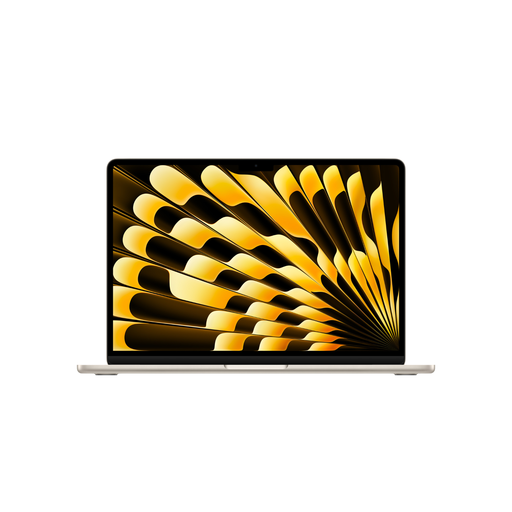 Image unavailable
Apple MacBook Air 15-inch M5, 16 GB, 512 GB SSD, German QWERTZ keyboard
The 15-inch version with a German QWERTZ keyboard is worth considering if you prefer a larger display for writing.
The product name lists the M5 chip, a 10-core CPU and 10-core GPU, as well as 16 GB of memory and a 512 GB SSD. According to the product description, a power adapter isn’t included and must be purchased separately.
View at Joybuy
 Image unavailable
Apple MacBook Neo 13-inch A18 Pro, 8 GB, 512 GB SSD, German QWERTZ keyboard
The 13-inch size is an option if you travel between your student room and the library and prefer a smaller laptop.
The product name lists the A18 Pro, 8 GB of memory and a German QWERTZ keyboard. According to the product description, a USB-C power adapter isn’t included; charging requires a USB PD power source of at least 20 W.
View at Joybuy
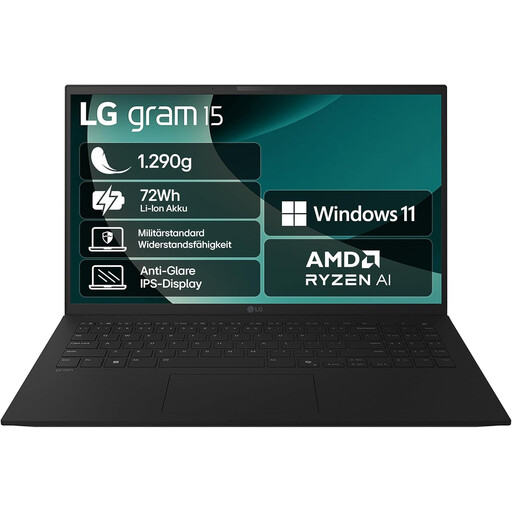 Image unavailable
LG gram 15-inch laptop, Ryzen AI 7 350, 16 GB, 1 TB SSD, German QWERTZ keyboard
The 15-inch IPS display and the weight of around 1.29 kg listed in the product description are worth considering if you work at a desk but also want to take your laptop with you.
The description also lists a matte display, a 1 TB SSD and Windows 11 Home.
View at Joybuy
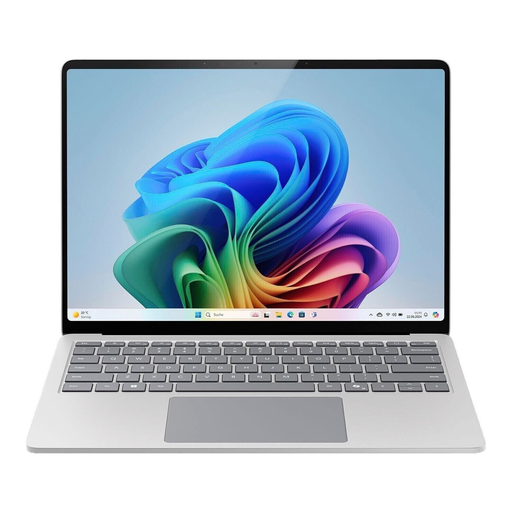 Image unavailable
Microsoft Surface Laptop 7 Business 15-inch, model EP2-21334
The listed 15-inch touchscreen with a 3:2 aspect ratio is an option for longer writing sessions at your desk.
The product description lists Windows 11 Pro, 16 GB RAM and a 512 GB SSD.
View at Joybuy
Frequently asked questions
Do I need a particularly powerful laptop to write a book summary?
Start by choosing a laptop that suits your writing software, submission format and way of working. The listed models differ in areas including display, operating system and storage; there’s no general minimum performance requirement for this writing task.
Can I install writing software on Windows or macOS?
The Document Foundation publishes system requirements for installing LibreOffice on Windows and macOS. Check separately whether your university requires a particular programme or file format.
How can I protect my draft against data loss?
Keep a separate backup copy of your working file and check that you can restore it. Germany’s Federal Office for Information Security lists damage and theft, among other things, as situations where backups can help.
What are my rights if I buy a faulty laptop or shop online in Germany?
When you buy goods from a business seller, you’re generally entitled to a statutory guarantee of at least two years; an additional manufacturer’s warranty doesn’t replace it. Online orders generally come with a 14-day right to cancel, starting when you receive the goods, although statutory exceptions apply. The Council of the European Union explains these consumer rights. Cancelling because you’ve changed your mind is separate from making a claim about faulty goods.


