What should you look for when buying?
First, decide whether you’ll mainly review PDFs or also work in CAD locally. Then compare the exact display configuration with the requirements of the drawing sets you typically use.
| What you need |
What to check before buying |
Who should pay particular attention? |
| Visibility in light from a window |
The screen finish and brightness rating of the exact display configuration, as well as sun protection and workspace position. |
If I read plans near a bright window, I want to take distracting reflections and awkward light angles into account. Around 36% of consumers put visibility in light from a window first. |
| Viewing large plans at a glance |
The screen size and resolution of the complete configuration, as well as the requirements of the PDF software you use. |
When comparing several sections of a drawing, I want a screen area that’s easy to work with, so I don’t have to switch between views as often. Around 29% of consumers make viewing plans at a glance their top priority. |
| Moving between work locations |
The dimensions and weight of the specific configuration; check the display and what’s included for your intended use. |
If I regularly work in different places, I may be willing to accept a smaller built-in display to make the laptop easier to carry. Around 21% of consumers put portability first. |
| Additional CAD work locally |
Identify the software version and type of project, then check the operating system, memory, graphics and display against the relevant software requirements. |
If I edit drawings locally in a CAD application, the configuration needs to suit that specific software and my projects. Around 14% of consumers consider local CAD performance their top priority. |
Joybuy laptops for building plans
The following Joybuy laptops are worth considering for reviewing building plans; some are listed as mobile workstations. Check the display configuration and software requirements for your intended use.
 No image available
Lenovo ThinkPad E16 Gen 3 21ST
The 16-inch format may be useful for viewing plans at your desk; visibility by a window also depends on the specific display configuration and your workspace.
AMD Ryzen 7 250, 32 GB RAM, 1 TB SSD, Radeon 780M, Windows 11 Pro.
View at Joybuy
 No image available
HP ZBook Power 16
This 16-inch laptop may be a good option for viewing plans at your desk; check the display configuration and software requirements for your needs.
Ryzen 7 8845HS, 32 GB RAM, 1 TB SSD.
View at Joybuy
 No image available
HP ZBook Fury 16 G1i Mobile Workstation
This 16-inch model is described as a mobile workstation and may suit additional local CAD work, provided its full specification meets the requirements of your software and projects.
RTX PRO 4000, 64 GB RAM, 2 TB SSD, 16-inch, 3840 × 2400 (WQXGA), Windows 11 Pro.
View at Joybuy
 No image available
Dell Precision 7680
The Precision 7680 is described as a mobile workstation for professional applications. Check the specific configuration against the requirements of your CAD software.
Intel Core i7-13850HX, 32 GB RAM, 1 TB SSD, Windows 11 Pro.
View at Joybuy
 No image available
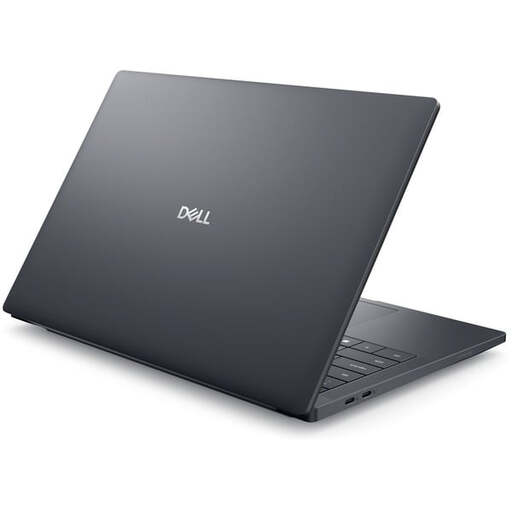
Dell Pro Max 14 Premium MA14250
The 14-inch format may be handy if you often work in different locations, although it gives you less built-in screen space than a larger display.
Intel Core Ultra 7 265H, RTX PRO 2000, 32 GB RAM, 1 TB SSD, FHD+, Windows 11 Pro.
View at Joybuy
Frequently asked questions
Is a business laptop enough for PDF building plans?
The size of a plan alone doesn’t mean you need a dedicated CAD graphics card to open and mark up PDFs. Bluebeam Technical Support recommends adequate processor and memory resources for large drawing sets; check the requirements of the PDF software you actually use.
How should I set up my workspace next to a window?
Reduce distracting sunlight and, where possible, position your screen so you’re looking parallel to the window. The DGUV recommends this orientation; direct sunlight can make the screen harder to read. Take these measures into account alongside your choice of display.
What should I check about what’s included and any extra costs?
Check whether you need a licence for your PDF or CAD software and what accessories are included with the specific laptop configuration. HP notes that the power adapter for the EliteBook DK4V6AT#ABD is sold separately; this doesn’t automatically apply to other configurations.
What are my rights in Germany if there’s a fault or I want to cancel?
Your statutory rights against the seller are separate from any voluntary warranty. Under § 438 BGB, the limitation period for ordinary purchased goods is generally two years from delivery. Consumer distance contracts generally come with a right to cancel, subject to statutory exceptions under § 312g BGB; the Verbraucherzentrale gives 14 days as the standard period. If you’re buying for business use, check the relevant terms separately.
Does German workplace law specify a particular laptop brightness?
The relevant sources here don’t specify a single brightness level in cd/m² for all laptop purchases. ASR A6 sets out requirements for certain screen-based workstations and specifies where it applies; the Workplace Ordinance applies to employers. Whether the rules apply to a particular workspace should be assessed separately from the choice of product.


