Who should consider these options?

Working on slides without a plug socket

If you spend a long time working on presentations while you’re out and about, remember that stated battery life and battery capacity are different things. Neither tells you exactly how long your own workflow will run.

Working in changing light

When you move between different café spots, a screen that’s easy to read and a portable device both matter. Check the display finish and size rather than assuming that a particular display technology guarantees good visibility.

Presenting on unfamiliar screens

If you edit slides while you’re out and later connect to an unfamiliar screen, consider the ports and, where relevant, whether your presentation software is compatible.

What should you look for when buying?

Working without a plug socket

A good fit if: you work on slides on the go for a long time before an appointment.

The trade-off: battery capacity and advertised battery life are different measures. Neither tells you on its own how long your presentation software will run.

A clear view at your café table

A good fit if: you work in different spots and the display finish and size matter to you.

The trade-off: a compact size makes a device easier to carry, while a smaller display gives you less room to work.

Connecting at the presentation venue

A good fit if: you expect to use different screens or projectors at your destination.

The trade-off: if the laptop doesn’t have the right built-in port, you’ll need to check whether a suitable adapter or docking solution is available.

What to consider What to check before buying Who will find it most important?
Battery Compare battery-life claims only when they’re based on the same usage tests, and check which power adapter comes with the specific configuration. When I’m editing slides before an appointment without a reliable plug socket, I want to avoid interruptions. Around 31% of consumers prioritise battery life.
Display and size Check the display finish, size and weight of the configuration on offer. If possible, view the screen in similar lighting conditions. At a small café table or somewhere with changing light, I need a screen that makes it easy to work on slides and a device that’s easy to carry. Around 25% of consumers prioritise readability and portability.
Screen connection Check the input and cable for the screen you’ll be using, then compare them with the ports on the specific laptop configuration. When I’m using an unfamiliar screen at the presentation venue, I want to know in advance whether I can connect without extra accessories. Around 25% of consumers prioritise connecting to the screen they’ll present on.
Files and software Save a local copy of your file and test the presentation in the software you plan to use and on the system at the venue, especially if it contains media or unusual fonts. If the Wi-Fi is unreliable or I’m switching between presentation systems, I want my file to be available and to check how it looks in advance. Around 19% of consumers prioritise file and software compatibility.

Which buying mistakes should you avoid?

  • Assuming battery capacity or advertised hours tell you how long you can work on slides

    A figure in watt-hours describes battery capacity; a battery-life claim refers to a particular usage scenario. Neither figure on its own proves how long the battery will last while you’re editing presentations.

    Compare claims only when they’re based on the same test conditions, and allow some extra battery life for your own workflow.

  • Looking only at the model family name

    Ports, display and what’s included in the box can vary between configurations. A suitable model name alone doesn’t tell you whether the device you’ve selected will work with your screen or meet your charging needs.

    Before buying, check the full model name, ports and what’s included with the configuration on offer.

    Depending on the configuration, you may also need a suitable power adapter or screen adapter.

  • Opening your presentation file on another system without checking it first

    Microsoft notes that some PowerPoint features differ between platforms. Media formats and fonts can also affect how a file appears.

    Before your presentation, open the finished file in the software you plan to use and on the system at the venue, especially if it contains videos or unusual fonts.

Which brands are worth considering?

Lenovo

The ThinkPad X1 Carbon Gen 13 Aura Edition is a documented Windows business option for buyers looking for a matte display and lightweight design.

  • For configuration 21NSCTO1WWDE2, Lenovo Germany lists a matte 14-inch IPS display, a German keyboard and three years of specified service.
  • Figures for weight and ports across the product range don’t necessarily apply to every order configuration. Check the specific configuration.

ASUS

The Zenbook 14 OLED UX3405CA-QD1709W is worth considering if you’re looking for a 14-inch OLED display and built-in HDMI.

  • ASUS lists HDMI, USB-A, two Thunderbolt 4 ports, a weight of 1.22 kg and a battery capacity of 75 Wh for this configuration.
  • Battery capacity doesn’t prove how long it will last while you’re working on slides. ASUS says that no power adapter is included; the manufacturer specifies 45 to 65 W for charging.

Apple

The 13-inch MacBook Air with M5 is an option if macOS and the available ports suit the way you present.

  • Apple lists two Thunderbolt 4 ports and up to 15 hours of wireless web browsing.
  • That battery-life claim isn’t a test of working on slides. Apple’s list of ports doesn’t include built-in HDMI, so check whether you’ll need an adapter for the screen at your destination.

Dell

The Dell Pro 14 Plus PB14250 range includes Windows laptops and 2-in-1 models, so you can compare specific configurations.

  • Dell Germany notes that the actual products may vary depending on the configuration you choose.
  • Information about the model family alone doesn’t confirm the display or ports on an individual product. Check the exact configuration.

Joybuy picks for working on slides in a café

The Joybuy picks below focus on working on slides and connecting to a screen at the presentation venue. Before buying, check the ports and what’s included with each configuration.

ASUS Zenbook S16 UM5606GA-SS335W

ASUS Zenbook S16 UM5606GA-SS335W

This configuration is worth considering if you’ll be working on slides and connecting to an HDMI screen. Check that its specific ports are compatible with the screen you’ll be using.

16-inch, WQXGA, OLED, Ryzen AI 9 465, 32 GB, 1 TB, Windows 11. The product title states that no power adapter is included.

Joybuy

ASUS Zenbook 14 UX3405CA-QD1303W

ASUS Zenbook 14 UX3405CA-QD1303W

This specific configuration is listed as an option for working on slides and connecting to a screen later. Check that the port you need is compatible with the screen at your destination.

14-inch, WUXGA, OLED, Core U7 255H, Intel Arc, 16 GB, 1 TB, Windows 11.

Joybuy
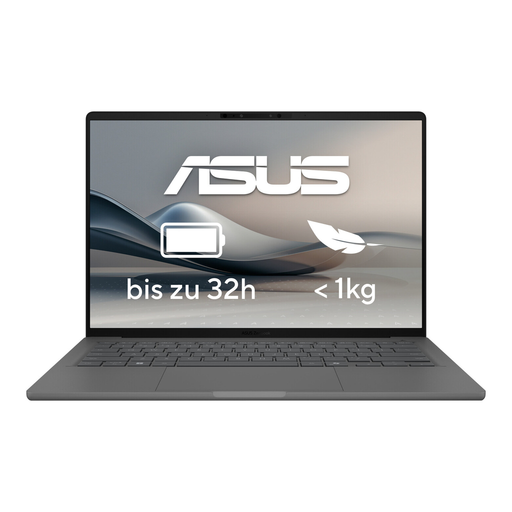
ASUS Zenbook A14 OLED UX3407RA-QD011W

ASUS Zenbook A14 OLED UX3407RA-QD011W

If you work on slides while you’re out and connect to a screen later, check that the ports on this specific configuration are compatible with the presentation system.

OLED display.

Joybuy

Frequently asked questions

Can I keep working on slides without the café’s Wi-Fi?

Yes, provided the file is saved locally and your presentation software supports the way you want to work. Microsoft explains how to save a PowerPoint file on your laptop; try it out before your appointment.

Do I always need an adapter for an HDMI projector?

No, it depends on the specific laptop configuration. The documented ASUS UX3405CA-QD1709W configuration has HDMI; for the 13-inch MacBook Air with M5, Apple lists Thunderbolt 4 with DisplayPort support but no built-in HDMI. Check the projector input, cable and ports on the device you’ve selected.

How can I avoid problems with videos in presentation slides?

Test the file on the system you’ll use for the presentation. For PowerPoint, Microsoft recommends MP4 with H.264 video and AAC audio, among other formats. Support for other formats may depend on the version and codec.

How should I handle confidential slides on public Wi-Fi?

Follow your organisation’s security guidance. Germany’s Federal Office for Information Security explains that a VPN encrypts the connection between your device and the VPN server; this doesn’t mean there’s any specific legal requirement to use one when working in a café.