First, measure the available desk space and check whether the open laptop will fit alongside your mouse or documents. If you’ll mainly be working with a keyboard, a compact traditional laptop could be a good fit. For more complex layouts, consider the usable screen space and the requirements of the software you’ll be using. A convertible offers extra flexibility if you’ll actually use its touchscreen or stylus.
Which laptop is right for you?
Designers with limited desk space
If you’re designing calendars on a small desk, consider the dimensions of the open laptop as well as the space you’ll need for your input devices. Screen size alone doesn’t tell you how much desk space will be left. COMPUTER BILD includes compact 14-inch laptops in its test list.
Designers creating multi-page calendars
If you regularly work with text, images and multiple pages, look for a screen that’s easy to use with your software. Adobe recommends a monitor resolution of 1920 × 1080 pixels for InDesign. This is a recommendation for InDesign, not a general requirement for other programmes.
Designers working in different locations
If you work at a desk some of the time and elsewhere at other times, you can weigh portability against screen space and the connections you need. Apple lists two Thunderbolt 4 ports and MagSafe for the 13-inch MacBook Air with M5. Check that your existing devices have compatible connections.
What should you look for when buying?
First, measure the available desk space and compare it with the dimensions of the exact model. Then check whether the screen and software will suit your calendar work, and which ports your existing accessories need.
| Consideration |
What to check before buying |
Who is this important to? |
| Desk space and laptop size |
Measure the available desk width and depth; allow for the laptop’s dimensions and space for a mouse or documents. |
When I work at a small desk, I want to have room for my work essentials alongside my open laptop. Around 26% of consumers put finding the right size first. |
| Clear layout view |
Check the resolution and screen format of the exact model; consider the software you’ll use and its scaling settings. |
When I’m working on multi-page calendars, I want to be able to see the pages and controls clearly. Around 26% of consumers prioritise the layout view. |
| Software and working files |
Check the programme version and its requirements; choose storage capacity to suit your files. |
If I use a particular design programme or large working files, the laptop needs to be up to the task. Around 21% of consumers prioritise their software workflow. |
| Ports for your existing devices |
Compare your devices’ ports with the connectors you need, and consider whether you might need an adaptor. |
I want to use existing devices such as a printer or monitor in my workflow without needing an incompatible connection. For around 16% of consumers, suitable ports are the top priority. |
| Portability |
Check the dimensions and weight of the exact model; consider battery-life claims in the context of the relevant test only. |
If I design calendars in different locations, how easy the laptop is to carry matters too. Around 11% of consumers put portability first. |
Common buying mistakes
-
Judging how “small” a laptop is by screen size alone
The screen size in inches doesn’t tell you whether the open laptop will fit on your desk or how well its screen will work with your software.
Measure the available desk space and compare it with the dimensions of the exact model. Also consider the screen resolution and the view you need.
-
Assuming software recommendations apply to all calendar design
Browser-based design and an installed layout programme can have different requirements. A recommendation for one particular programme won’t necessarily apply to every workflow.
First decide which programme you’ll actually use, then check the requirements for the relevant version. Adobe lists 8 GB RAM as the minimum for InDesign and recommends 16 GB; these requirements apply to InDesign.
-
Assuming general Windows compatibility means ARM compatibility
Emulating an application doesn’t confirm that its extensions or device drivers will also work with a Windows on Arm setup. According to Microsoft Learn, kernel drivers for Windows on Arm must be built natively for ARM64.
Check programmes, plug-ins and printer drivers individually for the exact laptop configuration.
-
Confusing a voluntary warranty with your statutory rights
A manufacturer’s warranty is not the same as your statutory rights against the seller. Your Europe explains the minimum legal guarantee in the EU for goods bought by consumers from traders.
Before taking out an additional warranty, compare its cover and duration with your statutory rights.
Key brands to consider
ASUS
Zenbook models are worth considering if you’re looking for a compact traditional laptop or a device with two screens.
- COMPUTER BILD includes the Zenbook Duo UX8407 and Zenbook 14 OLED UX3405 in its 14-inch test list.
- With the Duo, you’ll need to consider both the extra working area and the desk space it requires. Test results for individual devices don’t automatically apply to every ASUS model.
HP
The OmniBook Ultra Flip 14 is a 2-in-1 range for buyers considering touchscreen use alongside traditional controls.
- COMPUTER BILD describes the tested device as having a bright screen and long battery life. HP lists a 14-inch OLED touchscreen and 32 GB RAM for the German 14-fh0780ng model.
- COMPUTER BILD also notes the high price and non-upgradeable RAM of the tested device. The model tested isn’t necessarily the same as the 14-fh0780ng.
Lenovo
The Yoga Slim 7x range is worth considering if you’re looking at a portable Windows on Arm laptop with an OLED screen.
- Lenovo Germany lists Windows 11 Arm64, 16 GB soldered RAM and a 14-inch screen for one Yoga Slim 7x Gen 11 configuration.
- Check programme versions, extensions and drivers for the exact configuration. The Gen 11 specifications don’t prove that it’s the same as the device mentioned in a test list.
Apple
The 13-inch MacBook Air with M5 is a macOS option for buyers looking for a smaller device that can be used in different locations.
- Apple lists two Thunderbolt 4 ports and MagSafe for this model.
- Check that your software is compatible with macOS and your existing accessories work with the ports. The manufacturer’s battery-life claim isn’t a test of your specific calendar workflow.
Acer
Swift 14 AI models are another 14-inch option to consider when comparing screens and portability.
- COMPUTER BILD describes the tested Swift 14 AI SF14-51 as having a bright screen and long battery life.
- The review also notes soldered RAM and comparatively little SSD storage. Don’t assume these findings apply to other models without checking the full model number.
Joybuy laptops for designing calendars on a small desk
The models below include compact traditional laptops, a 14-inch convertible and a 13-inch macOS laptop. Compare desk space, screen specifications and compatibility with your design programme before choosing a type of device.
 No image available
Lenovo Yoga Slim 7i Aura Edition, 14-inch
An option if you’re looking for a traditional laptop with an OLED screen for designing calendars.
2.8K OLED; Core Ultra 7 355; 16 GB RAM; 1 TB SSD; Windows 11 Evo.
View at Joybuy
 No image available
HP OmniBook Ultra Flip 14-fh0670ng
An option if you’d like to use touchscreen controls when designing calendars.
14-inch 2-in-1 touchscreen; Intel Core Ultra 7 258V; 32 GB RAM; 1 TB SSD; 2.8K OLED; Windows 11 Home.
View at Joybuy
 No image available
Apple 13-Inch MacBook Air (M5, 2026)
A macOS option if you’re looking for a smaller device to use at your desk and elsewhere.
10-Core CPU; 8-Core GPU; 16 GB; 512 GB SSD; German QWERTZ keyboard.
According to the product details, no power adaptor is included; check whether you have or need a compatible one.
View at Joybuy
 No image available
ASUS Zenbook 14 UX3405CA-QD1303W
A traditional 14-inch laptop option if you’re considering an OLED screen for your calendar layouts.
WUXGA OLED; Core U7 255H; Intel ARC; 16 GB RAM; 1 TB SSD; Windows 11.
View at Joybuy
 No image available
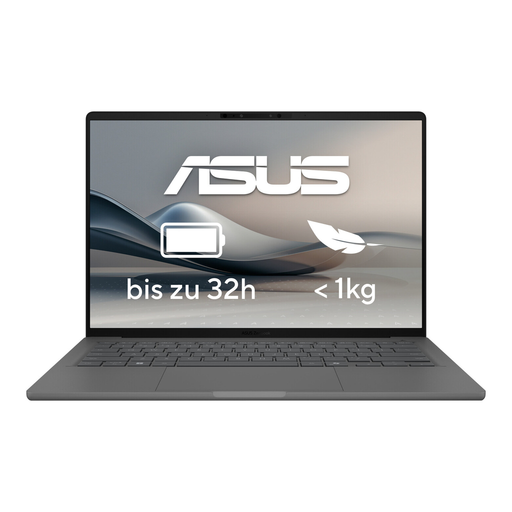
ASUS Zenbook A14 OLED UX3407RA-QD011W
A traditional laptop option if you’re comparing a model from the Zenbook A14 OLED range for your small workspace.
The product is listed as an OLED model.
View at Joybuy
Frequently asked questions
Do I need the same specifications for designing calendars in Canva and InDesign?
No, the requirements depend on the programme you use. The Canva Help Centre lists currently supported browsers and requires JavaScript to be enabled; Adobe lists 8 GB RAM as the minimum for InDesign and recommends 16 GB. The relevant requirements are those for the version you actually use.
How can I check whether a laptop will fit on my small desk?
Measure the available desk space and compare it with the dimensions of the exact model. Allow room for the screen when open and for your input devices, as screen size alone doesn’t show how much space the laptop needs.
What should I check before connecting a printer to a Windows on Arm device?
Check the driver for your exact printer model. Microsoft Learn notes that kernel drivers for Windows on Arm must be built natively for ARM64; emulating standard x64 applications doesn’t confirm driver compatibility.
What are my rights when buying a laptop online as a consumer in Germany?
When you buy from a trader in the EU, consumers are generally entitled to a minimum legal guarantee of two years. Online purchases generally come with a 14-day right to withdraw from the contract, although exceptions and the specific terms of the contract should be taken into account. Your Europe and the Council of the European Union explain these rights. An additional manufacturer’s warranty doesn’t replace your statutory rights against the seller.


