Who is a compact test device for?

Checkout testers with limited desk space

You test forms and order steps at a small desk, so you need to balance the device’s footprint with the space required for your browser and developer tools. Specific display details are available from sources including Apple, Dell Germany and HP Store Germany.

Testers with a set browser plan

You need to cover specific browsers or devices, so choose an operating system to suit your test plan rather than focusing only on the laptop’s size. MDN Web Docs and Apple Developer Documentation explain browser and Safari testing tools.

Testers using an external monitor

You’d like to connect a compact laptop to an existing monitor from time to time, so check the ports, charging accessories and what’s included with the specific configuration. Apple, Dell Germany and HP Store Germany provide details for individual models.

What should you look for when buying?

Compact Windows laptop

A good fit if: You want your testing tools and primary desktop browser to run on Windows. The Dell Pro 13 Plus offer reviewed here lists Windows 11 Pro, 16 GB RAM and a resolution of 1920 × 1200 pixels.

Consider: A small screen can feel cramped when viewing the checkout and developer tools side by side. The Dell offer mentioned also doesn’t include a power adapter. Dell Germany notes that other configurations may differ.

Compact Mac

A good fit if: Safari on Mac is part of your test plan. Apple lists a 13.6-inch display for the 13-inch MacBook Air with M5 reviewed here; Safari includes the Web Inspector.

Consider: Apple lists two Thunderbolt 4 USB-C ports and a MagSafe port. Check that your monitor and peripherals are compatible with the specific configuration. A Mac won’t automatically cover every browser or replace testing on a real mobile device.

What matters when buying What to check Who is it important to?
Desk space and screen area Consider the dimensions of the specific version, its display details and the space you’ll need for a mouse and cables. If I need to see the checkout and developer tools side by side on a small desk, I want enough working space without the device taking up too much room. Around 36% of consumers put footprint and usable screen space first.
Browser and device coverage Before buying, decide which browsers, operating systems, devices and testing tools your workflow requires. If my test plan calls for specific browsers and devices, I want to choose an operating system accordingly and test mobile-critical steps directly. Around 29% of consumers prioritise browser and device coverage.
Ports and workflow Check the ports on the exact configuration, how it connects to your monitor and whether a power adapter is included. If I want to connect an existing monitor or peripherals, I need a setup that works with my devices and charging method. Around 21% of consumers prioritise ports and a practical testing workflow.
Total cost of the configuration Check the specific offer and what’s included; distinguish between an optional warranty and your statutory rights. If I’m budgeting for a device and the accessories I need, I want to know whether the complete setup suits my test plan and budget. Around 14% of consumers put the total cost of a suitable configuration first.

How to avoid buying pitfalls

  • Treating a simulated smartphone view as a complete mobile test

    According to Chrome for Developers, device mode in Chrome DevTools provides an approximation and doesn’t actually run the code on a mobile device.

    Decide which checkout steps need to be tested on the real devices in your test plan after the simulation.

    Additional checks may require more testing time and access to real test devices.

  • Assuming the screen size tells you how much desk space you’ll need

    The screen’s diagonal measurement doesn’t show how much desk space the open laptop takes up or whether there’ll still be room for a mouse and cables.

    Measure the space available, then check the dimensions and display details of the specific version.

  • Assuming what’s included from the model name

    The Dell Pro 13 Plus offer reviewed here doesn’t include a power adapter, while the HP EliteBook offer reviewed includes one. These details apply to the specific configurations described.

    Check what’s included and which ports you need on the specific offer.

    Depending on the configuration, you may need to buy a separate compatible power adapter or port accessory.

Brands to consider

Dell

The Dell Pro 13 Plus PB13250 reviewed here is a compact Windows 11 Pro option for a Windows-focused testing setup.

  • Dell Germany lists a 13.3-inch display, 1920 × 1200 resolution, 16 GB RAM and 512 GB SSD for the version reviewed here.
  • According to Dell Germany, this offer configuration doesn’t include a power adapter; other PB13250 versions may differ.

Apple

The 13-inch MacBook Air with M5 is a compact Mac option if Safari on Mac is part of your test plan.

  • Apple lists a 13.6-inch display and two Thunderbolt 4 USB-C ports for the model reviewed here. Apple Developer Documentation explains the Safari Web Inspector.
  • A simulated mobile view isn’t a test on a real smartphone. Chrome for Developers highlights this limitation of its device mode.

HP

The HP EliteBook 8 G1i 13 reviewed here, item AD3G6ET#ABD, is a compact Windows 11 Pro option.

  • HP Store Germany lists 32 GB RAM, 1 TB SSD, a 13.3-inch WUXGA display and an included power adapter for this offer version.
  • Manufacturer claims about portability and performance aren’t independent checkout benchmarks.

Lenovo

The ThinkPad X13 Gen 6 Intel platform is worth considering if you want to check for ports such as HDMI, USB-A and Thunderbolt.

  • Lenovo’s platform specifications list these port types.
  • Platform details don’t confirm the features or what’s included with a particular configuration, so check the specific offer.

Joybuy products

This selection includes Windows devices and MacBooks for checkout testing at a small desk. The key factors are the browser you need, the specific configuration and your connection setup.

Microsoft Surface Pro 11 for Business, 13-inch OLED, Platinum

Microsoft Surface Pro 11 for Business, 13" OLED, Core Ultra 7 266V, 16 GB/512 GB SSD, Windows 11 Pro

Windows 11 Pro is listed for a Windows-based test plan.

13" OLED; 2-in-1; Core Ultra 7 266V; 16 GB RAM; 512 GB SSD.

View at Joybuy

Apple MacBook Air 13-inch with M5, Silver, German QWERTZ keyboard

Apple MacBook Air 13-inch (M5, 2026), 16 GB/512 GB SSD, Silver, German QWERTZ Keyboard

A Mac option if Safari on macOS is part of your test plan.

10-Core CPU; 8-Core GPU; 16 GB RAM; 512 GB SSD; Silver; German QWERTZ Keyboard.

Check whether a power adapter is included with this configuration before buying.

View at Joybuy

Apple MacBook Neo with A18 Pro, Silver, German QWERTZ keyboard

Apple MacBook Neo, A18 Pro, 8 GB/256 GB SSD, Without Touch ID, Silver, German QWERTZ Keyboard

A Mac option if macOS suits your test plan; check that it supports the browsers and tools you need.

13"; 6-core CPU; 5-core GPU; 8 GB RAM; 256 GB SSD; Without Touch ID.

According to the product details, charging requires a USB-C PD power source of at least 20 W; check what’s included.

View at Joybuy
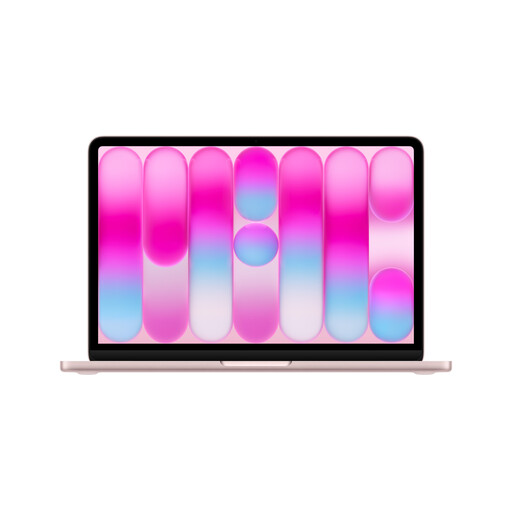
Apple MacBook Neo with A18 Pro, Blush, German QWERTZ keyboard

Apple MacBook Neo, A18 Pro, 8 GB/512 GB SSD, Touch ID, Blush, German QWERTZ Keyboard

A Mac option if macOS suits your test plan; check that the browsers and tools you need fit your workflow.

13"; 6-Core CPU; 5-core GPU; 8 GB RAM; 512 GB SSD; Touch ID.

According to the product details, charging requires a USB-C PD power source of at least 20 W; check what’s included.

View at Joybuy

HP OmniBook Ultra Flip 14-fh0670ng, Eclipse Gray

HP OmniBook Ultra Flip 14-fh0670ng, 14" 2-in-1, Core Ultra 7 258V, 32 GB/1 TB SSD, 2.8K OLED, Windows 11 Home

Windows 11 Home is listed for a Windows-based test plan; bear in mind the device’s 14-inch size when planning your desk setup.

2-in-1; 32 GB RAM; 1 TB SSD; 2.8K OLED; Eclipse Gray.

View at Joybuy

Frequently asked questions

Is Chrome DevTools’ mobile view enough to approve a checkout for smartphones?

No. Chrome for Developers describes device mode as an approximation that doesn’t actually run the code on a mobile device. Use it to check viewports and carry out initial workflow checks, then test mobile-critical steps on the real devices in your test plan too.

How can I test payments without using real card details?

If your checkout uses Stripe, Stripe recommends using a sandbox with test API keys and test values; no real money is moved. Stripe warns against using real card details for testing. Other payment providers have their own testing procedures.

What should I check before connecting an external monitor?

Compare your monitor’s inputs with the ports on the specific laptop configuration, and check whether your setup supports charging and video output. Apple lists Thunderbolt 4 over USB-C on the MacBook Air reviewed here; Lenovo’s platform specifications for the ThinkPad X13 Gen 6 Intel also list HDMI. Be sure to check the features of the specific offer.

Are the manufacturer’s warranty and statutory rights the same thing?

No. The Verbraucherzentrale distinguishes your statutory rights against the seller from a voluntary warranty with its own terms. When buying, check whether you’re ordering as a consumer or on behalf of a business, as consumer rights don’t automatically apply to business purchases.

Does a German online checkout have to be accessible under the BFSG?

Since 28 June 2025, the BFSG has covered certain services for consumers, including e-commerce services. According to the Bundesfachstelle Barrierefreiheit, there’s an exemption for micro-enterprises providing services, so whether the law applies depends on the operator and the service. Covered services need to meet requirements including keyboard accessibility and other accessibility standards. Buying a particular laptop won’t ensure that a checkout complies with the law.