Designers working with lots of open references
If you switch between layouts, images and templates when designing a poster, consider screen space and RAM together. Adobe recommends 16 GB RAM or more for Photoshop 27.x.


Choose a laptop based on the requirements of your design software and whether you mainly need space for several open windows, accurate colour assessment or portability. For Photoshop 27.x, Adobe lists 8 GB RAM as the minimum and 16 GB or more as the recommended amount. If you’re printing the poster, also check the printer’s requirements and the colour mode: Adobe distinguishes between CMYK for print and RGB for digital screens.
If you switch between layouts, images and templates when designing a poster, consider screen space and RAM together. Adobe recommends 16 GB RAM or more for Photoshop 27.x.
If you need to supply a print-ready file, assess the display specification and colour workflow separately. In Illustrator, Adobe distinguishes between CMYK for print and RGB for digital screens.
If you also work on designs at club meetings, weigh a compact size against the internal screen space you need for references. If you use an external monitor, check that the ports on the specific configuration match your device.
Start with your software and the files you’ll have open at the same time, then consider your print workflow and how portable you need the laptop to be.
| Consideration | What to look for | Who should pay particular attention? |
|---|---|---|
| Working with multiple files | Compare the RAM in the specific configuration with your software’s requirements. For Photoshop 27.x, Adobe lists 8 GB as the minimum and 16 GB or more as recommended; for storage, it lists 10 GB as the minimum and 100 GB as recommended. | If I keep my design, images and templates open at the same time, RAM and file storage are important. Around 42% of consumers are likely to make smooth multitasking their main priority. |
| Colour and print files | Check the exact panel variant and ask the printer about its file requirements. In Illustrator, Adobe distinguishes between CMYK for print and RGB for digital screens. | If my poster is going to be printed, I want to assess the display and the file I submit separately. Around 33% of consumers are likely to prioritise colour and print-file preparation. |
| Workspace and portability | Compare the screen size and weight of the specific configuration. If you use an external monitor, also check that its connections are compatible with your existing device. | If I work on designs at meetings, the internal screen space I need for references has to suit how I’ll be carrying the laptop. Around 25% of consumers are likely to make portability their main priority. |
ASUS lists different OLED and IPS variants for the Vivobook S16 S3607, with varying resolutions and colour gamut specifications.
Before you buy, check the full model code and the panel on the specific listing.
The display image and the file’s colour mode serve different purposes. In Illustrator, Adobe distinguishes between CMYK for print and RGB for digital screens.
Check the printer’s requirements separately from the display specifications.
The graphics features you need depend on your software and the tasks you’ll be doing.
Start by checking your design software’s requirements, then choose the right configuration.
The M5 MacBook Air is a compact macOS option, available from Apple in 13- and 15-inch models.
The Vivobook S16 S3607 is a 16-inch option for designers who want to view references on the built-in screen.
Lenovo presents the Yoga Pro 7 Gen 10 as a 14-inch creative laptop with a 3K OLED display.
The OmniBook X Flip 14-kb0774ngx is a Windows convertible with a touchscreen.
The Acer Swift 16 AI SF16-71T is a specific model featured in a general laptop comparison.
This Joybuy selection features Windows laptops with 16- to 18-inch displays, suited to designs with several open references.
 No image available
The 16-inch format is a good option if you’d like to arrange your design and references on a larger built-in screen.
16 inches, WQXGA, OLED, Ryzen AI 9 465, 32 GB RAM, 1 TB SSD, Windows 11. The product name states “without power adapter”.
 No image available
The 16-inch format gives you built-in screen space for your design and reference windows; check the specifications against your software’s requirements.
Intel Core Ultra 9 275HX, 64 GB RAM, 2 TB SSD, GeForce RTX 5090 24 GB, WQXGA, 240 Hz, Windows 11 Home.
 No image available
The 16-inch format could suit designs with several reference windows; also check the weight if you’ll be carrying the laptop around often.
16 inches, QHD+, Ryzen AI 9 370, 32 GB RAM, 2 TB SSD, RTX 5070, Windows 11.
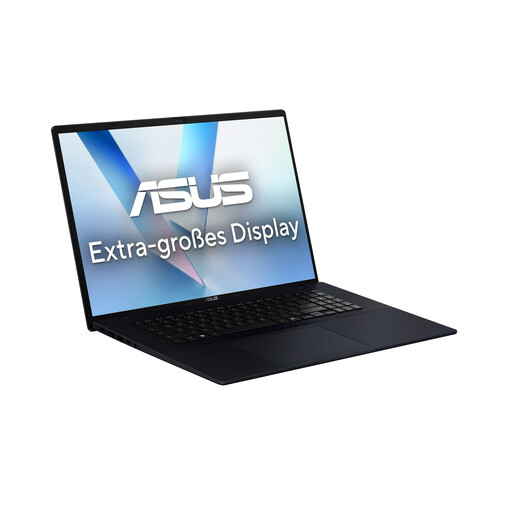 No image available
The 18-inch format is worth considering if you want plenty of built-in screen space for your design and references.
18 inches, WUXGA, Ryzen AI7 445, 16 GB RAM, 1 TB SSD, Windows 11.
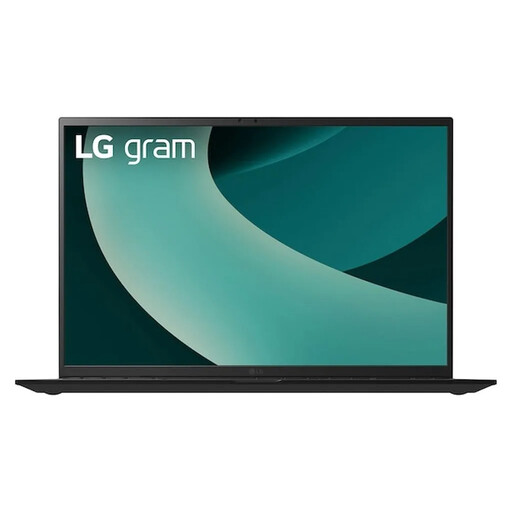 No image available
The 17-inch format offers useful built-in workspace; compare it with the space you need and the weight of the specific configuration.
WQXGA, IPS, Intel Core Ultra 7 256V, Intel Arc Graphics 140V, 16 GB RAM, 1 TB SSD, Windows 11 Home.
No. Adobe lists 8 GB RAM as the minimum for Photoshop 27.x and recommends 16 GB or more. What matters is which programmes and files you actually use at the same time; this isn’t a universal minimum requirement for every laptop used to design posters.
Start by checking the printer’s file requirements. In Illustrator, Adobe distinguishes between CMYK for print and RGB for digital screens; an OLED display doesn’t determine the right colour mode.
Check the exact panel variant for the configuration on offer, rather than relying on the product range name alone. For example, ASUS lists different OLED and IPS variants for the Vivobook S16 S3607; the range name by itself doesn’t tell you which panel it has.
For eligible distance sales, you generally have a 14-day right to cancel from the date of delivery; check the cancellation information for the specific terms. This is separate from your statutory rights: in Germany, if you buy a new device as a consumer, you may have statutory rights against the seller for two years after receiving it. Your Europe explains the right to cancel, while the Verbraucherzentrale explains your rights when goods are faulty.
The European Commission states that the common charging requirements for laptops will apply from 28 April 2026. There is an exemption for products placed on the market before the date of application. For a specific device, check its charging specifications and whether your power adapter provides the required power; a USB-C connector alone doesn’t confirm compatibility.