What should you look for when buying?
First decide whether you’ll use the laptop display with one or two external monitors. Then match the ports and specification to the way you work.
| Consideration |
What to check before buying |
Who it matters most to |
| A two-screen setup that works for you |
Check the number of displays supported at the same time, video outputs, and the resolution and refresh rate supported by the specific version. |
If I want to see code, a preview and other tools at the same time, the number of displays I can use independently is key; around 36% of consumers put screen connectivity first. |
| Room for tools and website files |
Compare the requirements of your own software with the operating system, memory and SSD in the specific version. |
If I use an editor, browser and other tools at the same time, I need a specification that suits my software; around 29% of consumers prioritise this kind of multitasking. |
| Working on the move and at a desk |
Match the built-in display and laptop format to your existing monitor connections and where you plan to work. |
If I move between club rooms, home and a dedicated monitor setup, I need a laptop that works well in all three places; around 21% of consumers prioritise working on the move. |
| Upfront and ongoing costs |
Check what’s included and whether you’ll need cables, adapters, a dock or a power supply. If buying for a club, also check who the contracting party will be. |
If I’m choosing equipment for the club, I want to know in advance what accessories I’ll need and what the purchase terms are; around 14% of consumers prioritise upfront and ongoing costs. |
Joybuy laptops for website work
The laptops below are a selection for managing a club website. For each model, check that its specific port and display configuration is compatible with your monitors.
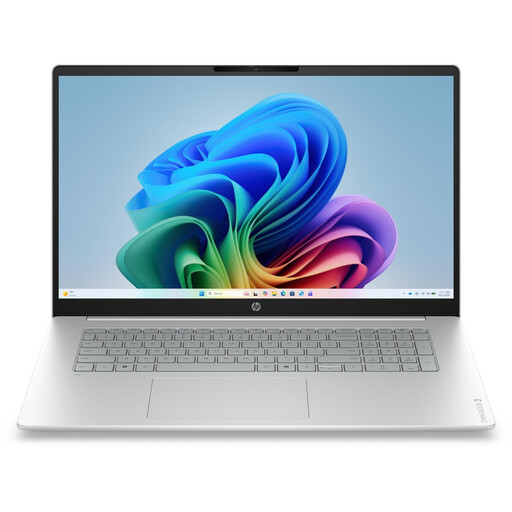 No image available
HP OmniBook 3 17-dg0050ngx, 17.3-inch
Designed for use with the laptop display and one external monitor; check that the specific model supports your preferred display setup.
Intel Core Ultra 5 225U, 8 GB RAM, 256 GB SSD, HDMI 2.1, Windows 11 Home; 17.3-inch FHD display, 2.01 kg.
View at Joybuy
 No image available
HP ProBook 4 16 G1i
Designed for use with the laptop display and one external monitor; check that the HDMI port matches your monitor’s input.
Intel Core Ultra 7 255U, 32 GB RAM, 1 TB SSD, HDMI; 16-inch IPS display with 1920 × 1200 pixels, 1.74 kg.
View at Joybuy
 No image available
HP ZBook 8 G1i, 14-inch
Designed for use with the laptop display and one external monitor; check in advance that the specific outputs support your preferred setup.
Intel Core Ultra 9 285H, 64 GB RAM, 1 TB SSD, HDMI 2.1 and Thunderbolt 4; 14-inch display, 1.43 kg.
View at Joybuy
 No image available
Microsoft Surface Laptop 7, Snapdragon X Plus
This configuration includes 16 GB RAM and a 512 GB SSD. Before choosing, check that it meets the requirements of your website tools and that you can connect it to your monitor.
View at Joybuy
 No image available
Microsoft Surface Laptop 8, Core Ultra 5
Compare the 24 GB RAM and 1 TB SSD specification with the requirements of your own software. Also check how the specific model connects to your monitor.
13-inch touchscreen.
View at Joybuy
Frequently asked questions
Will an HDMI splitter give me two separate external workspaces?
No. Microsoft Support explains that this type of splitter duplicates the same signal rather than creating two independent external displays. Check how many displays your laptop supports and whether it has suitable separate outputs, or look for a dock that works with your setup.
How do I put my code and browser preview on separate screens in Windows?
Once connected, go to Settings > System > Display to identify and arrange the detected screens. To use separate workspaces, choose the extended display option rather than mirroring.
Can every MacBook Air use two external monitors alongside its built-in display?
No, the model generation matters. Apple Support Germany documents this capability for the 13-inch MacBook Air with M5. For the MacBook Air with M3, however, Apple says that two external monitors can be used only under certain conditions, including with the laptop display closed.
Do I need to buy an adapter, dock or power supply separately?
That depends on your monitors’ inputs, the laptop’s ports and what’s included with the specific version. For example, a Joybuy product page for a MacBook Air M5 configuration says “No charger included”; this doesn’t tell you what comes with other offers.
Do consumer rights automatically apply when buying for a club?
No, you can’t assume that in every case. Under § 13 BGB, the key question is whether an individual is entering into the transaction for the purposes set out in that section, so check who the contracting party is. The Council of the European Union describes a minimum two-year period for the legal guarantee on consumer purchases. Any right to cancel is separate and should be checked in relation to the specific purchase.


