Developers who move between desks
If you connect your laptop at different shared desks, check the ports on the specific configuration against the monitor, dock and other peripherals.


When choosing a laptop for a shared desk, first check that the ports on the specific configuration work with your monitor, dock and peripherals. Then choose the operating system and specification to suit the development tools you actually use: a code editor and local containers have different requirements, as Microsoft and Docker explain in their respective documentation. A compact device can make it easier to move between desks, but you’ll need to consider your workstation setup separately.
If you connect your laptop at different shared desks, check the ports on the specific configuration against the monitor, dock and other peripherals.
If you use local development tools such as Docker Desktop alongside a code editor, check their individual system and setup requirements.
If you often change where you work, include the accessories and other equipment you need when considering what to carry. Germany’s Federal Institute for Occupational Safety and Health highlights the combined weight of work equipment when people frequently change location.
A good fit if: your development tools require Windows and the ports on the specific configuration suit your workspace.
Bear in mind: specifications and port capabilities can vary by model and configuration.
A good fit if: your tools support macOS and you prefer a compact device. Apple lists two Thunderbolt 4 ports and support for up to two external displays on the 13-inch MacBook Air (M5).
Bear in mind: you may need additional peripherals for other types of connection.
First check the workspace you’ll be using, then the requirements of your tools, and finally which accessories you’ll need to carry regularly.
| Priority | What to check when buying | Who it matters most to |
|---|---|---|
| Ports at a shared desk | Check the supported video, data and charging features of the laptop, monitor and dock. | If I want to use a monitor and peripherals at a shared desk without unnecessary unplugging and reconnecting, I’ll check the ports on the specific configuration. Around 36% of consumers prioritise connectivity. |
| Development tools | Check the requirements of the editors, containers and projects you actually use; make sure the RAM and storage match the specific configuration. | If I plan to use local development tools, I’ll check that their individual requirements are met. Around 29% of consumers prioritise these tools. |
| Moving between workspaces | Consider the laptop, accessories you need and other equipment together; also take screen size and power supply into account. | If I frequently change desks, I want to know what I’ll need to carry in addition to my laptop. Around 21% of consumers prioritise moving between workspaces. |
| Operating system and project | Check which operating systems and versions your tools support, and what requirements apply to your containers or projects. | If my project requires a particular environment, the operating system needs to be compatible. Around 14% of consumers prioritise this compatibility. |
USB-C ports can support different features. The connector shape alone doesn’t confirm that a port supports video output or charging.
Check the documented video, data and charging features of the specific laptop against those of your dock and monitor.
Depending on the devices you’re combining, you may need a compatible dock, an adapter or a different charging setup.
An editor’s requirements don’t automatically cover the additional requirements for local containers or other development tools.
Before buying, check the system and setup requirements for your entire planned workflow, including Docker Desktop on Windows.
Ports, storage and what’s included in the box can vary between configurations. Dell notes that the Pro 14 Plus PB14250 range may differ by configuration.
Compare the full model or product number in the listing with the ports, storage and included items you need.
Before planning your workspace, check that the required power supply and compatible peripherals are included.
The ThinkPad T14 Gen 6 (Intel) is a business laptop range worth considering when comparing specific desk setups.
The 14-inch EliteBook 8 G1i can be identified by its specific product number, D84XYET#ABD.
The Dell Pro 14 Plus PB14250 is a range to consider when comparing business configurations.
The MacBook Air (13-inch, M5) is a macOS option if it’s compatible with the development tools you use.
This Joybuy selection includes business laptops for shared desks and development work. Check the ports, operating system and specification against the specific configuration and your working environment.
 No image available
A shared-desk option if its specific range of ports suits your monitor and peripherals.
The product name lists an AMD Ryzen 3 PRO 7335U, 16 GB DDR5, 512 GB SSD and Windows 11 Pro Education, as well as a 16-inch WUXGA display.
 No image available
For development work on Windows, if the listed configuration suits the tools you need.
The product name lists an AMD Ryzen 7 250, 32 GB RAM, 1 TB SSD and Windows 11 Pro; the display is listed as 16 inches.
 No image available
An option if you’re looking for a configuration with plenty of RAM and SSD storage for your development environment.
The product name lists a Core Ultra 7 265H, 64 GB RAM, 2 TB SSD and a 16-inch WUXGA display.
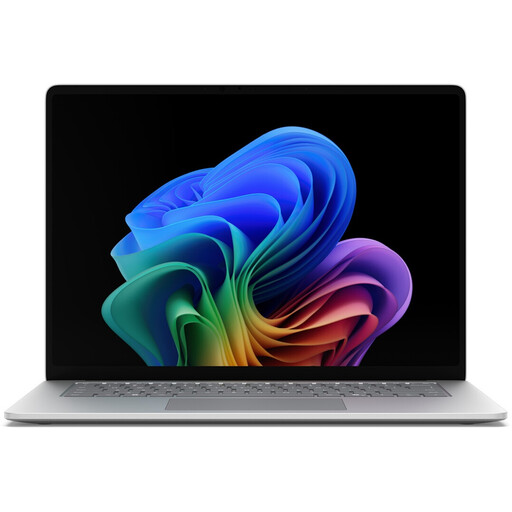 No image available
For development work, if its specific specification suits your projects and working environment.
The product name lists an Intel Core Ultra 5 335, 16 GB RAM, 512 GB SSD and a 15-inch touchscreen.
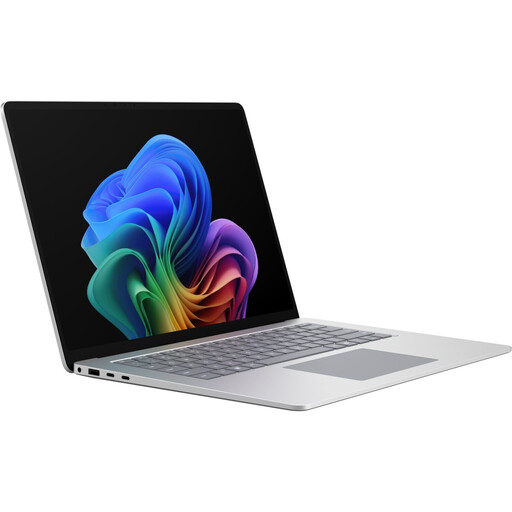 No image available
For a Windows development environment, provided the configuration meets the requirements of the tools you use.
The product name lists a Core Ultra X7 368H, 16 GB RAM, 512 GB SSD and Windows 11 Pro.
Not necessarily. Microsoft explains the requirements for Visual Studio Code; for additional tools such as Docker Desktop, check their own system and setup requirements.
A matching connector alone doesn’t confirm that it supports video output or charging. Compare the documented features of the specific laptop port with those of the dock and connected displays.
Check which displays and separate input devices the workspace provides, rather than assuming you’ll work from the open laptop alone. Germany’s ASR A6 covers display screen workstations within its scope.
Check whether the listing includes any adapters, dock and power supply you need. For relevant distance contracts, Your Europe, the European Union’s information portal, generally gives a 14-day right of withdrawal. Germany’s Verbraucherzentrale distinguishes statutory consumer rights from a voluntary guarantee.
No. ASR A6 covers the design of display screen workstations within its scope and doesn’t set a single RAM or brand requirement for personal purchasing decisions. Whether it’s relevant to a shared desk at work depends on how that desk is actually used and set up.