Collectors who want custom data fields
You might want to use your own columns for details such as provenance or storage location. The key question is whether your catalogue software lets you add new fields or only rename existing ones.


First, check whether you need to create new fields or simply rename existing fields in your coin software. Microsoft Support explains how to add columns in Excel, while OpenNumismat documents how to rename or hide existing fields. If you regularly catalogue coins with photos at a dedicated workspace, a larger screen may suit you. If you often take your laptop with you, check the weight and specification of the exact configuration. Back up your catalogue file and images separately from your laptop.
You might want to use your own columns for details such as provenance or storage location. The key question is whether your catalogue software lets you add new fields or only rename existing ones.
If you regularly check entries against photos of both sides of a coin, make sure the screen size, image storage and connections suit the way you work.
If you record your collection in different places, weigh up a more compact screen against the extra workspace of a laptop kept in one place.
A good fit if: You want to choose your own field names and columns, and use a spreadsheet structure for your collection.
The trade-off: A flexible spreadsheet lets you create your own columns, but it won’t automatically give you a catalogue structure designed for coins.
A good fit if: The coin fields available and the documented options for renaming or hiding them meet your needs.
The trade-off: Being able to rename existing fields doesn’t mean you can add as many new database fields as you like.
| Shopping priority | What to check before buying | Who is this important to? |
|---|---|---|
| Custom fields and suitable software | Create a sample entry using the field names you need. OpenNumismat documents how to rename and hide existing fields; Microsoft Support explains how to add columns in Excel. | If I need my own columns, I first check whether the application can really create new fields. This is the main priority for around 33% of consumers. |
| Photos attached to coin entries | Try an entry with a photo of each side of the coin, then check that the connections you need work with your camera or card reader. OpenNumismat documents coin entries with photos. | When comparing images with details, I want to be able to view both clearly and transfer my photos easily. Photos are the top priority for around 27% of consumers. |
| Portability or workspace | Compare the screen size and actual weight of the exact configuration. Check the manufacturer’s claimed battery life too. | If I catalogue in different places, I want a device that’s easy to take with me. Portability is the main priority for around 20% of consumers. |
| Keeping your collection data safe | Plan separate backups for your catalogue file and images, and check that you can open a copy. OpenNumismat documents exporting fields to Excel. | I want to be able to restore my catalogue, including its images, when I change devices. Data backup is the top priority for around 20% of consumers. |
OpenNumismat documents how to rename and hide existing fields, while Excel explains how to add columns. These are different capabilities.
Write down the fields you must have, then create a test entry in the software you plan to use before buying.
For cataloguing, the usable screen space for photos and the entry form matters too, as do the connections you need to transfer images.
Check the screen and connections on the exact configuration against your camera, card reader and workspace.
Depending on how you work, you may need adapters or an additional monitor.
Without a separate copy that you can restore, changing devices or a fault could make it harder to access your collection data.
Back up your files and images separately from your laptop, then test restoring them from a copy.
If you don’t have a usable copy, you may have to catalogue everything again.
The ThinkPad E16 Gen 3 is a documented 16-inch laptop range suited to a mainly fixed cataloguing workspace.
The ProBook 4 G1a 14 is a documented, more compact Windows option for cataloguing in different places.
The TravelMate P2 16 is another 16-inch business laptop range. Check the exact variant before you buy.
This selection features larger laptops for a dedicated cataloguing workspace. Check that the software has the features you need, regardless of the device specification.
 No image available
For longer cataloguing sessions at a fixed workspace. Windows 11 Pro is listed, and OpenNumismat releases versions for Windows. Check in advance that the software supports the fields you want.
16 inches; AMD Ryzen 7 250 at 3.3 GHz; Radeon 780M; 32 GB RAM; 1 TB SSD.
 No image available
A larger-screen option for a dedicated cataloguing workspace. Check that the version you need of your catalogue software is available.
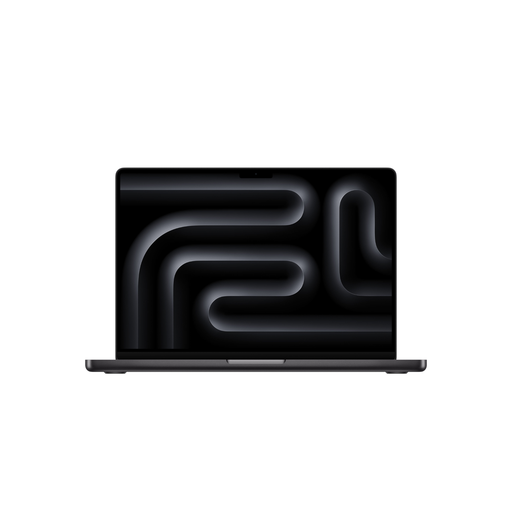
16.2 inches; M5 Max with 18-core CPU and 40-core GPU; 48 GB; 2 TB SSD. The product description states that the power adapter is not included.
The documentation confirms that you can select, rename and hide existing fields, but it doesn’t say that you can add any new database fields you like. If you need new fields, test your layout before choosing a laptop. Microsoft Support explains how to add columns in Excel.
Start by creating a few sample entries with the details and images you need. OpenNumismat documents coin entries with photos and exporting fields to Excel. Test the export with your image requirements before cataloguing a large number of coins.
No. Germany’s consumer advice centre distinguishes between your statutory claim against the seller and a voluntary guarantee from the manufacturer or retailer. Check the terms of any voluntary guarantee separately. If a product is faulty, your statutory rights are initially claims against the seller.
According to Germany’s consumer advice centre, consumers generally have a 14-day right to cancel an online consumer contract, although exceptions and the details of the specific contract should be taken into account. Tell the retailer that you wish to cancel.