What should you look for when choosing one?
First, check that your contract software and any devices you need will work. Then compare readability, portability and charging options for working away from a socket.
| What matters |
What to check before buying |
Who should pay particular attention? |
| Working away from a socket |
Compare battery-life figures only when they’re based on the same test method. Also check the charging options and your usual screen brightness. |
If you don’t want a lengthy review interrupted by searching for a socket, working unplugged is a priority. Around 36% of consumers rank it as their most important buying consideration. |
| Reading contracts comfortably |
Check the screen size and surface of the exact model, and assess readability in the kind of ambient light you usually work in. |
If you need to read lengthy passages on the go and move between parts of a document, the display deserves particular attention. Around 29% of consumers put the readability of contract pages first. |
| Software compatibility |
Check that required programmes, file formats, signing methods and peripherals work with the specific operating system and, where relevant, Windows on Arm. |
If reviewing contracts depends on a particular application or driver, compatibility is essential. Around 21% of consumers prioritise the contract software they need to use. |
| Confidentiality on the go |
Before working on contracts while out and about, check your organisation’s requirements for the device, locally stored files and access. |
If you handle confidential or personal contract data, you’ll need to follow the relevant security requirements set by your organisation. Around 14% of consumers put this need for protection first. |
Joybuy laptops for reviewing contracts on the go
The Joybuy models below include compact Windows laptops, a Windows on Arm device and a portable OLED touchscreen laptop. Before buying, pay particular attention to whether your contract software is compatible and whether the display and battery specifications suit the way you work.
 No image available
HP OmniBook Ultra 14-kd0072ngx, 14-inch
The stated screen size and weight may be worth considering when working on documents on the go. Check how easy the screen is to read in your own working environment.
3K OLED touchscreen; Intel Core Ultra 7 356H; 16 GB RAM; 1 TB SSD; Windows 11 Home; 1.27 kg.
View at Joybuy
 No image available
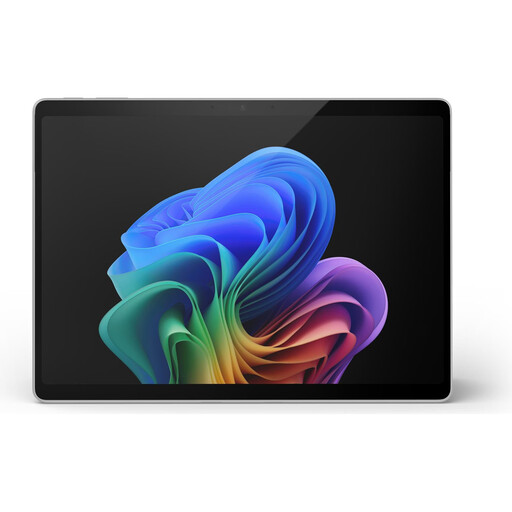
Microsoft Surface Pro 11, 13-inch, Snapdragon X Plus
This lightweight 13-inch device could be worth considering for working on documents on the go. With Windows on Arm, check that the specific programmes and devices you use are supported.
Windows 11 Pro; touchscreen; 16 GB RAM; 512 GB SSD; 0.90 kg; advertised battery life of up to 14 hours.
This battery-life claim doesn’t prove the device will last as long when reviewing contracts.
View at Joybuy
 No image available
HP ZBook 8 G1i 14, Ultra 9 285H
The matte 14-inch display is a documented option for reviewing contracts on the go. Bear the stated weight in mind if you’ll be carrying the device frequently.
Windows 11 Pro; matte 16:10 WQXGA IPS display; 64 GB RAM; 1 TB SSD; 1.43 kg.
View at Joybuy
 No image available
Dell Pro 14 Essential PV14255 Copilot+ PC
The anti-glare 14-inch display and Windows 11 Pro may suit a mobile Windows workflow. Check how easy the screen is to read in your usual ambient light.
AMD Ryzen AI 7 350; 16:10 1920 × 1200 IPS display; 16 GB RAM; 1 TB SSD; Wi-Fi 6E; Windows 11 Pro.
View at Joybuy
 No image available
Ruzava 14-inch laptop, N5095
The compact design could be suitable for reviewing contracts on the go. Check the stated battery life against your own workload.
14-inch FHD IPS display; N5095 processor; 8 GB RAM; 256 GB SSD, expandable to 1 TB; advertised battery life of up to 7 hours; 1.39 kg.
This battery-life figure is supplied by the manufacturer and isn’t a measurement taken while working on contracts.
View at Joybuy
Frequently asked questions
Can I work on a contract while I’m out and about without internet access?
It depends on whether your specific document and approval application supports working locally. Also check in advance whether your organisation’s requirements allow the file to be stored locally.
Will the stated battery life last for a full day of contract review?
You can’t tell for certain from a manufacturer’s figure. For example, Apple claims up to 18 hours of video streaming and up to 15 hours of wireless web browsing for the MacBook Air. Check how your software and usual screen brightness affect battery life.
What should I bear in mind when handling contracts containing personal data?
If a contract contains personal data, the organisation responsible must put appropriate technical and organisational measures in place to protect it. Check with the relevant person or team which requirements apply to the specific device and offline use.
Who should I contact if my device develops a fault, and does this also apply to a business purchase?
For consumer purchases, statutory rights relating to faulty goods are separate from a voluntary guarantee. The European Commission explains that the seller is responsible for certain defects that exist when the goods are delivered and become apparent within two years. The consumer advice centre also explains the difference between statutory rights and a guarantee. If you buy the device for professional or business use, you can’t assume that the same consumer rules apply without checking the specific purchase contract.


