What should you look for when choosing one?
Consider confidentiality, readability, space, working independently and software compatibility as separate requirements when choosing a laptop for working on contracts on the train.
| Consideration |
What to check before buying |
Who should pay particular attention? |
| Confidentiality |
Check whether the exact display variant is specifically listed as having a privacy screen, and confirm your organisation’s rules for working. |
If I’m reviewing confidential contract documents, I want to limit views from the side and know whether I’m allowed to work on them on the train. Around 25% of consumers prioritise confidentiality. |
| Readability |
Compare the display’s size, resolution and finish with your documents; check for reflections on glossy screens. |
If I’m reading long passages or comments, I need a display that makes my contract easy to read. Around 25% of consumers put the readability of contract text first. |
| Space and portability |
Compare the dimensions and weight of the specific configuration with your bag and your seat. Deutsche Bahn lists one power socket per pair of seats in second class on ICE trains. |
If the train table is small or I need to carry my device often, I want to weigh up its size and weight against the workspace I need. Around 20% of consumers prioritise a compact design. |
| Working without Wi-Fi or a power socket |
Check the battery life against your own workflow, and test whether the files and software you need are available offline. |
If I can’t rely on Wi-Fi or a spare power socket while travelling, I still want to be able to prepare and continue working on my contracts. Around 15% of consumers prioritise being able to work independently. |
| Software compatibility |
Check that your required software, templates, comments and approval steps work with the operating system you choose. |
If my employer requires a particular contract or approval process, I need to be able to run it on the laptop. Around 15% of consumers choose primarily for compatibility with their workflow. |
Joybuy products for working on contracts on the go
This selection includes compact 13.6- to 14-inch devices for travelling, as well as a 16-inch model. With the larger screen, you’ll need to weigh up the extra workspace against the more limited room on a train table.
 No image available
Lenovo Yoga Slim 7i Aura Edition 14-inch, Core Ultra 7 355, 16 GB/1 TB SSD
The 14-inch format and listed weight of 1.14 kg could be useful when travelling and working at a limited-size train table.
2.8K OLED display; 16 GB memory; 1 TB SSD; Win11 Evo.
View at Joybuy
 No image available
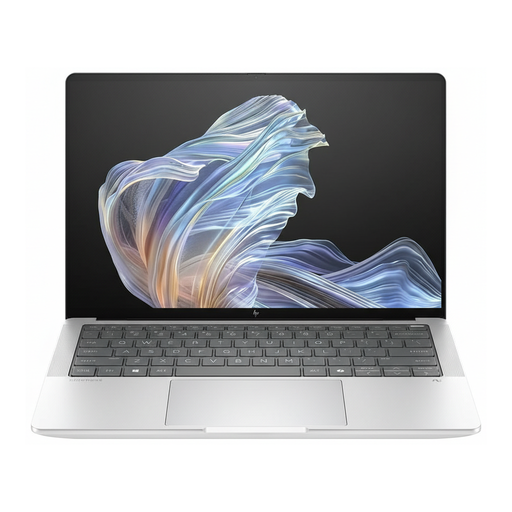
HP EliteBook Ultra G1a 14-inch (B66PTES), Snapdragon X Elite, 16 GB/512 GB SSD
If your contract workflow requires Windows, Windows 11 Pro is listed in the product name for this configuration.
14-inch display; 2.2K resolution; 16 GB RAM; 512 GB SSD; Windows 11 Pro.
View at Joybuy
 No image available
Apple MacBook Air 13-inch M5 (2026), 16 GB/512 GB SSD, silver, German QWERTZ keyboard
The listed 13.6-inch display and weight of 1.23 kg are worth considering if you have limited space at your seat. Check that your contract software is compatible with macOS before you buy.
13.6-inch display with 2560 × 1664 pixels; 10-core CPU; 8-core GPU; 16 GB memory; 512 GB SSD.
The product description states that no power adapter is included.
View at Joybuy
 No image available
Acer TravelMate TMP216-41-TCO 16-inch, Ryzen 3 PRO 7335U, 16 GB/512 GB SSD
The 16-inch format gives you a larger display, but takes up more space on a cramped train table than a 13.6- or 14-inch device.
WUXGA IPS display with 1920 × 1200 pixels; 1.80 kg; 16 GB DDR5; 512 GB SSD; Windows 11 Pro Education.
View at Joybuy
Frequently asked questions
Does a laptop for confidential contracts on the train need a privacy screen?
A privacy screen alone doesn’t determine whether you’re allowed to work on a contract on the train. When personal data is being processed, controllers and processors must take appropriate technical and organisational measures, according to the Federal Commissioner for Data Protection and Freedom of Information. You must also follow your organisation’s rules for work documents. A privacy screen can make it harder for people nearby to see your display, but it doesn’t automatically make working on it permissible.
Can I access sensitive contract files using train Wi-Fi?
Deutsche Bahn describes onboard Wi-Fi as public and recommends using a VPN and HTTPS for sensitive data transfers. Also check whether your organisation allows you to use this connection; a VPN won’t stop people from looking at your screen.
How can I prepare to review contracts without an internet connection?
Before your journey, test that your document, comments and required software are available for the offline tasks you’re permitted to carry out. Deutsche Bahn says Wi-Fi is available across the ICE fleet, but only on some Intercity trains and selected regional services. Availability alone doesn’t guarantee a connection that’s good enough for your workflow.
Can I always plug in my power adapter at an ICE seat?
Don’t assume there’s a separate socket for every passenger: Deutsche Bahn lists one power socket per pair of seats in second class, although some train models have more. Also check whether a power adapter is included with your exact laptop configuration.
What extra costs should I check before buying?
Check whether your required contract software, a privacy screen if needed, and a suitable power adapter are already available or included with the specific offer. What you need will depend on your workflow and the configuration you choose.


