If you mainly design recipe pages and keep several templates open at once, start by considering screen size, the right operating system and enough memory. Adobe recommends 16 GB or more for Photoshop, but this is a guideline rather than a general requirement. If you want to sketch directly on the display, a convertible with a compatible pen could be a good fit. Check the exact model and what’s included, as the smaller screen may leave less room for open references.
Who benefits from each way of working
For cookbook designers working with lots of templates
If you combine text and images and want to view several references side by side, pay particular attention to screen size and memory. Adobe recommends 16 GB or more for Photoshop, and also recommends 16 GB for InDesign. As Adobe explains in its InDesign help resources, linked image files remain separate files.
For drawing directly on the display
If you want to sketch ingredients or dishes directly on your laptop and then edit text, pen compatibility and what’s included with the exact model are important. Lenovo lists the Yoga Pen for the Yoga 7 2-in-1 Gen 10 as sold separately; ASUS says a stylus is included with a specific ProArt PX13 configuration.
For working in different locations
If you work on the family project both at your desk and on the go, consider screen size and weight together. ASUS and LG list weights for specific convertible models, while Apple lists a 15.3-inch display for one 15-inch MacBook Air configuration. These details apply to the models specified.
What to consider when buying
First decide whether you’ll mainly arrange your templates on the built-in display or draw directly on the screen. Then compare software requirements, portability and included accessories with the way you work.
| Priority |
What to look for when buying |
Who will find this most important? |
| Workspace for templates |
Check the screen size and resolution of the exact model. ASUS lists a 13.3-inch display for the ProArt PX13 HN7306EA-LX039W, while Apple lists a 15.3-inch display for one MacBook Air configuration. |
If I want to view a recipe page, illustration and several templates at once, a large workspace matters more to me than an especially compact device. Around 28% of consumers also put available screen space first. |
| Drawing directly on the screen |
Check pen compatibility and what’s included for the full model number. Lenovo lists the Yoga Pen for the documented Yoga 7 2-in-1 Gen 10 as sold separately; ASUS says a stylus is included with the PX13 HN7306EA-LX039W. |
If I want to sketch directly on my laptop, I need a compatible pen and a drawing position that feels comfortable. Around 22% of consumers prioritise pen input directly on the display. |
| Using programmes and project files side by side |
Compare the requirements of the software versions you use with the RAM and available SSD storage. Adobe recommends 16 GB or more for Photoshop 27.x and, for InDesign 21.3 and later on Windows, 16 GB. These recommendations don’t guarantee performance when several programmes are open at once. |
If I’m editing images while keeping my layout and references open, suitable specs for working across programmes matter to me. Around 22% of consumers prioritise using several programmes and project files at once. |
| Moving between work locations |
Consider the weight and screen size of the same model together. ASUS lists the 13.3-inch ProArt PX13 HN7306EA-LX039W at 1.39 kg; LG lists the 16-inch gram Pro 2-in-1 16T90TP-K.AA78GN at 1,399 kg. |
If I work on my project in different locations, I want to be able to carry my device easily without losing sight of the workspace I need. Around 17% of consumers prioritise moving between work locations. |
| Accessories and what’s included |
Check whether the pen or power adapter you need is included with the specific offer. Lenovo lists the Yoga Pen as sold separately; HP lists the power adapter for the OmniBook X Flip 14-kc0770ngx as sold separately. |
If I want to know which essential accessories come with the device before I get started, the overall package for that specific configuration matters to me. Around 11% of consumers put this first. |
Avoid common buying mistakes
-
Assuming a touchscreen comes with a drawing pen
A touchscreen alone doesn’t tell you whether an active pen is supported or included. Lenovo lists the Yoga Pen for the documented Yoga 7 2-in-1 Gen 10 as sold separately.
Before buying, check the full model number, compatible pen model and package contents.
If the pen is sold separately, you’ll need to buy a compatible model as well.
-
Assuming high resolution can make up for a smaller physical screen
Resolution and screen size describe different things. According to ASUS, the documented ProArt PX13 HN7306EA-LX039W has a 13.3-inch display; Apple lists a 15.3-inch display for one MacBook Air configuration.
Think about how you’ll arrange the recipe page, illustration and references on screen at the same time before choosing a display size.
-
Confusing the minimum RAM requirement with a recommendation
Adobe lists 8 GB as the minimum for Photoshop 27.x and recommends 16 GB or more. For InDesign 21.3 and later on Windows, Adobe also lists 8 GB as the minimum and recommends 16 GB. Meeting the minimum doesn’t guarantee a particular level of performance when several programmes are open.
Compare the requirements of the software versions you actually use with the RAM installed in the exact model.
-
Sharing a project folder without checking image links
Adobe explains that linked graphics in InDesign remain separate files. Missing or out-of-date links can therefore mean extra work before you export or print.
Check the status of placed graphics in the Links panel and make sure you have the original files you need before exporting.
Restoring missing files or reworking a print job that has already been sent can mean extra work.
Relevant brands and product ranges
ASUS
The ProArt PX13 range is worth considering for compact working with direct pen input. The details below refer to the HN7306EA-LX039W.
- ASUS lists a 13.3-inch OLED touchscreen, 32 GB RAM, a 1 TB SSD and an included stylus for this model.
- The smaller display may leave less room for viewing several templates at once. What’s included may vary between PX13 models.
Lenovo
The Yoga 7 2-in-1 Gen 10 is a convertible option for switching between sketches and recipe text.
- Lenovo describes 360-degree modes and pen input for the Yoga 7 range.
- The Yoga Pen mentioned is optional and sold separately. Check the exact model and the accessories you’ll need.
LG
According to LG, the gram Pro 2-in-1 16T90TP-K.AA78GN combines a large display with a convertible design.
- LG lists a 16-inch OLED Pen Touch display, 16 GB RAM and a weight of 1,399 kg for this model.
- The manufacturer’s details aren’t an independent assessment of pen accuracy or battery life when illustrating.
Apple
The 15-inch MacBook Air is a traditional laptop option if screen space and macOS matter more to you than drawing directly on the built-in display.
- Apple lists a 15.3-inch display and 16 GB of unified memory for one documented configuration.
- Check that your drawing programmes and input devices fit the macOS workflow you have in mind.
HP
The OmniBook X Flip range includes convertible models; the details below apply to the 14-kc0770ngx.
- HP lists a 14-inch touchscreen, 32 GB RAM and a 1 TB SSD for this model.
- HP lists the power adapter as sold separately for the offer mentioned. Check what’s included with the specific offer.
Joybuy products for working on larger displays
The Joybuy options below are traditional laptops with larger displays, suited to layout work and keeping several references open. They aren’t a selection of convertibles for drawing directly on the built-in screen.
 No image available
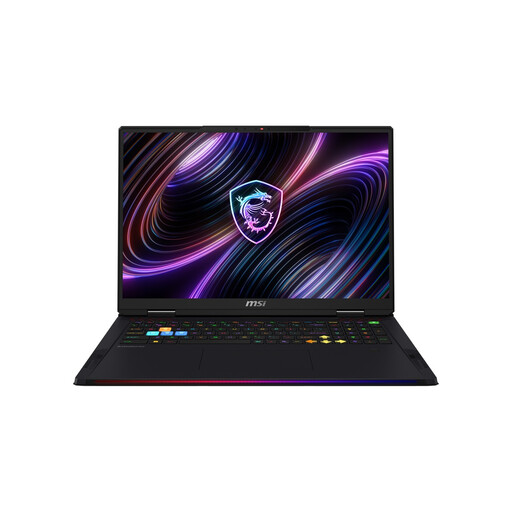
MSI Raider 18 HX A2WH-1088, 18-inch QHD+ 240 Hz
The 18-inch display is worth considering if you want several templates visible at once. Bear in mind the stated weight of 3,6 kg if you’ll be carrying it often.
The product name lists an Intel Core Ultra 9 275HX, NVIDIA GeForce RTX 5070 Ti with 12 GB, 32 GB DDR5, a 1 TB SSD and Windows 11 Home.
View at Joybuy
 No image available
MSI Raider 18 Max HX A2WJ-1074, 18-inch Mini LED UHD+
The 18-inch screen could suit a layout with several templates visible at once. Bear in mind the stated weight of 3,6 kg if you often move between locations.
The product name lists an Intel Core Ultra 9 290HX Plus, NVIDIA GeForce RTX 5090, 64 GB DDR5, a 2 TB SSD and Windows 11 Home.
View at Joybuy
 No image available
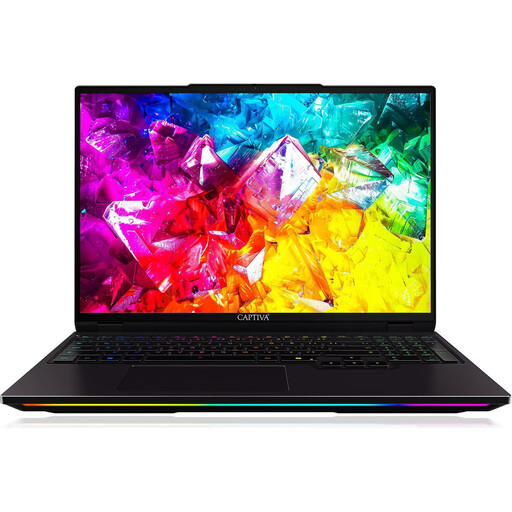
Captiva I92-069 Ultimate, 16-inch WQXGA IPS
The 16-inch display gives you a specific size to consider when planning your layout. Compare it with the space your references and illustration need together.
The product name lists an Intel Core Ultra 9 275HX, NVIDIA GeForce RTX 5080 with 16 GB GDDR7, 32 GB DDR5, a 1 TB SSD and Windows 11 Home.
View at Joybuy
 No image available
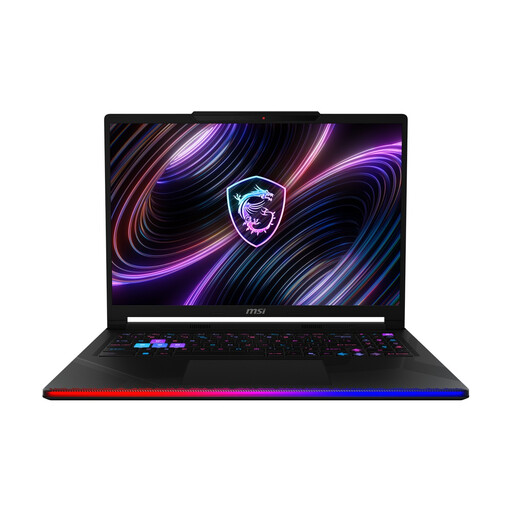
MSI Raider 16 Max HX B2WJ-071, 16-inch OLED WQXGA
The product name lists a 16-inch OLED display. Check whether that gives you enough room for a recipe page, illustration and references in your workflow.
The listed specifications include an Intel Core Ultra 9 290HX, NVIDIA GeForce RTX 5090, 32 GB DDR5, a 2 TB SSD and Windows 11 Home.
View at Joybuy
 No image available
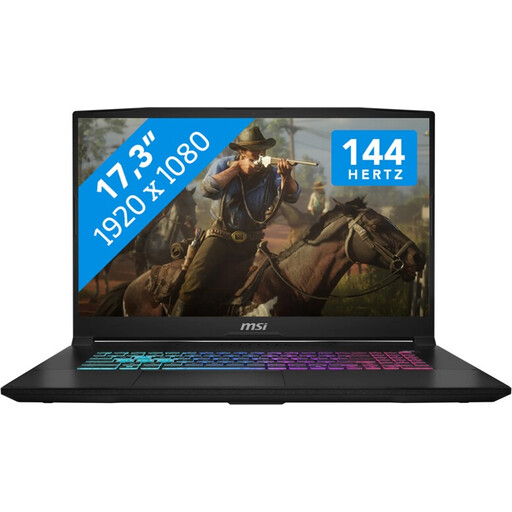
MSI Katana 17 HX B14WFK, 17.3-inch Full HD 144 Hz
The 17.3-inch screen gives you an idea of the space available for several references. Also consider how often you’ll be carrying the device.
The product name lists an Intel Core i7, 16 GB RAM, a 1 TB SSD, NVIDIA GeForce RTX 5060 with 8 GB GDDR6 and Windows 11.
View at Joybuy
Frequently asked questions
Do I definitely need 16 GB RAM for my cookbook?
No, 16 GB isn’t a universal requirement. Adobe lists 8 GB as the minimum for Photoshop 27.x and recommends 16 GB or more. For InDesign 21.3 and later on Windows, Adobe also lists 8 GB as the minimum and recommends 16 GB. Check the requirements for the software versions you actually use.
How can I prevent images from going missing in the print file?
If you use InDesign, check the status of placed graphics in the Links panel before exporting or packaging your files. Adobe explains that linked files remain separate; make sure you fix any missing or out-of-date links before exporting and printing.
Does a convertible always come with a drawing pen?
No, it depends on the specific model and offer. Lenovo lists the Yoga Pen for the documented Yoga 7 2-in-1 Gen 10 as sold separately; ASUS says a stylus is included with the ProArt PX13 HN7306EA-LX039W configuration. Check the full model number and package contents.
What are my rights when buying a laptop online?
For eligible distance purchases, the EU consumer portal explains that you generally have 14 days from delivery to cancel and notes that exceptions apply. If goods are faulty, you also have a statutory right to a remedy from the seller for at least two years from receipt; this is separate from any voluntary guarantee.
Can I publish other people’s photos or drawings from my references in the cookbook?
Using an image as a reference doesn’t automatically give you permission to publish a copy of it. The German Patent and Trade Mark Office explains that photos and drawings may be protected, and that usage rights for reproduction and distribution are relevant. Make sure you have the necessary rights for any content you use; whether a specific work is protected depends on the individual case.


