Course managers who travel frequently
You read feedback between appointments at your hotel and want a screen and keyboard that are comfortable to use, without having to carry more equipment than necessary.


Choose your laptop based on what matters most when you’re travelling: a clear, easy-to-read screen and low carry weight, or more room to work with documents and spreadsheets at your hotel desk. If you’re handling feedback that identifies individuals, you’ll also need to follow your organisation’s approved apps and access methods. A business label or hotel Wi-Fi alone won’t protect your data; the German Federal Office for Information Security (BSI) advises taking particular care when sending confidential information over public Wi-Fi.
You read feedback between appointments at your hotel and want a screen and keyboard that are comfortable to use, without having to carry more equipment than necessary.
You compare longer comments, spreadsheets and other documents at your hotel desk. For this, usable screen space and the right specification matter more than having the smallest possible device.
You work with information that can identify individuals or with an organisation account, so you need to follow the approved access methods and data protection requirements.
A good fit if: You often carry your laptop between course venues and hotels, and mainly review feedback in browsers, documents or manageable spreadsheets.
The trade-off: A smaller screen gives you less room to see everything at once, so check how clearly your usual files are displayed.
A good fit if: You compare long passages of text or wide spreadsheets side by side at your hotel desk, and don’t need to carry the laptop over long distances as often.
The trade-off: More screen space can make comparisons easier, but the laptop may be less convenient to carry.
A good fit if: You process feedback that identifies individuals on behalf of an organisation and need to use its approved software, access methods and security measures.
The trade-off: Security features vary by model and configuration. A business label is no substitute for your organisation’s requirements or a secure way to access your data.
| Buying priority | What to check before buying | Who is this important to? |
|---|---|---|
| Readability and screen space | Resolution, aspect ratio and anti-glare finish; check how a typical feedback file looks on screen. | When I compare longer comments and spreadsheets at my hotel desk, I need a display that makes text easy to read. Around 33% of consumers prioritise readability and screen space. |
| Portability and power | Weight of the specific configuration, as well as the included power adapter and battery-use information. | When I’m travelling between locations, I want to be able to carry the laptop and its charger easily. Around 25% of consumers pay particular attention to portability. |
| Confidential feedback and secure access | Check with your organisation which software and access methods are approved, and what it requires for device locking and encryption. | If feedback can identify individuals, I need to know how to access and handle the data securely while travelling. Around 25% of consumers are particularly interested in data protection and access. |
| Compatibility and specification | Check the operating system, required ports and the exact RAM and SSD configuration. | If I have to use a specific course platform, I want to be sure its software and accessories will work with the laptop. Around 17% of consumers focus on compatibility and the right specification. |
When you process personal data, appropriate technical and organisational measures are what matter. Public hotel Wi-Fi brings additional risks.
When handling organisational data, check which apps and access methods are approved rather than relying solely on a security claim on the product page.
When travelling, remember to factor in the charger and the actual contents of the box too. ASUS states that no power adapter is included with the ASUS Zenbook 14 OLED UX3405CA-QL205W, so you may need to plan for a compatible charger separately.
Before ordering, compare the box contents and charging requirements for the exact variant.
Before ordering, check the box contents and charging requirements for the specific variant.
Operating systems, storage and other features can vary within a model range.
Compare the full model or product number and the specifications that matter to you against the specific product page.
The ThinkPad E series is one business option for mobile document work.
The ProBook 4 G1a 14 is a business range worth considering when checking Windows workflows, ports and device management.
The Zenbook 14 OLED UX3405CA-QL205W is worth considering if a 14-inch OLED touchscreen and the stated device weight are important to you.
The TravelMate P4 TMP414-53-G2-TCO, reference NX.BC2EG.002, is an option if a matte 14-inch display and an integrated 4G LTE option are relevant to you.
The following Joybuy products include compact laptops and 2-in-1 devices. Compare the display, weight, operating system and box contents of each variant to find the right one for you.
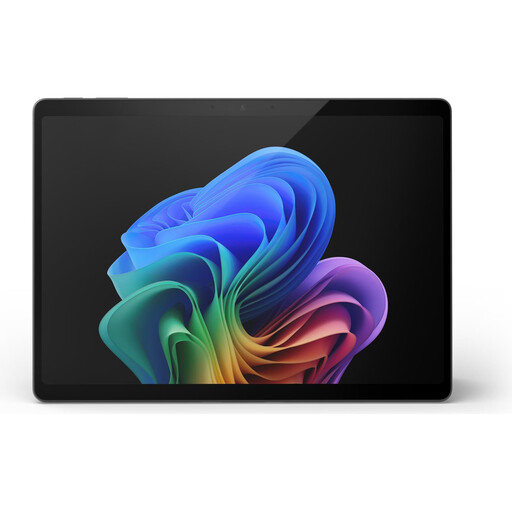 No image available
This 2-in-1 device may be worth considering for travel if its stated screen size and weight suit your needs.
13-inch OLED display with 2880 × 1920 pixels; 0,90 kg; two USB-C 4 ports.
 No image available
The 14-inch, 16:10 display is a specific feature you can compare with the documents and spreadsheets you typically use.
14-inch WQXGA IPS display with 2560 × 1600 pixels and 16:10 aspect ratio; anti-glare; Windows 11 Professional; 1,43 kg; power adapter included.
 No image available
Compare the 14-inch OLED display and stated weight with your need for screen space and frequent travel.
14-inch OLED display with 2880 × 1800 pixels and 16:10 aspect ratio; Windows 11 Home; 1,34 kg.
 No image available
Check that the display specifications and listed features suit the files and apps you use to review course feedback.
14-inch IPS display with 1920 × 1080 pixels; 1,39 kg; 180° hinge.
 No image available
The stated weight and display specifications give you concrete points to compare for carrying and reading on the move.
13-inch display with 2408 × 1506 pixels and 500 nits; 1,23 kg; charges via USB-C. No power adapter included; according to the product description, a USB-C power adapter or another USB PD power source rated at least 20 W is required.
No. The task described doesn’t require a specific edition of Windows. First check which operating systems your course platform supports and, if applicable, which ones your organisation supports. HP notes that configurations vary within the ProBook range.
The BSI advises against sending confidential data over public Wi-Fi without protection. If you need access, use the secure method approved by your organisation; a VPN can reduce the risks of sending data over a public hotspot.
Open a typical feedback file in the app you actually use and check that it’s easy to read. Make sure you have the right charger, too. The German product listing for the ASUS Zenbook 14 OLED UX3405CA-QL205W explicitly states that no power adapter is included.
No. For consumer purchases, your statutory rights against the seller are separate from a voluntary manufacturer’s warranty. Your Europe, the European Union’s information portal, states that consumer purchases in the EU come with a minimum two-year legal guarantee; for business purchases, check the contract and the buyer’s status separately.
You can’t decide that based on the hotel location alone. If personal data is being processed, you need to take account of the responsible organisation and its requirements for the legal basis, access, and appropriate technical and organisational measures. Check with the organisation which data and services are approved.