What should you look for when buying?
Start by checking which software is required and which programmes you actually plan to run locally. Then you can weigh up screen space, connections and portability.
| Consideration |
What to check before buying |
Who it's important for |
| Compatibility with course software |
Check the programme name, operating system version and processor architecture against the exact configuration. Microsoft Learn lists Windows 11 as a supported operating system for SSMS 22. |
If my module requires a particular programme, I want to know in advance whether it will run on the device. Around 28% of consumers put course software first. |
| Workspace for diagrams |
Compare the screen size and resolution of the specific model. If you already have a monitor, check that the connections are compatible too. |
I want to be able to see my diagram, SQL and assignment brief clearly at my desk. Around 22% of consumers prioritise workspace for schema design. |
| Resources for local services |
List the programmes you'll use at the same time. JetBrains specifies 8 GB of RAM in total and 3 GB for IDE processes for DataGrip; check the requirements of any other local services separately. |
If I also want to run databases or containers locally, I need to compare their requirements with those of the IDE. Around 17% of consumers prioritise running multiple local programmes at once. |
| Only the features you need |
First check whether a device you already own can handle your tasks. If buying a new one, compare the exact configuration and what's included, such as a power adapter if you need one. |
I don't want to choose features my project doesn't need. Around 22% of consumers focus on avoiding unnecessary features. |
| Taking it between study locations |
Weigh up screen space against the device's dimensions and how you'll transport it. Assess stated battery life in light of the conditions under which it was measured. |
If I regularly travel between my room and university, I want a good balance between screen space and portability. Around 11% of consumers prioritise taking their laptop with them regularly. |
Joybuy products for your desk
The following Joybuy products are larger Windows laptops for designing schemas at a desk and, depending on the software you need, potentially running local programmes. Check compatibility and specifications for each specific configuration.
 No image available
Lenovo ThinkPad E16 Gen 3 21ST
For ER diagrams and SQL at your desk, provided the Windows configuration is compatible with the course software you need.
16 inches, WUXGA, Windows 11 Pro, AMD Ryzen 7 250, 32 GB RAM and 1 TB SSD.
View at Joybuy
 No image available
Lenovo ThinkBook 16 Gen 9
For designing schemas with a diagram and supporting materials at your desk. Check compatibility with the Windows programmes you need.
16 inches, Intel Core Ultra 5 325, 32 GB DDR5, 512 GB SSD and Windows 11 Pro.
View at Joybuy
 No image available
MSI Prestige N16 Flip AI+ C1XMT-027Y
For diagrams and SQL on a larger screen, if the programmes you need run on Windows.
16 inches, 2-in-1, Windows 11 Pro, 128 GB DDR5 and 2 TB SSD.
View at Joybuy
 No image available
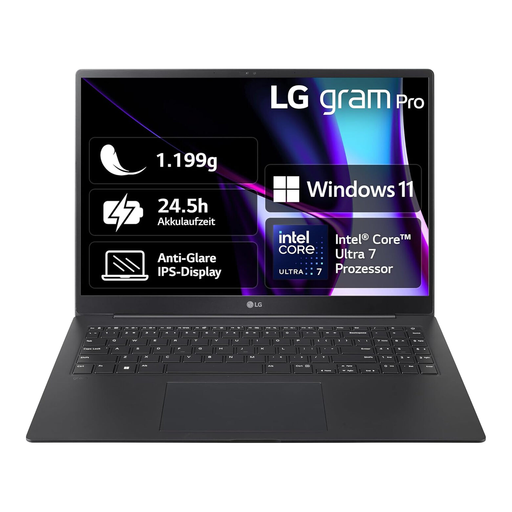
LG Gram 16 Pro 6Z90SP-G.AA78G
For schema design at your desk, if a 16-inch screen and Windows suit the software you need.
16 inches, Intel Core Ultra 7 155H, 16 GB RAM, 1 TB SSD and Windows 11.
View at Joybuy
 No image available
HP ENVY x360 16-ac0473ng
For diagrams and SQL on the built-in screen, provided the Windows configuration is compatible with the course software you need.
16 inches, WUXGA IPS touchscreen, Intel Core Ultra 7 155U, 16 GB RAM, 512 GB SSD, Windows 11 and USB-C Power Delivery.
View at Joybuy
Frequently asked questions
Do I definitely need 32 GB of RAM for an ER diagram?
No, there's no evidence of a general requirement for 32 GB of RAM to design an ER diagram. What matters is the software you actually need: JetBrains lists 8 GB of RAM in total and 3 GB for IDE processes as the system requirements for DataGrip. If you plan to run databases or containers at the same time, check their requirements too.
How can I back up my schema design if my laptop fails?
Regularly back up your own diagrams, SQL files and project data separately from your laptop, and check that you can restore them. Germany's Federal Office for Information Security recommends making regular backups.
Who is responsible if a laptop is faulty in Germany?
The seller is generally responsible for the statutory warranty, not the manufacturer as a substitute. The Verbraucherzentrale explains that the statutory warranty generally lasts two years; a voluntary manufacturer's guarantee has its own terms and conditions.
Can I cancel an online laptop order in Germany?
For a distance-selling contract with a consumer, there is generally a 14-day right of withdrawal from the day you receive the goods; you must notify the other party to the contract that you wish to withdraw. The Verbraucherzentrale notes that exceptions and the terms of the specific contract should be checked separately.
What product safety rules apply when buying a laptop?
Laptops offered for sale in Germany are subject to the relevant EU product safety rules. The required CE marking must be observed for electrical and electronic equipment covered by the rules. The EU information on Your Europe explains product safety requirements. General technical specifications alone don't prove that a specific product listing complies.


