Editors working with separately recorded audio
If the interview footage and audio are recorded on different devices, you need a reliable way to line up the tracks before you start editing.


First, choose editing software that can synchronise separately recorded audio and video, then test the workflow with a recording of your own. Next, make sure the resolution and size of your footage are suited to the memory, storage and ports of the specific laptop configuration. A powerful GPU does not guarantee successful synchronisation or accurate dialect subtitles.
If the interview footage and audio are recorded on different devices, you need a reliable way to line up the tracks before you start editing.
Plan for processing power and storage for your original files, cache and, where needed, proxy files.
If you review or edit footage in different locations, you’ll need to balance screen size and ports against how portable you want your laptop to be.
Choose your editing software first, then test that synchronisation works with a recording of your own. Next, compare your footage requirements with the memory, storage and ports of the specific laptop configuration.
| What you need | What to check before buying | Who should pay particular attention? |
|---|---|---|
| Synchronising separate audio | Choose your editing software and import formats, then test the workflow with a sample recording of your own and the audio connections available. | If I need to bring together video and audio from separate devices, finding a suitable synchronisation workflow is my first check. Around 28% of consumers put synchronisation first. |
| Performance for your video footage | Check the resolution, codec and software version. Adobe recommends 16 GB RAM for HD and 32 GB or more for 4K and higher resolutions in Premiere on Windows. These are recommendations for this particular software workflow, not universal minimum requirements. | If I’m editing longer or high-resolution interviews, I want to match the specification to my files rather than just the laptop’s name. Around 22% of consumers prioritise editing performance that suits their needs. |
| Space for project files | Work out how much space you’ll need for original files, cache and any proxy files, using your own footage as a guide. Consider the internal SSD, external drives and ports together. Adobe describes proxies as additional, lower-resolution video files. | If I need to manage large interviews and their working files, I plan for the storage needs of the whole project. Around 22% of consumers see storage planning as their top buying consideration. |
| Dialect transcription | Test a representative passage in your chosen software and check how you can review and correct the transcript and subtitles. | If dialect words and names need to be right in the text, I want to be able to check the results against my own footage. Around 17% of consumers prioritise checking dialect transcripts and subtitles. |
| Portability and connections | Check the weight, screen size and actual ports on the configuration you’re ordering against your recording equipment and external drives. | If I work in different locations, my laptop needs to suit my recording equipment and be easy to carry. Around 11% of consumers prioritise portability and ports. |
Whether separate audio and video recordings can be matched depends on the editing software and the recordings. A particular level of graphics performance won’t solve this automatically.
Before you buy, test a real audio and video recording in the editing software you plan to use.
Cache and any proxy files take up extra space alongside the original media. Adobe also notes that its proxy workflow has limitations on the file types it supports.
Estimate the space you’ll need using your own files, and check the SSD capacity and ports for an external drive.
Having a German language option doesn’t prove that a particular dialect, names or changes of speaker will be recognised correctly.
Test a representative passage and check the transcript and subtitles before using them.
The MacBook Pro is a macOS option if, for example, you want to edit with Final Cut Pro. Choose the storage and ports that suit the configuration you’re considering.
The ProArt P16 is a Windows creator series for buyers comparing larger displays and ports for importing media.
The ThinkPad T1g Gen 8 is a Windows alternative if you want to compare a performance-focused 16-inch configuration and its specifications.
The Dell Pro Max 16 Plus is a configurable Windows workstation option if you want to check specific processor, operating system and device configurations.
This selection includes Windows laptops for an Adobe Premiere workflow and a MacBook Pro for a Final Cut Pro workflow.
 No image available
A Windows option for a Premiere workflow with separately recorded audio and video.
24 GB RAM and 1 TB SSD.
13-inch touchscreen.
Windows 11 Pro.
 No image available
A Windows option for a Premiere workflow with separately recorded audio and video.
128 GB DDR5 RAM and 2 TB SSD.
16-inch 2-in-1 laptop with a 360° flip design.
Windows 11 Pro.
 No image available
A Windows option for a Premiere workflow; its more compact design may suit mobile editing setups.
32 GB RAM and 1 TB SSD.
14-inch 2.8K OLED touchscreen.
1.34 kg and two Thunderbolt 4 ports.
Windows 11 Home.
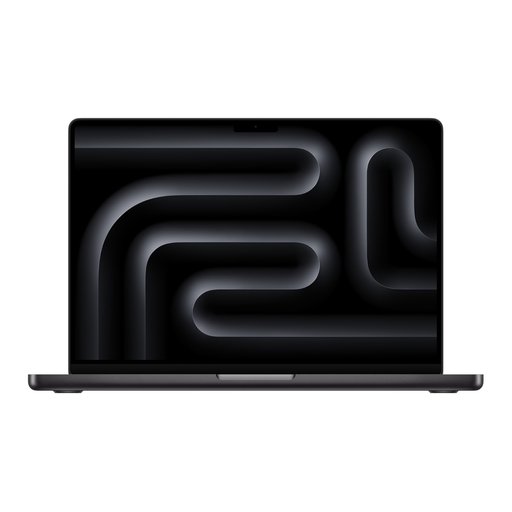 No image available
A macOS option for a Final Cut Pro workflow; automatic synchronisation isn’t suitable for every audio recording.
18-core CPU and 20-core GPU.
24 GB memory and 2 TB SSD.
German QWERTZ keyboard layout.
What matters is the workflow in your editing software, not a special feature of the laptop. Adobe documents how to synchronise separately recorded clips in Premiere; Final Cut Pro can match suitable audio tracks using their waveforms. Test the workflow with your own files.
Plan where to store your original media and cache. With high-resolution footage, supported proxies can serve as additional working copies. Adobe recommends fast SSD or NVMe drives for video media and describes limitations in its proxy workflow.
You can’t tell from the language option alone. Adobe lists German as a supported speech-to-text language for Premiere, but doesn’t specify accuracy for individual dialects. Test a sample recording of your own and check the transcript and subtitles before using them.
According to Verbraucherzentrale, online consumer purchases in Germany generally come with a 14-day right to cancel; exceptions and the exact start of the cancellation period should be checked. Your statutory rights if goods are faulty are separate from any voluntary guarantee.
No. Buying a laptop doesn’t give you permission to process or publish recordings. If the recordings contain personal data and the GDPR applies to the processing in question, you need an appropriate legal basis. The Federal Commissioner for Data Protection and Freedom of Information lists consent as one possible legal basis, but not the only one. What’s required in each case depends, among other things, on the purpose and context.