For large-scale dialect interview projects, your laptop should suit your editing software and recording format. Adobe recommends at least 32 GB of RAM for Premiere when working with 4K and higher resolutions, while Final Cut Pro requires macOS. You’ll also need to allow for originals, proxies, cache and separate backups. Apple Support explains how to set separate storage locations for media, cache and backups in Final Cut Pro. Check automatic transcription against your own dialect recordings, and remember that an external working drive is no substitute for a separate backup.
Who these laptops are for
Editors with extensive interview archives
If you manage lots of original clips and long projects, make room for media, working files and separate backups. Apple Support explains how to set separate storage locations in Final Cut Pro and notes that you need to account for linked original media when moving a library.
Editors working with demanding video footage
When editing high-resolution footage, the right balance of RAM, graphics and proxy workflow depends on your editing software and recording format. Adobe recommends 32 GB of RAM or more for Premiere at 4K and higher resolutions; proxies can make editing possible with smaller working files.
Editors working on the move
If you review or edit footage in different locations, you’ll need to weigh up screen size, carrying weight and the ports you need for media and audio equipment.
What to look for when buying
Choose your editing software and recording format first, then plan storage, ports and audio monitoring around your files and where you work.
| Consideration |
What to check |
Who it matters to |
| Storage and file management |
Check the SSD capacity for originals and working files; plan for ports and storage locations for external media, as well as a separate backup. |
If I manage lots of original clips and long projects, I need to allow for media, cache and separate backups. Around 36% of consumers put storage and file management first. |
| Editing performance |
Check that your editing software, operating system, resolution and codec are compatible. Adobe recommends 32 GB of RAM or more for Premiere at 4K and higher resolutions; this isn’t a blanket recommendation for other software. |
When working with demanding footage, I want to check that the specific configuration suits my software, resolution and codec. Around 29% of consumers prioritise editing performance. |
| Dialogue monitoring |
Check for a headphone jack or audio interface; test transcription with a sample of your own dialect recordings. |
With dialect interviews, I want to listen back to critical passages and check the wording myself. Dialogue monitoring is the top priority for around 21% of consumers. |
| Working on the move |
Compare the weight and screen size of the specific model; check the ports you need for drives, memory cards and audio equipment. |
If I work in different locations, carrying weight, screen space and suitable ports all matter to me. Around 14% of consumers prioritise portability. |
Common buying mistakes
-
Looking only at the size of the project file
Original clips, proxies and cache can all take up additional storage beyond the project file itself. When moving a project, you also need to keep the links to the original media intact.
Estimate your storage needs based on your own footage, and allow room for working files and a separate backup.
Depending on how much media you have, you may need an additional drive if your originals, proxies and backups won’t fit on the internal storage.
-
Applying a Premiere recommendation to every interview edit
Adobe’s recommendation of 32 GB of RAM or more applies to Premiere at 4K and higher resolutions. It isn’t a general guideline for every programme, format or editing task.
Compare the requirements for your version of the software with the resolution and codec of your footage before choosing a RAM configuration.
-
Assuming automatic transcription gets dialect wording right
A transcription feature doesn’t guarantee that a particular dialect will be recognised accurately under your recording conditions.
Test it with your own interview footage and check critical passages and speaker attribution before using the transcript or subtitles.
-
Choosing external media by connector type alone
When using external libraries, storage locations and file links matter too. A port alone won’t tell you whether your planned workflow will work.
Check that the ports and media management suit your laptop and editing software.
Depending on the equipment you already have, you may need a suitable external drive or adapters.
Key brands at a glance
ASUS
The ProArt P16 range is worth considering if you’re looking for a Windows creator laptop with a larger display and ports for external media.
- For the H7606WX-SE090X configuration in Germany, ASUS lists 64 GB of RAM, a 2 TB SSD, an SD Express reader and USB 4.
- These specifications apply to this exact configuration, not the whole ProArt range. Check the weight and features against your actual interview workflow.
Apple
A MacBook Pro is a particularly good option if Final Cut Pro is part of your planned editing workflow.
- Apple documents separate storage locations for media, cache and backups in Final Cut Pro; storage options vary by MacBook Pro configuration.
- Final Cut Pro’s installation requirements don’t tell you how much space a large library will need. Check the exact device configuration and work out your project’s storage needs separately.
Lenovo
The ThinkPad T1g Gen 8 is a Windows alternative for creative work, but you’ll need to compare the configurations individually.
- Lenovo’s PSREF lists NVIDIA graphics and up to 64 GB of replaceable LPCAMM2 memory for the range.
- Lenovo says some configurations aren’t available in every region. Range specifications don’t confirm the features of every individual device.
HP
ZBook workstations offer a Windows option if you’re comparing configuration choices and ports for professional peripherals.
- HP lists a range of ZBook configurations in Germany, including a ZBook 8 G1i with 32 GB of RAM and a 1 TB SSD.
- These details cover different models and don’t describe a standard ZBook specification. Check the display and graphics on the specific configuration.
Joybuy products for Windows editing projects
This selection includes devices for Windows-based editing workflows and large media projects. Check the operating system, editing software and specifications of each configuration; one model is listed as not having an operating system pre-installed.
 No image available
HP ZBook Fury 16 G1i Mobile Workstation
The listed 64 GB of RAM and 2 TB SSD are worth considering if you have a large local media library; check that they match your actual storage needs.
The product specifications also list an RTX PRO 4000 with 16 GB GDDR7, Windows 11 Pro, Thunderbolt 4 and USB 4.0.
View at Joybuy
 No image available
HP OMEN MAX 16-ah0698ng
If you need plenty of local storage for interview files, compare the listed 2 TB SSD and 64 GB of RAM with the size of your projects.
The product specifications list an Intel Core Ultra 9 275HX, a GeForce RTX 5090 with 24 GB, a 16-inch WQXGA display with a 240 Hz refresh rate and Windows 11 Home.
View at Joybuy
 No image available
HP OMEN MAX 16-ak0693ng
For Premiere on Windows with 4K footage, Adobe recommends 32 GB of RAM or more. This configuration lists 32 GB, but its suitability also depends on your software version and recording format.
The listed specifications include an AMD Ryzen AI 9 HX 375, a GeForce RTX 5070 Ti with 12 GB, a 1 TB SSD and a 16-inch WQXGA display with a 240 Hz refresh rate. Windows 11 Home is included.
View at Joybuy
 No image available
MSI Thin 15 B13UC-3475NN
The listed specifications may be a useful comparison point for HD editing. For Premiere at 4K and higher resolutions, Adobe recommends 32 GB of RAM or more, while this model lists 16 GB.
The product specifications list an Intel Core i5-13420H, an RTX 3050 with 4 GB, 16 GB of RAM and a 512 GB SSD. The description says no operating system is pre-installed, so you’ll need to allow for installing one.
View at Joybuy
 No image available
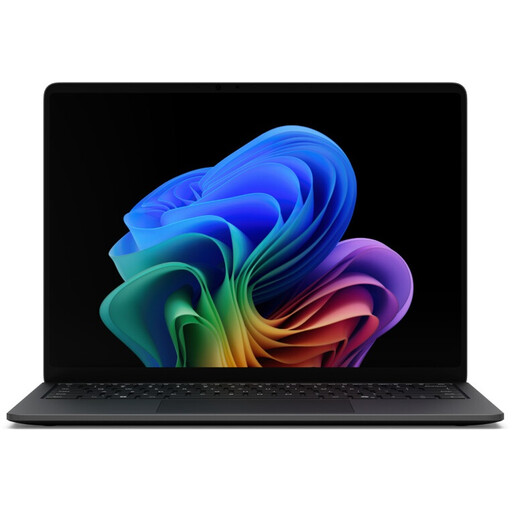
Microsoft Surface Laptop 8 Core Ultra 5, 16 GB RAM, 512 GB SSD, Black
The listed weight of 1.3 kg is a useful detail if you’ll be reviewing footage on the move; check that the screen size and storage suit your editing routine.
The product specifications list a 13.8-inch touchscreen, 16 GB of RAM, a 512 GB SSD, integrated Intel graphics and two USB 4.0 ports. Windows 11 Pro is included.
View at Joybuy
Frequently asked questions
How can I organise large interview files without losing track of the originals?
Plan separate storage for originals, project files, proxies and cache. Adobe describes proxy workflows for high-resolution video files, while Apple Support explains how to set storage locations for media, cache and backups in Final Cut Pro. An external working drive is no substitute for a separate backup.
Will a more powerful laptop automatically recognise dialects correctly?
Laptop specifications alone can’t tell you whether a particular dialect will be recognised reliably. Premiere offers speech-to-text with language selection and speaker labelling. Check the wording and speakers against your own recordings before using the transcript or subtitles.
What are my rights if I buy online and need to return an item or report a fault?
According to Verbraucherzentrale, consumers buying online generally have a 14-day right to cancel, which must be explained to them. Your statutory rights when goods are faulty are separate from any voluntary guarantee. For purchase contracts made from 31 July 2026, Verbraucherzentrale also describes a one-off extension of the limitation period by twelve months if you choose a repair for a fault.
Can I record and publish a private interview without permission?
Not simply because your laptop makes it possible to record and edit. Section 201 of the German Criminal Code (StGB) covers the unauthorised recording of privately spoken words and certain forms of using them. Under section 22 of the German Copyright Act (KunstUrhG), consent is generally relevant when distributing or publicly displaying an identifiable image. Any legal exceptions and the applicable data protection basis must be assessed on a case-by-case basis.


