For marking across two screens, a traditional laptop with an external monitor is a good option, provided the exact combination of device, cables and, where needed, dock supports both screens. Microsoft Support explains how to extend your display afterwards. If you move between locations frequently, a more compact device may be more practical. If you make handwritten annotations, a 2-in-1 with stylus support may suit you better – provided the school software and requirements are compatible. Apple says the MacBook Air M5 supports up to two external displays, while Lenovo lists an integrated stylus for the specific ThinkPad L13 2-in-1 configuration, 21R7000DGE.
Which setup is right for you?
Teachers marking at a fixed workstation
If you want to see students’ work and assessment materials at the same time, check that your exact laptop model connects reliably to a second screen. Microsoft Support explains the multi-display settings in Windows; Lenovo lists a matte 14-inch WUXGA display for the ThinkPad E14 Gen 7 21SX003SGE.
Teachers working in different locations
If you move between school and home, you’ll need to consider how easy the laptop is to carry, the monitor connections available at both locations and the working environment approved by your school. Apple says the MacBook Air M5 supports up to two external displays. Questions about processing personal data are subject to your school’s policies and the applicable data protection requirements set out by the BfDI.
Teachers who mark by hand
If you add handwritten comments, check the stylus, device configuration and features of your marking app together. Lenovo lists a touchscreen and integrated stylus for the ThinkPad L13 2-in-1 Gen 6 21R7000DGE; these specifications apply to this specific configuration.
What should you look for when buying?
Traditional laptop with an external monitor
A good fit if: you mainly work at a desk and want students’ work and the marking rubric side by side.
Bear in mind: a monitor, cables and, where needed, a dock take up space. Check that they’re compatible with your exact device configuration.
Compact laptop for working in different locations
A good fit if: you carry your laptop around frequently and can use a suitable second screen at each workplace.
Bear in mind: you’ll have less screen space when working on the move. With a MacBook Air M5, check the right connection method for HDMI monitors.
Stylus-enabled 2-in-1 laptop
A good fit if: you regularly make handwritten notes in the margins and your marking software supports stylus input.
Bear in mind: the touchscreen, compatible stylus, items included in the box and video output must all match the model you choose. A smaller built-in display is no substitute for a second screen.
| Priority |
What to check before buying |
Who is this important to? |
| Two easy-to-read screens |
Check display support for the exact laptop model, the monitor input, the cable or dock, and extended display mode. Set the resolution and scaling for your own workspace. |
If I want to read students’ work and the marking rubric at the same time, the exact connection must support both views. Around 36% of consumers put usable screen space first. |
| School software and data protection |
Check the operating system and marking or learning platform with your school; clarify its policies for personal data. |
If you use required software or student data, agree in advance on which applications and working methods are permitted. Around 29% of consumers prioritise software and data protection requirements. |
| Working in different locations |
Compare the weight and screen size of the exact model, as well as the power adapter requirements and connections at each workplace. |
If I travel between school and home, carrying my laptop and connecting it to a monitor should be practical in both places. Mobility is the main priority for around 21% of consumers. |
| Handwritten marking |
Check stylus compatibility and what’s included with the exact model, as well as the stylus features supported by your chosen app. |
If you often write directly on students’ work, you’ll need a compatible stylus and software that supports it. Around 14% of consumers prioritise stylus input. |
Laptop and accessory buying pitfalls
-
USB-C doesn’t automatically mean monitor or dock support
Whether multiple screens will work depends on the capabilities of the specific device and connection combination.
Before settling on a setup, check the laptop model, the number of displays you want to use, the monitor inputs and, where relevant, dock compatibility together.
Depending on the connection, you may need a suitable cable, adapter or compatible dock.
-
A touchscreen doesn’t necessarily support a stylus
An integrated stylus is explicitly listed for the ThinkPad L13 2-in-1 Gen 6 21R7000DGE; you can’t assume every touchscreen laptop has one.
Check the model number, the stylus included and the features of your marking software separately.
If a compatible stylus isn’t included, you may need to buy a separate input device.
-
A position in a test ranking doesn’t confirm the specifications of a similarly named product
Notebookcheck’s office laptop list for the third quarter of 2026 covers specific test configurations. A similarly named device may have a different model number or specifications.
Check the complete model number and key specifications rather than assuming a ranking applies to a different product.
-
A personal device isn’t automatically approved for school data
Processing personal data and using school platforms also depends on applicable policies and how your work is organised.
Before marking actual student work, check with your school which devices and platforms are approved.
Key brands at a glance
Lenovo
The ThinkPad E14 is a traditional business laptop, while the L13 2-in-1 supports stylus input – the exact model number matters.
- Lenovo lists a matte 14-inch WUXGA display for the ThinkPad E14 Gen 7 21SX003SGE, and a touchscreen with integrated stylus for the ThinkPad L13 2-in-1 Gen 6 21R7000DGE.
- These features apply to different configurations and aren’t standard across all ThinkPads.
Apple
The MacBook Air M5 is an option for workflows where school software and requirements are compatible with macOS.
- Apple says the MacBook Air M5 supports up to two external displays and has two Thunderbolt 4 ports.
- This doesn’t confirm compatibility with specific school software or a direct HDMI connection; Apple’s battery life figures are manufacturer estimates.
HP
The ProBook range is a Windows business option if the exact configuration and school software are key considerations.
- HP lists several possible Windows editions for the ProBook 4 G1A 14.
- According to HP, components vary by configuration; check the ports and display specifications of the specific product you’re considering.
ASUS
ExpertBook models are another Windows option. For the documented B5402CVA, monitor connections are something specific to check.
- ASUS lists HDMI 2.1 and two Thunderbolt 4 ports with display support for the ExpertBook B5 B5402CVA.
- The manufacturer’s page shows different configuration options. The ports on this model can’t be assumed to be available on every ExpertBook.
Dell
The Dell Pro 14 is a configurable business laptop alternative for a fixed or flexible workplace.
- For one PC14250 configuration, Dell lists Windows 11 Pro, 16 GB RAM, a 512 GB SSD and a 14-inch non-touch display.
- Specifications and items included may vary; a documented configuration didn’t list a power adapter. Check the exact model and what’s included.
Joybuy products for marking with an external monitor
The Joybuy products below are for mobile marking setups with an external monitor. Before buying, check that video output on the specific model is compatible with your monitor, cable or dock, and the school software you need.
 No image available
Ruzava 14-inch laptop, N5095, 8 GB RAM, 256 GB SSD, Red
For a mobile setup with an external monitor; the product description lists Mini HDMI for video output and USB-C for data transfer.
Specifications include an FHD display, 8 GB RAM, a 256 GB SSD and an N5095 processor with speeds of up to 2.9 GHz. The product name says the SSD can be upgraded to up to 1 TB.
Check that the Mini HDMI connection, cable and monitor are compatible before buying; USB-C isn’t described as a video output here.
View at Joybuy
 No image available
Apple MacBook Air 13-inch M5, 16 GB RAM, 1 TB SSD, Silver, German QWERTZ keyboard
For working in different locations; Apple says the MacBook Air M5 supports up to two external displays. Also check that the school software you need works with macOS.
This model is listed with a 10-core CPU, 10-core GPU, 16 GB of memory and a 1 TB SSD, in Silver.
The product description says no power adapter is included. Check the right connection method for monitors with an HDMI input.
View at Joybuy
 No image available
Apple MacBook Air 13-inch M5, 16 GB RAM, 512 GB SSD, Midnight, German QWERTZ keyboard
For working in different locations; Apple says the MacBook Air M5 supports up to two external displays. Check in advance that your marking software is compatible with macOS.
The listed specifications include a 10-core CPU, an 8-core GPU, 16 GB of memory and a 512 GB SSD.
The product description says no power adapter is included. Check the connection method you’ll need for your existing monitor.
View at Joybuy
 No image available
Apple MacBook Air 15-inch M5, 16 GB RAM, 512 GB SSD, Midnight, German QWERTZ keyboard
For a mobile marking setup with more built-in screen space; Apple says the MacBook Air M5 supports up to two external displays. The school software you use must be compatible with macOS.
This model is listed with a 10-core CPU, 10-core GPU, 16 GB of memory and a 512 GB SSD.
The product description says no power adapter is included. Check that the connection method is right for your external monitor.
View at Joybuy
 No image available
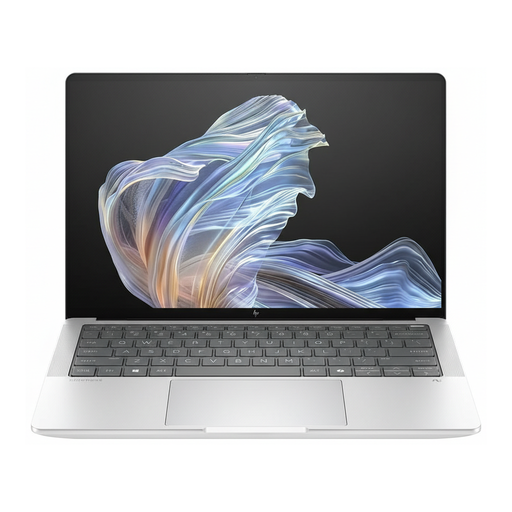
HP EliteBook Ultra G1a 14 (B66PTES), Snapdragon X Elite, 16 GB RAM, 512 GB SSD, Windows 11 Pro, 2.2K
For a Windows-based marking setup with an external monitor; check the ports on the exact configuration against your monitor, cable or dock.
The product name lists a 14-inch display with 2.2K resolution, a Snapdragon X Elite, 16 GB RAM, a 512 GB SSD and Windows 11 Pro.
Check that this model is compatible with your school software and meets your school’s requirements.
View at Joybuy
Frequently asked questions
Is an HDMI port enough for my second screen?
The port name alone doesn’t tell you everything. Check that the monitor input and cable work with the display support of your exact laptop model. In Windows, you can then arrange detected screens and choose the right display mode. Microsoft Support explains the multi-display settings.
How can I make longer texts easier to read across both monitors?
In Windows, you can set the resolution and scaling for each connected screen. Microsoft Support generally recommends using the resolution marked as recommended. Then check that your marking view is easy to read at your workstation.
Can I mark students’ work on a laptop I bought privately?
Buying a device for personal use doesn’t automatically mean it’s approved for school data. The BfDI explains that processing personal data requires an applicable legal basis; the Data Protection Conference sets out additional requirements for online learning platforms used by schools. Check with your school that the specific device and working method are permitted.
What should I know if a privately purchased laptop develops a fault or I want to return it?
For a consumer purchase in Germany, the statutory warranty from the seller is separate from any voluntary guarantee. According to the consumer advice centre, online purchases generally come with a 14-day right to cancel; exceptions and the specific contract terms should be checked. Your rights if goods are faulty are different from returning them simply because you’ve changed your mind. Different contract terms may apply to purchases made for work.


