Editing long original recordings
If you import a lot of source footage, you’ll need room for the original files, cache, proxies and exports. Adobe recommends factoring in media and cache when planning your storage.


For editing long training videos, your laptop configuration should suit your editing software, codec and storage workflow. For Premiere on Windows, Adobe recommends at least 32 GB of RAM and 8 GB of graphics memory for 4K or higher – this is a recommended configuration, not a general minimum for every video-editing project. With a large amount of source footage, fast external drives and proxy files can help streamline your workflow. Even so, make sure you leave room for the original files and backups.
If you import a lot of source footage, you’ll need room for the original files, cache, proxies and exports. Adobe recommends factoring in media and cache when planning your storage.
For high-resolution demonstrations, match the specific configuration to your software, footage and effects. Adobe distinguishes between Premiere’s minimum requirements for HD and its recommendations for 4K or higher.
If you move between work locations, or your laptop needs to fit into your training provider’s IT environment, the operating system, ports and exact device configuration are all important considerations.
Start by checking your software, operating system and recording format. Then plan your storage and editing setup, and decide what you need in terms of portability and ports for your workplace.
| What you need | What to check before buying | Who is this important for? |
|---|---|---|
| Storage for long projects | Project size and available working space; storage locations for media, cache and backups | If I edit long original recordings, I want to allow enough room for cache, proxies and exports too. Around 36% of consumers put storage for long projects first. |
| The right editing setup | Editing software, operating system, resolution and codec; RAM and graphics memory for your specific workflow | If I regularly edit in 4K, I want to match the configuration to my footage and the effects I use, rather than focusing only on screen size. Around 29% of consumers prioritise editing performance for their footage. |
| Portability and workplace compatibility | Approved software and workplace requirements; the ports you need and whether a power adapter is included | If I move between filming locations and my training provider, I need a device that works with my software and the existing IT setup. Around 21% of consumers focus mainly on portability and workplace compatibility. |
| Checking picture and sound | Display option and suitable ports for cards, monitors or other checking equipment | If I want to check image details and spoken explanations while finishing a project, I need a workspace and ports that suit my workflow. Around 14% of consumers prioritise checking picture and sound. |
Original files, cache, proxies and exports can all take up storage at the same time. The capacity of the internal SSD alone doesn’t tell you how much space will be left while you’re working on a project.
Estimate your needs based on a typical project, and plan for working storage and backups separately.
Depending on the size of your projects, you may need a fast external drive and a separate backup device.
Adobe distinguishes between Premiere’s requirements for HD and its recommendations for 4K or higher. The higher recommendation doesn’t automatically apply to every project.
Check your software version and recording footage before choosing a configuration based on a blanket figure alone.
The listing for one specific MacBook Pro configuration states that no power adapter is included. A similar model name doesn’t automatically tell you what accessories come with it.
Before buying, compare the full variant and the items listed as included with that particular offer.
If you need a power adapter for your workplace, check whether it’s included with the specific product.
The ProArt P16 range includes Windows laptops for creative work. The H7606WP-RJ084X configuration is described in detail for large local projects.
The 14-inch MacBook Pro with M5 Pro is worth considering as a portable macOS editing setup if your required software runs on macOS.
The ThinkPad P1 Gen 8 is a mobile Windows workstation for buyers with workplace configuration and management requirements.
The ZBook Studio G11 range offers 16-inch workstations for Windows users.
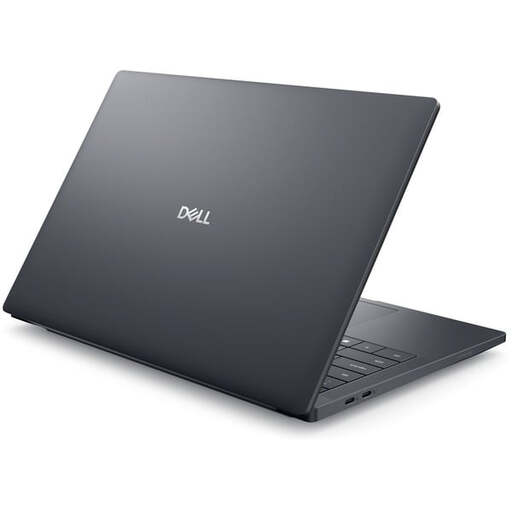
The Dell Pro Precision 5 Series 16 is another Windows workstation option for business-focused purchasing.
This selection includes portable macOS and Windows devices for editing long recordings, storing projects locally and meeting different needs for portability and workspace.
 No image available
For a portable macOS editing setup with card import and extra local storage for projects.
14.2-inch Liquid Retina XDR display, SDXC, HDMI and three Thunderbolt 5 ports. The product listing states that no power adapter is included; check what comes in the box before buying.
 No image available
For a Windows editing setup where the specific workstation configuration needs to suit your software and project.
Windows 11 Pro, 64 GB RAM, 2 TB SSD NVMe and RTX PRO 4000 Blackwell with 16 GB of graphics memory. The 16-inch display is listed at 3840 × 2400 pixels; Thunderbolt 4 and USB 4.0 are also included.
 No image available
For an editing setup with a 16-inch workspace and dedicated graphics, provided the specific configuration suits your workflow.
The WQXGA IPS display is listed at 240 Hz, with HDMI 2.1 and USB-C also included. The 1 TB SSD offers less local storage for long projects than a 2 TB configuration, so plan for extra storage if you need it.
 No image available
For a portable Windows workstation, if the 14-inch format and listed ports suit your workplace needs.
Windows 11 Pro, 32 GB RAM, 1 TB SSD and RTX PRO 2000 with 8 GB of graphics memory. It’s listed at 1.61 kg, with a MicroSD card reader and two Thunderbolt 5 ports. Make sure you factor in the available storage for larger projects.
 No image available
For a fixed editing setup where a large workspace matters more than a lightweight device for frequent travel.
18-inch display with 2560 × 1600 pixels, 32 GB RAM, 1 TB SSD and Windows 11 Home. The device is listed at 3.6 kg; the 1 TB SSD offers less local storage for long projects than a 2 TB configuration.
No. Choose a configuration that suits your software, resolution and workflow. Adobe distinguishes between Premiere’s minimum requirements for HD and its recommendations for 4K or higher. Suitable proxy files can make editing easier, but they don’t replace the original files for the final export.
Plan separately where your operating system and programmes, media, cache and backup copies will be stored. Adobe recommends fast SSD or NVMe media drives and suggests fast external drives as an option when internal storage is limited.
Check the licence for the editing software you need, whether you’ll need drives or adapters, and exactly what’s included with the power adapter. According to Your Europe, consumers buying in the EU have a legal guarantee of at least two years from receipt of the goods. Most standard online distance purchases also come with a 14-day right to cancel from delivery, subject to legal conditions and exceptions. A voluntary manufacturer’s warranty is separate from these rights.
Not just because you have a suitable laptop. The Federal Commissioner for Data Protection and Freedom of Information points out that data controllers generally have to inform the people concerned about the processing of their personal data when it is collected. So check the purpose, who is involved and your training provider’s requirements before saving or publishing recordings.