Writers with a permanent dual-screen setup
If you want to see your draft and sources at the same time, what matters most is having a video output that works with your monitor and the connection method you plan to use.


For writing an essay with your draft and sources on two screens, first decide whether you mean the laptop display plus one monitor, or two external monitors. Then make sure the keyboard and documented video output suit your writing setup. For two external displays or frequent writing on the go, check display support for the specific configuration, software compatibility, weight and any accessories you’ll need — extra processing power alone won’t answer these questions.
If you want to see your draft and sources at the same time, what matters most is having a video output that works with your monitor and the connection method you plan to use.
When editing longer passages, a suitable keyboard and easy-to-read text matter more than extra graphics performance.
If you regularly take your laptop with you and only connect a second screen at your desk, consider screen size and the effort involved in connecting it together.
A good fit if: You usually write at a desk and want your draft and sources on separate screens.
Consider: A suitable HDMI port could save you needing an adapter; with USB-C, the specific configuration must support video output.
A good fit if: By two screens, you mean two additional monitors. Apple documents support for up to two external displays on the MacBook Air with M5, subject to certain display limits.
Consider: Support for one external monitor doesn’t automatically mean two external displays will work; depending on your setup, you may need a dock or extra cables.
A good fit if: You often write away from your usual workspace and only connect a second screen occasionally.
Consider: A smaller laptop is more compact, but without an external monitor it gives you less built-in screen space for your draft and sources.
| What you need | What to check before buying | Who it matters most to |
|---|---|---|
| Connecting two screens | Decide how many external monitors you need, then check the video output and the specific configuration’s resolution and refresh-rate limits against your monitors. | If I want to see my draft and sources at the same time, the connection method needs to work with my monitors. Around 36 % of consumers put a reliable dual-screen setup first. |
| Comfortable writing and reading | Check the keyboard layout and display size of the specific model; technical specifications alone can’t tell you how comfortable the keyboard will feel. | Those writing and editing long passages pay particular attention to typing and readability. Around 29 % of consumers prioritise writing and reading comfort. |
| Moving between writing spaces | Compare the screen size and weight of the specific model, and factor in the cables and charging setup you’ll need. | If I take my laptop with me and only use a monitor at my desk, portability and reconnecting the monitor both matter. Around 21 % of consumers prioritise being able to move between writing spaces. |
| Protecting your essay file | Check that your writing and backup software is compatible with the operating system, and plan to keep a separate backup that you update regularly. | If you want to recover your essay if something goes wrong with your laptop, you’ll need a separate backup, not just internal storage. Around 14 % of consumers put file protection first. |
The laptop display plus one external monitor already gives you two screens. Support for this setup doesn’t tell you whether you can also connect two external monitors.
Decide on your preferred setup before buying, then check it against the documented display support for the specific device. Apple lists support for up to two external displays on the MacBook Air with M5, subject to stated resolution and refresh-rate limits.
For connecting a monitor, what matters is the video output explicitly documented for that port, not just the shape of the socket.
Check the feature details for the specific configuration and make sure they match your monitor, cable and, if needed, dock. ASUS identifies the relevant USB-C ports on the PM3406CKA as supporting displays in its specifications.
Files saved on your laptop aren’t a separate backup. A voluntary manufacturer’s warranty is also different from your statutory rights against the seller, as Your Europe explains for purchases in the EU.
Set up a separate backup and update it regularly. The German Federal Office for Information Security lists backup software and external storage media as options.
The ThinkPad E14 Gen 7 21SX000RGE is a Windows configuration for writing and a permanent monitor setup.
The ExpertBook P3 PM3406 may be worth considering if documented monitor connections and a matte display are important for your writing setup.
The ProBook 4 G1a 14 AD2M7ET#ABD is a specific Windows configuration for longer writing sessions and a monitor setup you’ll need to check.
The Dell 14 DC14255 is available in configurable Windows versions, which you can choose based on your software and built-in display needs.
The MacBook Air with M5 could be a good option if your writing software works with macOS and you may want to use two external monitors.
This selection of Joybuy products includes laptops suited to longer writing sessions and the option of connecting an external monitor at your desk. Check whether the connections on the specific configuration work with your existing monitor setup.
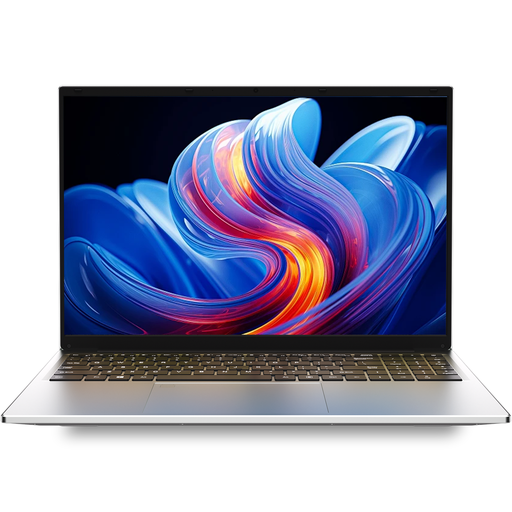 No image available
For longer writing sessions with a larger built-in display; check that the specific configuration has the monitor connection you need before buying.
Listed in the product name: i3 1000NG4, 16 GB DDR4 and 1 TB SSD.
 No image available
Designed for a setup with the laptop display and an external monitor; check that the monitor and cable connection method work with the specific configuration. Display support for two additional external monitors needs to be checked separately.
Listed in the product name: 14-inch, 2-in-1 touchscreen, Intel Core Ultra 7 258V, 32 GB RAM, 1 TB SSD, 2.8K OLED and Windows 11 Home.
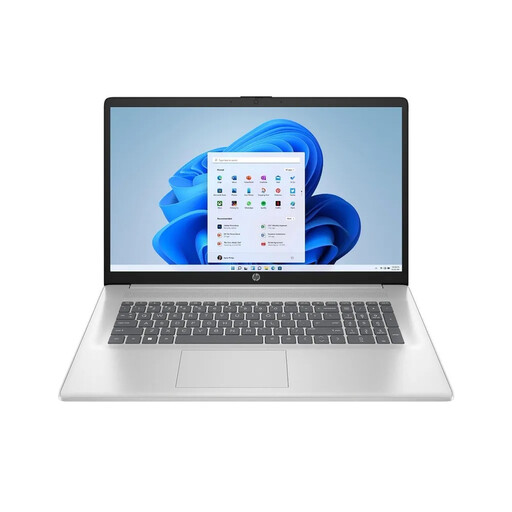 No image available
An option if you’d like a larger built-in area for text. Check that the video output on the specific configuration works with your monitor.
Listed in the product name: 17.3-inch, AMD Ryzen 7 7730U, 16 GB RAM, 512 GB SSD, Full HD IPS and Windows 11 Home.
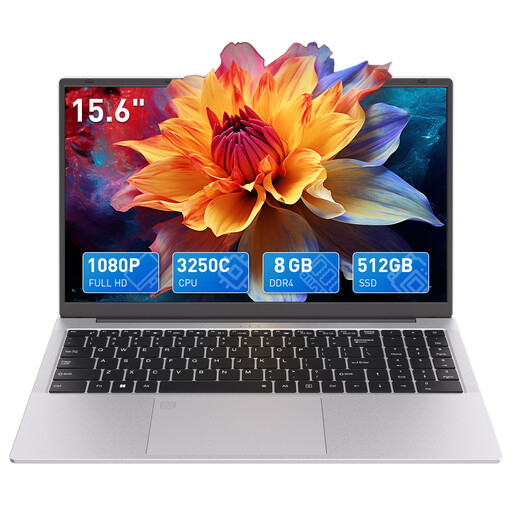 No image available
For writing using the built-in display, with the option of connecting an external monitor; check that the specific configuration has the right connections for your screen.
Listed in the product name: AMD 3250C, 8 GB DDR4 RAM, 512 GB SSD and 15.6-inch FHD display.
 No image available
An option for longer writing sessions, with a German keyboard layout and a larger built-in display. If you want to connect an external monitor, check the connections on the specific configuration.
Listed in the product name: 16-inch, AMD R5 6600H, 16 GB RAM, 512 GB storage and German keyboard layout.
No. The laptop display plus one external monitor already gives you two screens. If you mean two additional monitors, check support for the specific model; Apple documents support for up to two external displays on the MacBook Air with M5, subject to certain display limits.
Connect the monitor, then arrange the detected displays in Windows display settings to match their actual positions. To use separate workspaces, choose the extended rather than mirrored display mode; Microsoft explains how to set up multiple monitors in Windows.
Set up regular backups in addition to saving your working document. The German Federal Office for Information Security lists backup software and external storage media as options.
No. Under the EU consumer rules outlined by Your Europe, consumers buying from a business seller have a legal guarantee lasting at least two years from the date they receive the goods. This is separate from a voluntary manufacturer’s warranty.
The German Federal Network Agency lists several points it checks as part of its market surveillance, including a correct CE marking, identifiable products and manufacturer details, and German-language instructions with the necessary usage and warning information.