Who this selection is for

Essay writers who write a lot

If you write longer pieces, check the keyboard layout and screen size of the specific configuration. Lenovo Germany and Acer list these features for their respective models, but they don’t tell you how comfortable the keyboard will be to type on.

Writers who get feedback

If you exchange comments and tracked changes with collaborators, check the software and file format together. Microsoft Support describes these features in Word for Mac; Word for the web offers fewer tracked-changes features than the desktop version.

Writers on the move

If you work in different places, make sure you can open the files you need without an internet connection and set up a separate backup. Google Chromebook Help explains how to make Drive files available offline and notes that some apps may have restrictions. Germany’s Federal Office for Information Security explains why backups matter if a device is lost or damaged.

What to consider when buying

Windows laptop

A good fit if: you want to keep using the Windows software you already have. The models listed give you a choice between a matte 14-inch screen and a larger matte 15,6-inch screen.

The trade-off: a larger screen takes up more room when you’re travelling. Specifications don’t tell you how comfortable the keyboard is or how long the battery will last in your own writing routine.

MacBook with macOS

A good fit if: your writing software works with macOS and the screen size suits you. Microsoft also lists comments and tracked changes as features in Word for Mac.

The trade-off: Apple lists two Thunderbolt 4 ports for the 13-inch MacBook Air mentioned here, so check how you’ll connect any USB-A devices you already own. The stated battery life is a manufacturer figure based on its own test conditions.

Chromebook

A good fit if: you mainly use compatible web apps and make the files you need available offline before heading out.

The trade-off: Google notes that some apps won’t work offline. According to Google, editing with the Microsoft 365 app on a Chromebook requires OneDrive.

Priority What to check before buying Who is it important to?
Keyboard and readability Compare the keyboard layout of the specific version, as well as the screen size and finish; if possible, try typing on it yourself. When I write long drafts, I want a familiar keyboard layout and a screen I can read comfortably. For around 36 % of consumers, writing longer pieces smoothly is the top priority in this selection.
Comments and revisions Check which software and file format your collaborators use, then exchange a sample file containing comments and edits. If collaborators send back comments or edits, I want to be able to review them in the software I use. For around 29 % of consumers, reliably handling text revisions comes first.
Working offline Test offline access with a sample file, and plan for charging accessories, ports and a backup you can restore. When I work in different places, I want to open drafts without an internet connection and sync changes later. Around 21 % of consumers put offline access on the go first.
Accessories and useful life Check which adapters and software you need, and the specific condition of a refurbished device. Consider statutory consumer rights and any voluntary warranty separately. If I’m considering a refurbished device, I want to weigh up its condition, accessory needs and potential useful life in advance. Around 14 % of consumers prioritise these points.

Common pitfalls

  • Assuming advertised battery life is how long you’ll be able to write

    Apple’s claim of up to 18 hours is a manufacturer figure based on its own test conditions, not a promise of how long the battery will last during your writing routine.

    Compare battery-life figures alongside the relevant test conditions, and plan to charge your laptop where you intend to write.

  • Confusing cloud syncing with an independent backup

    Problems with a cloud service, or a device that’s damaged or stolen, could put your access to drafts at risk. Germany’s Federal Office for Information Security explains that data can be lost if you don’t have a copy.

    Keep a separate backup and check that you can restore a draft from it.

  • Expecting the same Word experience on a Chromebook as on a desktop

    Google notes that editing with the Microsoft 365 app on Chromebooks requires OneDrive. Microsoft says Word for the web has fewer tracked-changes features than the desktop app.

    Before you buy, test a typical file with comments and edits in the app you plan to use.

    Switching to a different file or software solution may mean extra work to get used to it.

  • Choosing a refurbished device by model name alone

    The consumer advice organisation Verbraucherzentrale highlights condition, remaining useful life and updates as important uncertainties when buying refurbished electronics.

    Check the details for the specific device, and distinguish a voluntary warranty from your statutory consumer rights.

Relevant brands and model ranges

Lenovo

The ThinkPad E14 Gen 7 AMD is a Windows option with a German keyboard layout and a matte 14-inch screen.

  • Lenovo lists 32 GB RAM and a 1-TB SSD for configuration 21T0CTO1WWDE1.
  • These specifications don’t automatically apply to other E14 versions, and they don’t confirm how comfortable the keyboard is or how long the battery lasts while writing.

Apple

The 13-inch MacBook Air with M5 is a compact macOS option, provided it’s compatible with the writing software you need.

  • Apple Germany lists 16 GB of unified memory, a 512-GB SSD and two Thunderbolt 4 ports for the base model.
  • The claim of up to 18 hours of battery life is based on Apple’s own test conditions and isn’t a promise of how long it will last in your personal writing routine.

Acer

The Aspire Go 15 AG15-42P, model number NX.J7WEG.007, is a Windows option with more screen space at your writing desk.

  • Acer lists a matte 15,6-inch Full HD display, a German keyboard layout, 16 GB RAM and a 512-GB SSD for this version.
  • These details apply to the version listed and don’t tell you how comfortable the keyboard is or how long the battery will last in your day-to-day use.

ASUS

According to ASUS’s datasheet, the Zenbook 14 OLED UX3405 range includes 14-inch OLED screen options.

  • The datasheet lists several processor and display configurations.
  • Check the specific model number and specifications: details for the range as a whole don’t confirm the configuration of an individual device. An OLED screen alone doesn’t guarantee readability in every place you write.

HP

The OmniBook 5 14-he0754ng is a compact option whose suitability depends on the writing software you use.

  • HP lists Windows 11 Home, Snapdragon X, 16 GB RAM and a 512-GB SSD for configuration C39BYEA#ABD.
  • Advertised battery-life claims aren’t independent measurements and shouldn’t be taken as an indication of how long the battery will last in your own workflow.

Joybuy products for different writing spaces

The Joybuy models below include Windows laptops and MacBook options with different screen sizes. Before choosing, check that the specific configuration works with your writing software and planned workflow.

Lenovo Yoga Slim 7i Aura Edition, 14-inch, 2.8K OLED

Lenovo Yoga Slim 7i Aura Edition 14″, Core Ultra 7 355, 16 GB, 1 TB SSD

The 14-inch size could suit a compact writing space, provided your software works with this Windows configuration.

The product name lists a 2.8K OLED display, Core Ultra 7 355, 16 GB RAM, 1 TB SSD and Win11 Evo.

View at Joybuy

Lenovo ThinkBook 16 G9 AHP, 16-inch

Lenovo ThinkBook 16 G9 AHP 21UT, Ryzen 5 220, 32 GB, 1 TB SSD

A 16-inch model could suit writers who prefer more screen space at their desk.

The product name lists AMD Ryzen 5 220 at 3,2 GHz, Radeon 740M, 32 GB RAM, a 1 TB NVMe SSD and Windows 11 Pro.

View at Joybuy
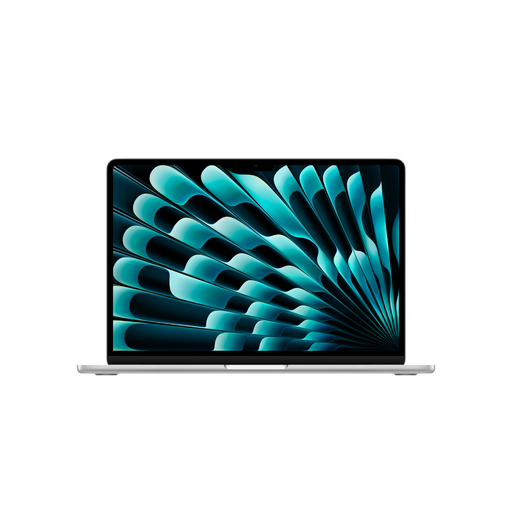
Apple 15-inch MacBook Air M5, Silver, German QWERTZ keyboard layout

Apple 15-inch MacBook Air (M5, 2026), 10-Core CPU, 10-Core GPU, 16 GB, 1 TB SSD, Silver, German QWERTZ keyboard layout

This version could suit you if your writing software works with your MacBook workflow and you prefer a larger screen.

The product name lists 16 GB of memory, a 1 TB SSD and a German QWERTZ keyboard layout. According to the product details, a power adapter isn’t included, so check which charging accessories you’ll need.

View at Joybuy

Apple 13-inch MacBook Air M5, Sky Blue, German QWERTZ keyboard layout

Apple 13-inch MacBook Air (M5, 2026), 10-Core CPU, 8-Core GPU, 16 GB, 512 GB SSD, Sky Blue, German QWERTZ keyboard layout

The more compact screen could suit you if you write in different places, provided the software you need is compatible with this MacBook configuration.

The product name lists 16 GB of memory, a 512-GB SSD and a German QWERTZ keyboard layout. According to the product details, a power adapter isn’t included, so check which charging accessories you’ll need.

View at Joybuy

ASUS Zenbook 14 UX3405CA-QD1303W, WUXGA OLED

ASUS Zenbook 14 UX3405CA-QD1303W, 14-inch WUXGA OLED, Core U7 255H, 16 GB, 1 TB

The 14-inch size could suit a more compact writing space; check that the specific configuration works with the software you need.

The product name lists a WUXGA OLED display, Core U7 255H, Intel ARC, 16 GB RAM, 1 TB SSD and Win11.

View at Joybuy

Frequently asked questions

Do I need a particular laptop brand to make notes on revisions?

No. What matters is the software and file format you use with your collaborators. Microsoft Support describes comments and tracked changes in Word for Windows and Mac, among other versions. Word for the web offers fewer tracked-changes features than the desktop version.

How can I get ready to write without an internet connection?

Before you go offline, open a sample file without an internet connection and check whether your changes are saved. On a Chromebook, you need to make any Drive files you need available offline in advance. Google notes that some apps won’t work offline.

How can I back up drafts and revisions?

As well as saving your working copy, make a separate backup and check that you can restore a file from it. Germany’s Federal Office for Information Security lists device faults and theft among the possible causes of data loss.

What are my rights in Germany if a laptop bought online is faulty?

According to the European Union’s Your Europe website, when you buy from a business seller in the EU, you have a legal guarantee of at least two years from the date you receive the goods. Your point of contact is the seller. A voluntary manufacturer’s warranty doesn’t replace this right. Online purchases generally also come with a 14-day right to cancel, which you must notify the retailer about. Check the exceptions and terms of your specific contract.

Where should I take an old laptop?

Old electrical equipment shouldn’t go in household waste. Germany’s Federal Ministry for the Environment lists local collection points, manufacturers and retailers as return options. Retailers’ take-back terms may vary.