What to look for when buying
Start by checking your software and print workflow, then look at the display and ports, followed by the RAM and storage space you’ll need for your files.
Each row focuses on a key buying priority when choosing a laptop for preparing an exhibition catalogue.
| Priority |
What to check when buying |
Who should consider this? |
| Display and colour checking |
Check the display size and colour gamut of the exact configuration; agree on the colour profile and proof with your printer. |
If I review lots of images for print, I want to assess the display and colour workflow separately; roughly 31% of consumers put image and colour checking first. |
| Layout and image editing |
Check the RAM, processor and, where applicable, GPU against the requirements of your software version. Adobe recommends 16 GB of RAM for InDesign. |
If I use layout and image-editing software at the same time, I check the specifications against my programmes; roughly 25% of consumers prioritise smooth multitasking. |
| Project files and storage space |
Allow for your image library, software installations, backups and the SSD space you need to keep free. |
If I store images and working files locally, I want to allow enough space for projects while keeping capacity free; roughly 19% of consumers prioritise storage space. |
| Ports and workspace |
Compare the ports on the exact configuration with the monitor, drives and card readers at your desk; allow for any adapters you need. |
If I want to connect my existing devices and an external monitor, a suitable desk setup matters to me; roughly 13% of consumers prioritise ports and workspace. |
| Cost and suitable specifications |
Check the full device configuration against your software and files, rather than choosing specifications based solely on a Creator or GPU label. |
If I don’t want to buy more than my catalogue project requires, I weigh up my needs against the cost; roughly 12% of consumers prioritise a cost-effective configuration that suits their needs. |
Joybuy laptops for layout and image review
This selection includes laptops with large built-in displays, as well as more compact models for use with an external home office monitor.
 No image available
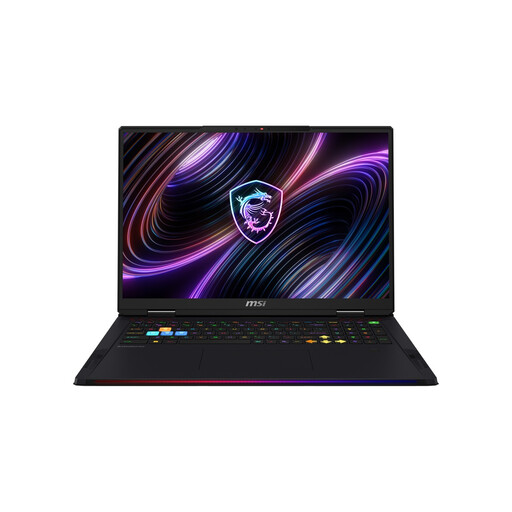
MSI Raider 18 Max HX A2WI-1075
The large built-in display could be a good fit if you want to review layouts and images on your laptop.
18-inch Mini LED display, WQUXGA, Intel Core Ultra 9 290HX, NVIDIA GeForce RTX 5080, 32 GB DDR5 RAM, 2 TB SSD and Windows 11 Home.
View at Joybuy
 No image available
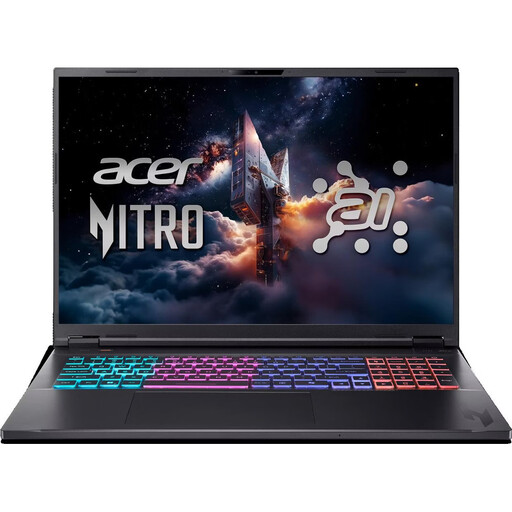
Acer Nitro 18 AI AN18-61-R40J
An 18-inch display gives you plenty of built-in screen space if you want to fit your layout and panels on your laptop.
18-inch display, Ryzen AI 7, 16 GB RAM, 1 TB SSD, RTX 5070 and Windows 11 Home.
The product listing specifies an English international keyboard layout; check that it suits the way you type.
View at Joybuy
 No image available
Lenovo ThinkBook 16 Gen 9
The 16-inch 16:10 display could be a good option for working on page layouts on the built-in screen.
Intel Core Ultra 5 325, 32 GB DDR5 RAM, 512 GB PCIe SSD and Windows 11 Pro.
Adobe recommends 16 GB of RAM for InDesign; check that the device suits your specific software version and any other programmes you use at the same time.
View at Joybuy
 No image available
HP OmniBook Ultra Flip 14-fh0670ng
The compact 2-in-1 design could be a good fit if you take your laptop between work locations and use an external monitor at your desk.
14-inch OLED touchscreen with 2.8K resolution, Intel Core Ultra 7 258V, 32 GB RAM, 1 TB SSD and Windows 11 Home.
View at Joybuy
 No image available
Apple MacBook Air 13-inch (M5, 2026), 10-core CPU, 8-core GPU
This compact model could be a good fit for working on the go and using an external display at your regular workstation.
16 GB of RAM, 512 GB SSD, Sky Blue and German QWERTZ keyboard layout. Adobe recommends 16 GB of RAM for InDesign.
The product listing states that no power adapter is included.
View at Joybuy
Frequently asked questions
Is 8 GB of RAM enough for InDesign and Photoshop?
For the requirements covered here, Adobe lists 8 GB as the minimum, but recommends 16 GB for InDesign and 16 GB or more for Photoshop. If you use both programmes for your project, check the requirements for each version and your files rather than relying on the minimum alone.
Does a P3 or OLED display automatically make a catalogue print-ready?
No. P3 and OLED describe display features, but they don’t replace a suitable colour profile or agreement with your printer. Adobe explains the role of the output profile; also check whether your print process requires a proof.
What should I check for my home office setup?
Compare the ports on the specific laptop configuration with your monitor, external drives and, where applicable, card readers. If you use your own printer or proofing device, check the appropriate printer profile and avoid double colour conversion by both the application and driver.
What rights apply when buying online in Germany?
If you buy online as a consumer from a trader, you generally have a 14-day right to cancel; exceptions and contract terms apply. Your Europe, the European Union’s consumer portal, also explains the statutory minimum two-year legal guarantee for faulty goods, starting from the date you receive them; this is different from a voluntary guarantee. Whether you’re legally buying as a consumer or a business for a professional catalogue project can’t be determined solely from the intended use described.


