What should you look for when buying?
First check your software and file sizes, then consider your print workflow and preferred input method. Weight and ports become especially important if you regularly work in different locations.
| What matters when buying |
What to check |
Who will find this especially important? |
| Large layered files |
Compare the RAM, available SSD space and operating system with the requirements of the software version you use. For Photoshop 27.x, Adobe recommends at least 16 GB of RAM and 100 GB of available hard drive space; these figures do not apply to all illustration software. |
If you work with lots of layers and intermediate versions, you’ll want enough RAM and working storage. Around 36% of consumers put working with large layered files first. |
| Print colour and output |
Check the display specifications for the exact model variant, and agree the paper, printing process, output profile and file format with your print provider. Krita explains soft proofing for a specific output profile. |
If your panels need colour-critical printing, you’ll want to compare what you see on screen with the intended print process before submitting your files. Around 29% of consumers prioritise colour and print output. |
| Pen input on the display |
Confirm that the specific pen and drawing app are supported by the exact model variant. If you’re using a separate graphics tablet, check that it’s compatible with your operating system. |
If you want to draw directly on your laptop, confirmed pen support matters more than a touchscreen specification alone. Around 21% of consumers prioritise direct pen input. |
| Portability and connections |
Compare the weight and screen size with the video and USB ports you need for your equipment. If a laptop is sold without a power adapter, check that it’s suitable and what’s included. |
If you regularly take your laptop, graphics tablet or other devices with you, you’ll want to balance portability and connectivity to suit your workspace. Around 14% of consumers prioritise portability and ports. |
Laptops to consider at Joybuy
This selection includes traditional laptops for use with a separate graphics tablet, as well as a touchscreen convertible. If you want to draw directly on the display, check pen compatibility for the exact variant. For print, the output profile remains key.
 No image available
HP OmniBook Ultra Flip 14-fh0670ng, 32 GB/1 TB
For workflows that call for a touchscreen convertible and plenty of editable layers. Pen support must be confirmed separately if you want to draw directly on the screen.
14-inch, 2-in-1 touchscreen, 2.8K OLED, Intel Core Ultra 7 258V, 32 GB RAM and 1 TB SSD.
Windows 11 Home.
View at Joybuy
 No image available
HP ProBook 4 G1a 16, 16 GB/512 GB
For traditional illustration work with a separate graphics tablet. Check that the RAM and available SSD space suit your software and project files.
16-inch, WUXGA IPS display, AMD Ryzen 5 230, 16 GB DDR5 RAM and 512 GB SSD.
AMD Radeon 760M Graphics, Windows 11 Pro; 1,75 kg. Ports: HDMI, USB-C, USB-A and RJ45.
View at Joybuy
 No image available
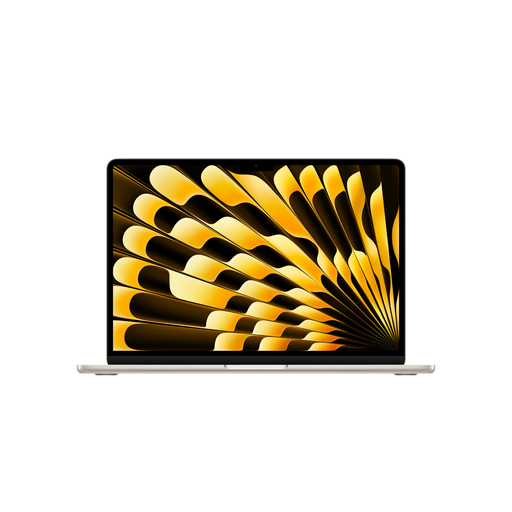
Apple 13-inch MacBook Air (M5, 2026), 16 GB/512 GB
An option for illustration and layout software that runs on macOS. Check that the memory and workflow suit your files.
13-inch, M5 with 10-core CPU and 8-core GPU, 16 GB Unified Memory and 512 GB SSD.
Starlight, German QWERTZ keyboard, 1,23 kg. Power adapter not included.
View at Joybuy
 No image available
Acer Aspire 5, 15,6-inch, 32 GB/1 TB
For layered working files, if you want to compare the stated memory and storage with your software and project requirements.
15,6-inch, Full HD, Intel Core i5-13420H, 32 GB RAM and 1 TB SSD.
RTX 2050, Windows 11 Pro.
View at Joybuy
 No image available
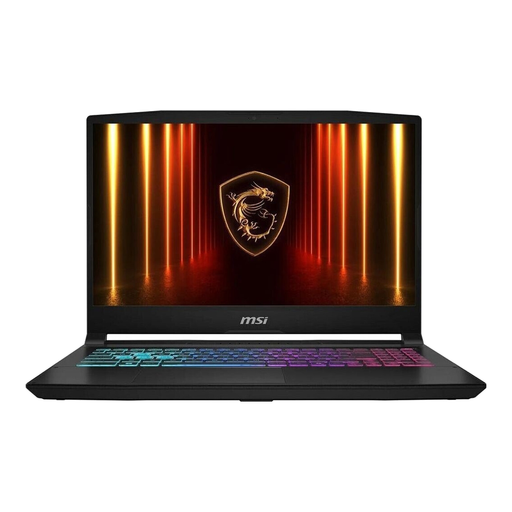
MSI Katana 15 HX B14WFK-487, 16 GB/512 GB
For traditional laptop work with a separate graphics tablet. Check that the RAM and SSD space are enough for your software and working files.
15,6-inch, Full HD display, Intel Core i7, 16 GB RAM and 512 GB SSD.
RTX 5060 DDR5, Windows 11; around 2,4 kg. Ports: HDMI, USB-C, USB-A and RJ45.
View at Joybuy
Frequently asked questions
Do I definitely need a dedicated graphics card for large exhibition panels?
No, not as a general rule. Start by checking the requirements for your software version and files. For Photoshop 27.x, Adobe recommends at least 16 GB of RAM and also specifies separate GPU requirements. This doesn’t mean you need a dedicated gaming GPU in every case.
How do I prepare colours for printing exhibition panels?
Agree the output profile and file specifications with your print provider. Krita describes soft proofing as a preview based on a specific print profile; a test print produced to the right specifications can also help you check the result. Your laptop display alone can’t confirm that a file is ready to print.
Will every touchscreen laptop work with a drawing pen?
You can’t tell from the words ‘touchscreen’ alone. Ask for confirmation that the specific pen and your drawing app are supported on the variant being offered. Alternatively, you can choose a graphics tablet that’s compatible with your operating system.
What are my rights in Germany if my laptop is faulty?
If you buy as a consumer from a business, you have statutory rights against the seller if the laptop is faulty; a voluntary manufacturer’s warranty is different. The European Union’s consumer information states that the minimum statutory guarantee lasts for two years from the date you receive the goods. Purchases from private individuals aren’t covered by the same rules.
Do new laptops sold in Germany have to charge via USB-C, and does that mean a power adapter is included?
The European Commission gives 28 April 2026 as the date the common charging rules take effect for covered laptops, with USB-C as the common charging port. The rules also allow products to be sold without a charger. So check what’s included with the specific variant and what charging power it requires.


