Who creates exhibition panels?

Scan restorers

You clean up lots of scanned drawings, or particularly large ones, before they appear on panels. Check the requirements of your image-editing software and the scans’ actual pixel dimensions. The German Federal Archives distinguishes image resolution in pixels or ppi from print dpi.

Panel designers

You combine drawings, captions and other images to create print-ready panels. A well-organised workspace and exporting files to the printer’s specifications are important; Adobe describes the relevant PDF export options in InDesign.

Those who draw directly on screen

You want to trace or annotate scanned images directly on your laptop. Check whether the specific variant supports pen input and whether the right pen is included: Lenovo lists the Yoga Pen as optional for the Yoga 7i 2-in-1 Gen 10, while Samsung describes S Pen input on the Galaxy Book5 Pro 360.

What matters when buying?

Traditional laptop

A good fit if: you edit scans and mostly use a mouse or an external drawing device to lay out your panels.

Consider: A large screen can make layout work easier, but takes up more space when you’re travelling. A stated colour gamut is no substitute for a calibrated print check.

Convertible with pen input

A good fit if: you often draw, sketch or make corrections directly on scanned images.

Consider: A touchscreen alone doesn’t guarantee pen support. Check compatibility and whether the pen is included with the variant you choose.

Portable laptop with separate print checks

A good fit if: you often discuss drafts in different locations and handle colour approval and print checks at a suitable workstation.

Consider: The manufacturer’s battery-life claims don’t tell you how long it will last while you’re editing images. Also check that the specific model has the right ports for your scanner and display.

Priority What to check before buying Who is it important to?
Editing large scans Check your software’s requirements, as well as the RAM and free SSD space in the specific configuration. Adobe recommends 16 GB RAM for Photoshop 27.x and InDesign 21.3 or later; this isn’t a general minimum requirement for all software. If I edit lots of scans or large ones, I need enough capacity for my software and project files. Around 36% of consumers rank scan editing as their top buying priority.
Designing panels and checking prints Check the display size and whether you can use a suitable monitor profile. Confirm PDF, bleed and colour profile requirements with the printer; Adobe notes that on-screen colours can differ from printed colours. If I want to arrange drawings and captions clearly on a panel and prepare the final output, layout space matters to me. Around 29% of consumers put panel layout and print checks first.
Drawing directly on scans Check pen support for the exact variant and whether a compatible pen is included. If I want to trace lines or mark corrections directly on scanned images, I need suitable pen input. Around 21% of consumers make drawing directly on screen their top buying priority.
Working in different locations Check that the ports work with your scanner, storage device and presentation display. Assess battery-life claims in the context of your workflow. If I want to edit files on the go and show drafts in different places, portability and the right connections matter to me. Around 14% of consumers prioritise working together on the move.

Common misconceptions

  • Assuming a higher print dpi means more image detail

    A higher print dpi figure won’t create extra detail in a scan. The German Federal Archives distinguishes print resolution from the image’s existing pixels or ppi.

    Before buying, check your scans’ pixel dimensions and the planned output size rather than assuming missing detail is down to the laptop.

    If the source images are too low in quality, you may need to digitise them again or edit them further.

  • Assuming a wide colour gamut guarantees accurate print colours

    Colours can look different on screen and in print. Adobe describes monitor and output profiles as part of colour management.

    Check the display specifications for the exact variant and, for colour-critical panels, follow the printer’s profile requirements.

    A properly matched workflow may involve extra work to calibrate the display and produce proofs.

  • Assuming a touchscreen means pen support and an included pen

    A touchscreen alone doesn’t confirm that a pen is compatible or included in the box. Lenovo lists the Yoga Pen as optional for the Yoga 7i 2-in-1 Gen 10, while Samsung describes S Pen input on the Galaxy Book5 Pro 360.

    Check pen support and what’s included with the specific product offer.

    You may need to buy a compatible pen separately.

Relevant brands to consider

Acer

The Swift 16 AI range includes a 16-inch variant, offering more screen space for mobile image work.

  • For the specific variant NX.JU1EG.00C, Acer lists an OLED touchscreen with 2880 × 1800 pixels, 32 GB RAM and a 1 TB SSD.
  • These specifications apply to the configuration listed above. Stated colour gamut coverage isn’t independent proof of print colour accuracy.

Apple

The MacBook Air M5 is a macOS option if your image-editing software and connected devices are compatible with it.

  • For the M5 configurations reviewed, Apple lists 16 GB unified memory and USB-C or Thunderbolt ports, among other features.
  • Sizes and specifications vary. Check the ports on your devices; manufacturer battery-life claims aren’t measurements for scan editing.

Lenovo

The Yoga 7i 2-in-1 Gen 10 is designed for direct input, while the ThinkPad P16s Gen 4 is a separate 16-inch workstation option.

  • Lenovo describes the Yoga as having a 360-degree design and an optional Yoga Pen. For the ThinkPad P16s Gen 4 variant 21RXCTO1WWDE1, Lenovo lists a matte 16-inch display with 100% sRGB.
  • These features belong to different product ranges and don’t mean they have the same pen functionality or display.

Samsung

The Galaxy Book5 Pro 360 is a Windows convertible option for drawing and layout work.

  • Samsung describes the Galaxy Book5 Pro 360 as having a 16-inch AMOLED display and supporting S Pen input.
  • Check the variant code and what’s included. The manufacturer’s description isn’t an independent test of colour accuracy.

ASUS

According to ASUS, the ProArt P16 range is designed for creative workflows, with a large display and powerful specifications.

  • For the specific variant ProArt P16 H7606WX-SE008X, ASUS lists a 16-inch OLED touchscreen, 64 GB RAM and a 2 TB SSD.
  • These specifications apply to the variant listed above and don’t mean they’re necessary for every exhibition panel project.

Joybuy products for scan editing and panel layouts

The devices below are presented as traditional laptops for scan editing and panel layout. Compare the specifications of the specific variant with your software, files and printing requirements.

HP ZBook X G1i 16, Ultra 7 255H, 32 GB RAM and 1 TB SSD

HP ZBook X G1i 16, Ultra 7 255H, 32 GB RAM, 1 TB SSD

Positioned as a traditional laptop for scan editing and panel layout. Its specifications can be checked against the requirements of your software and projects.

Listed in the product name: 16 inches, Ultra 7 255H, 32 GB RAM and a 1 TB SSD.

View at Joybuy

MSI Crosshair 16 Max HX E2WGXK-023 with QHD+ OLED display, 16 GB RAM and 1 TB SSD

MSI Crosshair 16 Max HX E2WGXK-023

Positioned as a traditional laptop for scan editing and panel layout. Check whether the specific specifications suit your software and project size.

Listed in the product name: Intel Core Ultra 9 275HX, 16 GB DDR5, 1 TB SSD and QHD+ OLED at 165 Hz.

View at Joybuy

ASUS Zenbook S16 UM5606GA-SS335W with WQXGA OLED display, 32 GB RAM and 1 TB SSD

ASUS Zenbook S16 UM5606GA-SS335W

Positioned as a traditional laptop for scan editing and panel layout. The product name states that no power adapter is included, so plan your power supply accordingly.

Listed in the product name: WQXGA OLED display, Ryzen AI 9 465, 32 GB RAM, 1 TB SSD and Windows 11.

View at Joybuy
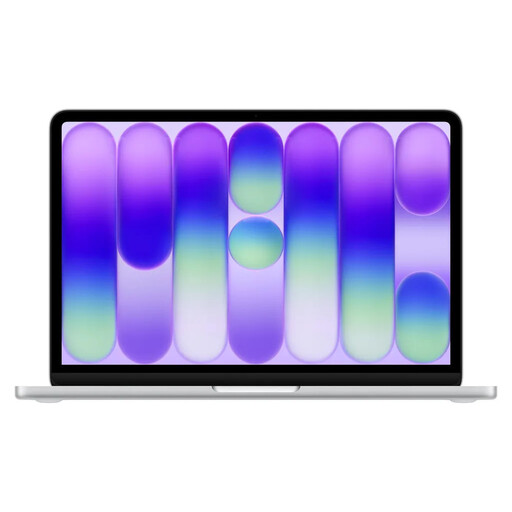
Apple 13-inch MacBook Neo with A18 Pro, 8 GB RAM and 256 GB SSD, English QWERTY keyboard layout

Apple 13-inch MacBook Neo, A18 Pro, 8 GB RAM, 256 GB SSD, English QWERTY layout

This 13-inch variant is positioned as a portable laptop for drafts and meetings. Weigh up its smaller format against the space you need for panel layouts.

The stated 8 GB RAM is below Adobe’s 16 GB recommendation for the Photoshop and InDesign versions reviewed. According to the product details, no power adapter is included; the keyboard layout is English QWERTY.

View at Joybuy

Apple 13-inch MacBook Neo with A18 Pro, 8 GB RAM and 512 GB SSD, German QWERTZ keyboard layout

Apple 13-inch MacBook Neo, A18 Pro, 8 GB RAM, 512 GB SSD, German QWERTZ layout

This 13-inch variant is positioned as a portable laptop for drafts and meetings. Check whether its screen is large enough for your panel layouts.

The stated 8 GB RAM is below Adobe’s 16 GB recommendation for the Photoshop and InDesign versions reviewed. The product name specifies a German QWERTZ keyboard layout; according to the product details, no power adapter is included.

View at Joybuy

Frequently asked questions

Does a laptop for scanned drawings need a dedicated graphics card?

Not necessarily. Start by checking your software’s system requirements and the size of your projects. The Adobe requirements cited apply to specific applications and don’t establish a general need for a dedicated graphics card.

How do I prepare a panel file for the printer?

Before exporting, check the printer’s requirements for file format, bleed, PDF/X and colour profiles. InDesign offers the relevant PDF export options. For colour-critical work, Adobe also explains the importance of a calibrated monitor and suitable profiles.

How should I keep scan originals safe while editing?

Keep the original files separate from edited versions and check the actual pixel dimensions before output. The German Federal Archives distinguishes image pixels or ppi from print dpi; changing the dpi figure doesn’t add detail to the original.

What rights apply when buying a laptop online in Germany?

For a consumer purchase in Germany, your statutory rights for faulty goods are against the seller; a voluntary guarantee is separate. According to the consumer advice centre, online purchases also generally come with a 14-day right to cancel, starting when you receive the goods. Conditions and exceptions depend on the specific contract; the right to cancel doesn’t replace your rights if the goods are faulty.

Can I use other people’s scanned drawings on exhibition panels?

Not simply because you have a scan. The German Patent and Trade Mark Office notes that drawings may be protected by copyright, and each case needs to be assessed individually. Before using one publicly, check the rights and permitted scope of use, and whether an exception applies or the work is in the public domain.