A compact laptop is a good fit for exposure bracketing in a student room if you regularly take it to university. If you mainly work at a desk, a larger display can make it easier to check your images. Start by choosing according to your software, then check the display, RAM and storage space for your original and working files. Adobe recommends 16 GB of RAM or more for Photoshop, but this isn’t a blanket requirement for other programmes or every exposure-bracketing task.
Which laptop is right for you?
Editing photos at your desk
You usually review and combine landscape shots in one place, and want to assess image details on your display. A larger screen can give you more room to work, but the specific display configuration also matters when checking your images.
Studying and photography on the go
You use the same laptop at university and in your room. Weigh the screen size against how easy it is to carry; an external monitor can expand your workspace if you have the room and the right ports.
Regular RAW editing
If you often edit batches of images, consider your software requirements, RAM and file storage together. Adobe recommends 16 GB of RAM or more for Photoshop on desktop, but this recommendation doesn’t automatically apply to other programmes.
What should you look for when buying?
Compact laptop for studying and occasional photo editing
A good fit if: You often take your laptop with you and only edit exposure-bracketed shots occasionally.
The trade-off: A smaller display gives you less room to inspect image details; an external monitor needs space and a suitable port.
Larger laptop for a dedicated workspace
A good fit if: You usually review and edit images in your student room and regularly use the built-in display.
The trade-off: Size and weight can be more noticeable if you regularly carry it to university.
Creator or workstation laptop
A good fit if: You have other demanding tasks in addition to exposure bracketing that justify the extra specification.
The trade-off: Notebookcheck’s photo and video editing ranking, dated 3 November 2026, assesses factors including the display and application performance. It doesn’t assess what you need for occasional photo editing as a student.
First, check which software and version you use. Adobe lists 8 GB of RAM as the minimum for Photoshop and recommends 16 GB or more. Don’t assume these figures apply to other programmes or tasks without checking.
| Consideration |
What to check before buying |
Who should consider this? |
| Display and image checking |
Display specifications for the exact configuration; if using an external monitor, also check the connection and available space. OLED or a stated colour gamut alone doesn’t prove colour accuracy. |
If I want to assess image details on the built-in screen, the specific display configuration matters more to me than a single marketing feature. Around 25% of consumers whose main concern is checking images would prioritise this. |
| Software and editing |
The programme and version, compatible operating system, and the relevant RAM and graphics requirements. |
If I’m combining exposures and then editing them further in my chosen software, I want to meet the requirements for that specific version. Around 25% of consumers who prioritise editing performance might feel the same. |
| Specification and cost |
Compare the exact configuration with your needs; a high place in a ranking doesn’t mean it’s right for you. |
When choosing a laptop for studying and editing image batches, I don’t want to pay for features my programmes don’t require. Around 19% of consumers who weigh up the purchase price first might prioritise this. |
| Files and backups |
Allow for enough available SSD storage for originals and working files; back up your catalogue and original photos separately. Check the ports or card reader on the exact configuration. |
If I manage landscape photo batches locally, I need a plan for original photos, working files and backups. Around 19% of consumers whose main concern is storage space might prioritise this. |
| Portability and screen size |
Compare the size and weight of the complete device, along with its display and ports, with your commute and workspace. |
If I regularly carry my laptop between my room and university, portability matters more to me than having the largest possible display. Around 12% of consumers who prioritise portability might feel the same. |
Avoid common misconceptions
-
Assuming a high place in a professional ranking means it’s right for you
Notebookcheck’s photo and video editing ranking is based on test results. It isn’t tailored to student budgets or exclusively to exposure-bracketing tasks.
Use a ranking as a guide to the products tested, but check your software and how you’ll actually use the laptop first.
-
Assuming OLED or a wide colour gamut guarantees colour accuracy
Manufacturers’ display specifications refer to specific configurations and don’t, on their own, prove colour accuracy in your workspace.
Compare the display specifications for the exact configuration, and consider colour management and the lighting in your room.
-
Confusing HDR photo merging with HDR display output
Adobe treats exposure merging and HDR display as separate features.
Consider whether you only want to merge exposures or also want to display and assess the result in HDR.
-
Backing up only the Lightroom Classic catalogue
The catalogue and the linked original photos are different files. Adobe says that deleting a catalogue won’t delete the linked originals, but it can discard edits that haven’t been saved elsewhere.
Plan separate backups for the catalogue and your original photos.
Key brands at a glance
Apple
The M5 MacBook Air is a compact macOS option. For the base configurations listed, Apple specifies 16 GB of unified memory and a display with a wide P3 colour gamut.
- The specifications quoted apply to the listed MacBook Air configurations.
- The manufacturer’s specifications don’t prove colour accuracy or how quickly your files will merge. Check the storage and display size, and make sure your programmes and add-ons are compatible.
Acer
The Swift Go range includes compact Windows models. For model NX.KWMEG.00B, Acer specifies a 14-inch OLED display, 16 GB of RAM and a 512 GB SSD.
- These specific specifications can help you compare suitable 14-inch configurations.
- The specifications apply to the model listed, not the entire range. Acer notes that the details of the selected configuration are the ones that matter.
Lenovo
The ThinkPad T1g Gen 8 is a 16-inch Windows range. The tested model, 21TD003GE, ranked first in Notebookcheck’s photo and video editing ranking dated 3 November 2026.
- The ranking applies to the model tested.
- It doesn’t apply to all ThinkPads or prove that occasional photo editing as a student requires the same level of performance.
ASUS
The ProArt P16 range is designed for creative work. For model H7606WX-SE090X, ASUS specifies a 16-inch OLED touchscreen and 64 GB of RAM.
- The specifications identify the exact model listed.
- They don’t automatically apply to other P16 configurations or establish a minimum requirement for exposure bracketing.
Dell
The XPS 14 DA14260 is another compact Windows option, with configurations available to choose from.
- The different configurations available make it possible to compare the options on offer.
- Images may vary from the actual product depending on the configuration. Before comparing, check the display, RAM and ports on your chosen model in particular.
Joybuy laptops for studying and photo editing
This selection includes compact laptops for studying and occasional photo editing, as well as larger models for a mostly fixed workspace.
 No image available
HP ZBook 8 G1i 14, Ultra 9 285H, 64 GB RAM, 1 TB SSD
A compact 14-inch option if you take your laptop with you and want to check images on the built-in display.
Specifications include a WQXGA display with 2560 × 1600 pixels, 64 GB of RAM, a 1 TB SSD, a weight of 1.43 kg and Windows 11 Professional.
View at Joybuy
 No image available
Lenovo ThinkBook 16 Gen 9, Intel Core Ultra 5 325, 32 GB RAM, 512 GB SSD
A larger display may suit you if you mainly review and edit landscape photos at your desk.
Specifications include a 16-inch WUXGA IPS display with 1920 × 1200 pixels, 32 GB of RAM, a 512 GB SSD, a weight of 1.7 kg and Windows 11 Professional.
View at Joybuy
 No image available
HP OmniBook Ultra Flip 14-fh0670ng, 2-in-1, 2.8K OLED, 32 GB RAM, 1 TB SSD
A compact 2-in-1 option if touchscreen control and the listed display features suit the way you study and check images.
Specifications include a 14-inch 2.8K OLED touchscreen, 100% DCI-P3, 32 GB of RAM, a 1 TB SSD and a weight of 1.34 kg. The colour gamut figure alone doesn’t prove colour accuracy.
View at Joybuy
 No image available
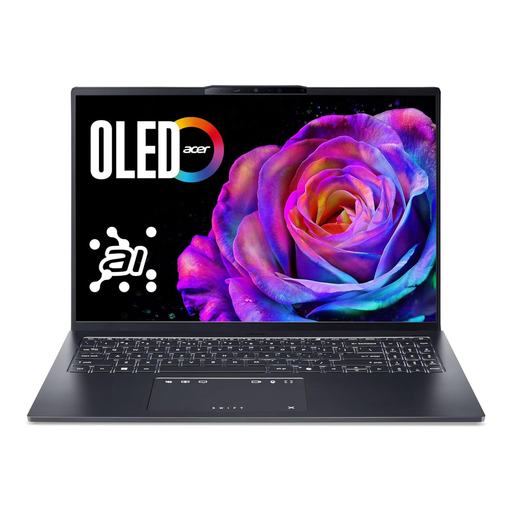
Acer Swift Go 16 OLED SFG16-73-7943, 16 GB RAM, 1 TB SSD
A larger display may be useful for checking images at a dedicated workspace; compare the exact model with your software requirements.
Specifications include a 16-inch WUXGA+ OLED display with 120 Hz, 16 GB of RAM, a 1 TB SSD, a weight of around 1.6 kg and a German QWERTZ keyboard.
View at Joybuy
 No image available
Apple 16-inch MacBook Pro with M5 Pro, 24 GB, 1 TB SSD
A larger built-in display may suit a mostly fixed workspace; bear the stated weight in mind if you regularly carry your laptop with you.
Specifications include a 16.2-inch Liquid Retina XDR display, 24 GB of unified memory, a 1 TB SSD, an SDXC card slot and a weight of 2.14 kg.
View at Joybuy
Frequently asked questions
Do I need an HDR display to merge exposure-bracketed shots?
No. An HDR display isn’t a general requirement just for merging exposure-bracketed shots. Adobe treats photo merging and HDR display as separate features; to preview HDR in Photoshop, your display and settings need to be compatible.
What do I need to display HDR in Photoshop on Windows?
If you want to display HDR content in Photoshop, Adobe specifies an HDR-capable display and Windows 11 for Windows. HDR needs to be enabled in Windows display settings, and the relevant technology preview needs to be enabled in Photoshop. This applies to displaying HDR, not simply merging exposures.
Is it enough to back up only the Lightroom Classic catalogue?
No. Adobe distinguishes the catalogue from the linked original photos. Back up both separately: Adobe says deleting a catalogue won’t remove the linked originals, but it can discard edits that haven’t been saved elsewhere.
What rights do I have when buying online from a trader?
The European Union’s consumer information states that consumers generally have a minimum of two years’ statutory guarantee rights from the date they receive the goods. For online purchases, the Council of the European Union states that consumers generally have a 14-day right to cancel without giving a reason, and notes that exceptions apply. These consumer rights are separate from a brand’s voluntary services.


