What should you look for when buying?
Start by checking software compatibility, then consider connectivity, power, document viewing and the storage devices you’ll be taking with you.
| Buying priority |
What to check |
Who is this important to? |
| Software and offline work |
Before choosing a model, check the software version, operating system, file formats and any activation requirements. |
If I want to work on my family tree without an internet connection, my existing software needs to run on the laptop. Around 33% of consumers prioritise software compatibility and offline working. |
| Battery and train Wi-Fi |
Compare battery-life claims only when the test conditions are clear, and save any documents you need locally before travelling. |
If I’m travelling for a long time or can’t count on finding a spare socket, I need to be able to carry on working when the connection drops. Around 27% of consumers prioritise battery life and a back-up for unreliable connectivity. |
| Document readability |
Test typical scans at your preferred zoom level, and check the display size, resolution and input method on the specific model. |
If I want to compare scans and records, the text needs to be easy to read on screen. Around 20% of consumers prioritise document viewing. |
| Portability and ports |
Compare the dimensions and weight, including the power adapter, and check that the specific configuration has the ports your storage devices need. |
If I’m taking files or storage devices with me, I want to be able to connect them on the move and carry a laptop that fits the space I have on the train. Around 20% of consumers prioritise a compact design and suitable ports. |
Laptops for researching your family history on the train
This selection from Joybuy includes Windows laptops for compatible Windows software and documents stored locally, as well as a MacBook for compatible macOS programmes.
 No image available
Lenovo Yoga Slim 7i Aura Edition, 14-inch, Core Ultra 7 355, 16 GB/1 TB SSD
Windows 11 Home and the listed 1 TB SSD suit a workflow based on Windows software and files stored locally.
14-inch 2.8K OLED display; 16 GB RAM; 1 TB SSD; listed weight: 1.14 kg.
View at Joybuy
 No image available
HP OmniBook Ultra 14-kd0072ngx, 14-inch, Core Ultra 7 356H, 16 GB/1 TB SSD
Windows 11 Home is relevant if you use compatible Windows genealogy software. Check the requirements for your specific programme version.
14-inch 3K OLED touchscreen; 16 GB RAM; 1 TB SSD; listed weight: 1.27 kg.
View at Joybuy
 No image available
Apple 13-inch MacBook Air with M5, 16 GB/1 TB SSD, Midnight, German QWERTZ keyboard
This macOS model could suit you if your genealogy software supports macOS. Check compatibility before buying.
13.6-inch display; 16 GB unified memory; 1 TB SSD; listed weight: 1.23 kg. The product description says that a power adapter is not included.
View at Joybuy
 No image available
ASUS Zenbook 14 UX3405CA-QD1303W, Core U7 255H, 16 GB/1 TB SSD
Windows 11 Home and the listed 1 TB SSD are relevant if you use compatible Windows software and documents stored locally.
14-inch WUXGA OLED touchscreen; 16 GB RAM; 1 TB SSD; listed weight: 1.22 kg.
View at Joybuy
 No image available
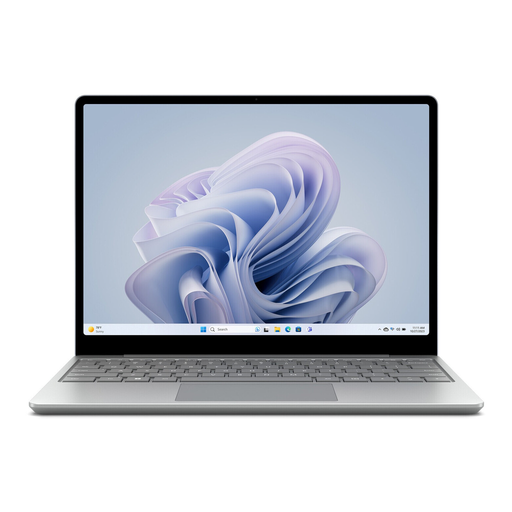
Microsoft Surface Laptop Go 3, 12.45-inch, Core i5, 8 GB/256 GB SSD
Windows 11 Home is relevant if you use a compatible Windows application and want to work on saved files while travelling.
12.45-inch touchscreen; 8 GB RAM; 256 GB SSD; listed weight: 1.13 kg.
View at Joybuy
Frequently asked questions
Can I browse online archives continuously on an ICE train?
A consistently fast connection isn’t guaranteed. Deutsche Bahn warns that Wi-Fi speeds can vary, so download any documents you need in advance, where permitted, and plan to work offline as an alternative.
Should I set up my genealogy software before travelling?
If your programme needs an internet connection for setup, try to complete those steps before your journey. Heredis says that some features in its Windows version, including licence activation and online research, require an internet connection.
How should I handle accounts when using public train Wi-Fi?
According to Deutsche Bahn, ICE Wi-Fi is a public network. For a secure connection, it recommends using a VPN or visiting HTTPS websites. This is security advice, not a legal requirement.
What are my rights when buying a laptop online in Germany?
For a standard online purchase from a business seller in Germany, you generally have a 14-day right to cancel from the date of delivery. Check for possible exceptions and return costs. If the laptop is faulty, you have statutory rights against the seller for at least two years from receipt. A voluntary guarantee is separate from these rights.


