For longer writing sessions at the kitchen table, a comfortable keyboard, a well-positioned screen and a display that’s easy to read matter more than extra graphics power. If you take your laptop with you regularly, pay closer attention to its weight and battery life. If it will mostly stay in one place, consider the space available on your table and the ports you’ll need for external input devices.
Who writes at the kitchen table?
For longer writing sessions
If you write or edit field notes for extended periods, consider the keyboard, screen position and where you sit together. The German Federal Institute for Occupational Safety and Health (BAuA) recommends using separate input devices for extended use at a largely fixed workstation.
For moving between the field and the table
If you take your laptop with you regularly, weigh up its weight, battery life and screen readability against the space it takes up at the kitchen table. The BAuA highlights the total weight of work equipment as an important consideration when working in different locations.
For long-term use
If you want to keep your laptop for a long time, check whether it can be repaired or upgraded. The German Environment Agency recommends checking whether your existing computer can be repaired or upgraded before buying a new one.
What should you look for when buying?
First, think about how long you write in one sitting and whether you’ll be carrying your laptop around often. Then check the display, ports and whether your software is compatible with the specific configuration you’re considering.
| What matters to you |
What to check when buying |
Who is this important to? |
| Comfortable typing |
Check the keyboard layout and typing feel. For longer sessions, make sure there are ports for a separate keyboard and mouse. |
If I’m writing longer notes, I want to type comfortably and position the screen to suit me. Around 31% of consumers put typing comfort first. |
| Readability |
Check the screen finish and the specific display variant. If possible, view it in similar lighting conditions to where you’ll use it. |
When I’m reading notes and sources at the kitchen table, a clear, easy-to-read picture matters to me. Around 25% of consumers prioritise being able to read notes and sources clearly. |
| Portability |
Consider the weight, including any accessories you’ll carry. Compare battery tests only when you’ve taken their testing conditions into account. |
When I move between the field and the table, I want to be able to carry the laptop and any essential accessories easily. Around 19% of consumers put portability first. |
| Compatibility |
Check that your writing software and file formats work with the operating system, and confirm that the exact variant has the ports you need. |
If I want to keep using my existing software, files or devices, I check that they’re compatible before buying. Around 13% of consumers prioritise software, files and ports. |
| Long-term use |
Decide how much performance you need and check whether the specific model can be repaired, have its battery replaced or be upgraded. |
If I want to keep my laptop for a long time, I look for specifications that suit my needs and check whether it can be repaired. Around 12% of consumers prioritise long-term usability and total cost. |
Common buying mistakes
-
Assuming a ranking applies to every version in a product range
Notebookcheck’s rankings are based on the configurations it has tested; displays and specifications can vary within a product range. Lenovo now lists the ThinkPad L14 Gen 5 (AMD) as “Withdrawn”.
Check the full model number and the configuration on offer against your requirements.
-
Relying on a small laptop for long writing sessions
For extended use at a nearly fixed workstation, the BAuA recommends separate input devices. Screen position and keyboard placement are part of setting up your workstation.
Before buying, check how the screen and keyboard will sit on your table and whether the laptop has the ports you need.
Depending on the equipment you already have, a separate keyboard or mouse may be useful.
-
Assuming the manufacturer’s battery-life estimate reflects your own writing time
Battery tests use specific conditions for usage and screen brightness. Your laptop’s actual battery life may differ when you’re writing and researching.
Compare independent test results alongside their testing conditions, and make sure you have somewhere to charge your laptop during longer sessions.
A guide to brands
Lenovo
ThinkPad L and E models and IdeaPad Slim laptops offer different options for office work. Notebookcheck’s rankings apply to specific configurations.
- Lenovo lists USB-A, USB-C and HDMI among the ports on the ThinkPad L14 Gen 5 (AMD); specifications depend on the configuration.
- Lenovo lists this generation as “Withdrawn”. A position in a ranking doesn’t therefore confirm that a particular configuration is currently available.
ASUS
ExpertBook P3 variants may be worth considering if you’re looking for an office laptop with several ports and an anti-glare display.
- ASUS lists USB-C, USB-A and HDMI for PM3406 variants.
- Display and battery specifications vary by variant. The manufacturer’s global specifications don’t confirm which combination is available in Germany.
Apple
The MacBook Air 13 with M5 could be a compact option if your writing software is compatible with macOS and the features you need.
- Apple lists a 13.6-inch display and two Thunderbolt 4 ports for the 13-inch model.
- If you have USB-A devices, check whether you’ll need a suitable port or an adaptor.
Framework
The Framework Laptop 13 is worth considering if replaceable components and a choice of ports are important to you.
- Framework describes the relevant Laptop 13 generation as having replaceable components, Expansion Cards and matte display options.
- For the specific configuration, check the keyboard layout, the modules you need and how to buy it in Germany.
Joybuy laptops for field notes
The Joybuy laptops below cater to different needs: larger displays for working at a table, and more compact or lighter devices for moving between work locations.
 No image available
Lenovo ThinkPad E16 Gen 3 21ST, AMD Ryzen 7 250, 32 GB RAM, 1 TB SSD
If you mainly write at a table, weigh up the 16-inch format against the extra space it will take up when you’re carrying it.
The product description lists an anti-glare display with WUXGA resolution. It also specifies a backlit German QWERTZ keyboard, a weight of 1.71 kg, and HDMI, USB-A and USB-C ports. According to the description, some parts are replaceable and the RAM can be upgraded.
View at Joybuy
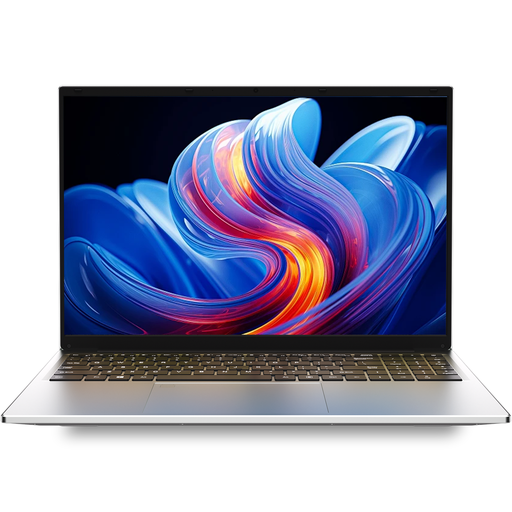 No image available
Auusda T161N, i3 1000NG4, 16 GB DDR4, 1 TB SSD
If you want to work on notes and documents on a larger screen, check that the 16-inch format will fit the space available on your table.
The description lists a 16-inch FHD IPS display with 1920 × 1200 pixels, a backlit keyboard, USB-C, USB 3.0 and Mini-HDMI.
View at Joybuy
 No image available
Auusda T156A, 16 GB DDR4, 512 GB SSD, 3050E Processor
If you write and review notes at a table, this model has a 15.6-inch display according to the description, so make sure you have enough space for it.
Specifications include an FHD IPS display, a backlit keyboard with a separate number pad, USB-A, USB-C and an HDTV output.
View at Joybuy
 No image available
YOGA Laptop, 11.6 inches, 360° touchscreen, Intel Pentium Gold 6500Y
If you make brief notes or want to use the touchscreen, consider the compact 11.6-inch format. It gives you less screen space than a larger laptop.
The description lists 8 GB RAM, 256 GB SSD and laptop, tent, stand and tablet modes.
View at Joybuy
 No image available
HP OmniBook Ultra Flip 14-fh0670ng, Core Ultra 7 258V, 32 GB RAM, 1 TB SSD
If you move between work locations and are considering a 2-in-1, compare the stated weight of 1.34 kg with the rest of the equipment you carry.
The description lists a 14-inch 2.8K OLED touchscreen with 400 cd/m², a backlit keyboard and two Thunderbolt 4 ports.
View at Joybuy
Frequently asked questions
Do I need a separate keyboard for long writing sessions?
Not for every quick note. For extended use at a largely fixed workstation, the BAuA generally considers separate input devices useful. Set up your screen, keyboard, table and seating position together. This is a recommendation for setting up a workstation, not a general requirement for individuals to buy extra equipment.
How should I look after a laptop kept at the kitchen table?
Keep liquids away from your laptop and avoid using harsh substances to clean it. The German Environment Agency also recommends checking whether your existing computer can be repaired or upgraded before buying a new one.
Is a manufacturer’s warranty the same as your statutory rights?
No. The Verbraucherzentrale distinguishes between your statutory rights against the seller and a voluntary guarantee. If a guarantee is offered, check its specific terms.
Can I cancel an online laptop purchase made in Germany?
In general, consumers have a right to cancel an online purchase; for goods, the cancellation period is usually 14 days from the date you receive the complete order. You must clearly tell the retailer that you’re cancelling, as simply returning the item without explanation isn’t enough. Exceptions and the terms of the specific contract should be checked separately.
Do rules for workplace computer stations automatically apply to every home kitchen table?
No, not automatically. The BAuA explains that ASR A6 applies to workplaces and teleworking stations; use in a private setting outside teleworking is excluded. Whether a particular workstation counts as a teleworking station must be assessed separately. Ergonomic recommendations may still be helpful.


