If you mainly type longer pieces of text, a compact laptop with a comfortable keyboard and enough battery life is a sensible place to start. If you regularly sketch or add handwritten notes, a convertible or detachable is a better fit, provided the pen, keyboard and what’s included match the specific configuration. Compare the weight of the complete setup, and check that the display and software meet your needs.
Who uses a laptop on field trips?
Fast typists on field trips
If you’re recording detailed observations or lectures and carrying your device between stops, a comfortable keyboard, overall weight and battery life all matter. The IT Service Centre at the University of Kassel lists portability and the software you need as factors to consider.
Sketching on the go
If your notes regularly include drawings or annotations, check whether the specific device configuration supports the pen input you want and whether the pen is included. Lenovo describes this combination on the X13 Detachable, with its detachable keyboard and Slim Pen.
Taking notes in daylight
If you often read slides or field notes outdoors, consider reflections and the lighting where you’ll be using your laptop. Colorado State University points out that reflected light or poor positioning can make screen content harder to see.
What should you look for when choosing one?
Start with what matters most to you. Battery life and portability are important when you’re moving between locations, while the pen, display and software can be decisive depending on the type of notes you take and where you’ll be using your device.
The percentages refer to consumers choosing a device for taking notes on field trips, with each person grouped according to their top buying priority.
| Priority |
What to check before buying |
Who is it most relevant to? |
| Battery life |
Compare the stated battery life with the test conditions and how you plan to use the device; check the charging port and what power sources you’ll need. |
If I’m planning longer stretches without access to a socket, I want a realistic idea of how long the battery will last and to know how I can recharge it. Around 33% of consumers put battery life first. |
| Carrying weight |
Weigh the device and any accessories you’ll need together; consider the screen size and how much space you’ll have to write. |
If I’m carrying my laptop between stops, what matters is the weight of the complete setup, not just the device. Portability is the top priority for around 27% of consumers. Cornell University Ergonomics Web also notes that larger screens can be harder to manage when you’re on the move. |
| Pen input |
Check pen support, compatibility and what’s included for the exact configuration; make sure the keyboard will be stable enough to use where you’ll be working. |
If I want to make sketches or handwritten additions, I need more than a touchscreen: the pen and input method have to suit the way I take notes. Around 20% of consumers prioritise pen input. |
| Screen readability and software |
Assess the display finish in the lighting conditions you expect, and check that the software you need is compatible. |
If I need to read notes outdoors or use a particular specialist application, I want to check for glare and software compatibility in advance. For around 20% of consumers, readability or the software they need is the top priority. The University of Kassel recommends factoring required applications into your choice of laptop. |
Traditional compact laptop
Best suited to you if: you mainly type longer pieces of text and prefer a permanently attached keyboard.
Trade-off: The traditional configurations described here aren’t shown to have a tablet or pen mode. Also check that your specialist software is compatible.
Convertible with an attached keyboard
Best suited to you if: you often want to work directly on the touchscreen as well as type.
Trade-off: Having a touchscreen doesn’t mean a pen is included or that the display will be easy to read outdoors.
Detachable with a removable keyboard
Best suited to you if: you often switch between handwritten sketches and typed notes.
Trade-off: Check the weight and what’s included with the complete setup, and whether you can position the keyboard securely where you’ll be using it.
Which buying decisions can be misleading?
-
Taking advertised battery life as a guarantee for your whole field trip
Manufacturers use different test conditions, such as video streaming or wireless browsing. Your usage and conditions on the go may be different.
Compare the stated battery life with the test conditions given, and allow for a bit of extra charge rather than assuming it will last for the whole trip.
-
Comparing only the tablet’s weight on a detachable
For typed notes, you need to consider the weight of the complete usable setup, including the keyboard and any other accessories you’ll need.
Check what’s included with the specific offer and weigh all the parts you plan to take with you.
A keyboard, pen or power adapter that you need to buy separately will change what you have to carry on your field trip.
-
Assuming a touchscreen comes with a pen
The HP OmniBook 5 Flip 14-fp0760ng is confirmed to have a touchscreen, but that doesn’t mean a pen is included. Lenovo, on the other hand, describes a Slim Pen for the separate ThinkPad X13 Detachable.
Check pen compatibility and what’s included with the exact model before relying on it for handwritten notes.
Which brands and ranges are worth considering?
These examples cover specific device ranges and input methods. Details on weight, features and battery life apply to the configurations mentioned and aren’t a general assessment of each brand.
Apple
The 13-inch MacBook Air M5 is an option for typed notes if the software you need runs on macOS.
- For the 13-inch configuration, Apple lists a 13.6-inch display with 500 nits of brightness and up to 18 hours of video streaming.
- The battery-life figure is for video streaming, not a guarantee for a field trip; pen input isn’t confirmed for this model here.
Lenovo
The ThinkPad X13 configurations referenced here include a traditional compact laptop and a detachable for switching between keyboard and pen input.
- Lenovo lists a matte 13.3-inch non-touch display for the ThinkPad X13 Gen 6 21RM002NGE. For the separate X13 Detachable, Lenovo describes a removable keyboard and Slim Pen.
- The display and pen features of the detachable version don’t apply to the X13 Gen 6.
HP
The OmniBook 5 Flip 14-fp0760ng is a convertible with an attached keyboard and touchscreen.
- For the BK2Z0EA configuration, HP lists a touchscreen, a weight of 1.62 kg and up to 15 hours of battery life.
- These details apply to this configuration; they don’t confirm that a pen is included.
ASUS
The Zenbook 14 OLED UX3405 is a traditional laptop range for people who mainly type.
- ASUS lists a weight of 1.2 kg and up to 15 hours of battery life for the configuration shown.
- Display and processor specifications vary by configuration, so check the exact model before buying. Battery life is a manufacturer’s estimate.
Microsoft
The 11th Edition Surface Pro is a Windows detachable for touch and pen use, provided the keyboard and pen are right for the specific configuration.
- For Surface Pro for Business with a Snapdragon X processor, Microsoft lists a device weight of 895 g and up to 10 hours of active web use for the Wi-Fi-only model.
- The device weight doesn’t automatically include the accessories you’ll need. Make sure the processor and configuration match the specific offer.
Joybuy laptops for typed notes
This selection includes traditional laptops for typed notes and frequent travel between locations. As well as the device specifications, compare the accessories you’ll need and the stated battery life with how you plan to use your laptop.
 No image available
Microsoft Surface Laptop 7 Snapdragon X Plus, 16 GB RAM, 512 GB, black
Described as a traditional laptop for typed notes; the product description lists a weight of 1.34 kg and up to 13 hours of battery life.
Snapdragon X Plus, 16 GB RAM and 512 GB storage.
View at Joybuy
 No image available
Ruzava 14-inch laptop, N5095, 8 GB RAM, 256 GB SSD
The 14-inch size is worth considering if you’re looking for a laptop for notes and coursework.
FHD display; according to the product name, the SSD can be upgraded to up to 1 TB. The product name also specifies an N5095 processor with speeds of up to 2.9 GHz.
View at Joybuy
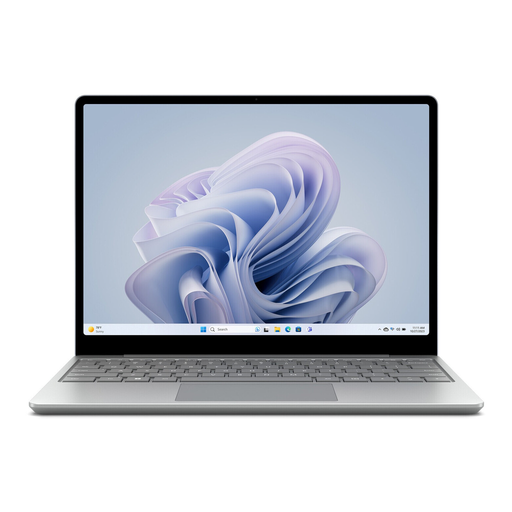 No image available
Microsoft Surface Laptop Go 3, Intel Core i5, 8 GB RAM, 256 GB SSD
The product description lists a weight of 1.13 kg and up to 15 hours of typical use. Check how these figures compare with the way you’ll use it.
12.45-inch touchscreen, Windows 11 Home and Platinum finish.
View at Joybuy
 No image available
Apple 13-inch MacBook Air M5, 10-core CPU and GPU, 16 GB, 1 TB SSD, silver, German QWERTZ keyboard
The German QWERTZ keyboard is worth noting if you’ll be typing longer notes; the product description lists up to 18 hours of video streaming, not a guaranteed battery life for the way you use it.
13.6-inch display and 1.23 kg, according to the product description. A power adapter isn’t included, according to the product description.
View at Joybuy
 No image available
Ninkear A15 Pro, 16 GB DDR4, 1 TB SSD, 16-inch
The 16-inch display gives you more room to work; check that the size and weight are right for moving between locations on your field trip.
The product name lists a weight of 1.8 kg, an FHD IPS display, Windows 11, Wi-Fi 6 and Bluetooth 5.0.
View at Joybuy
Frequently asked questions
How can I plan my note-taking if there’s no socket available while I’m out?
Compare how long you plan to use the laptop with the conditions used to test the manufacturer’s battery-life claim, not just the biggest number of hours advertised. Set up any notes and software you’ll need for offline use before you set off, and check which charging options your device supports.
Does a touchscreen laptop automatically come with a pen?
No. The HP OmniBook 5 Flip 14-fp0760ng is confirmed to have a touchscreen, but not a pen included in the box. Check pen compatibility and what’s included with the specific offer; Lenovo describes a Slim Pen with the keyboard for the separate ThinkPad X13 Detachable.
Who should I contact if a laptop bought as a consumer is faulty?
If you bought from a trader in the EU as a consumer, contact the seller about your statutory consumer rights. The European Union’s Your Europe website states that the minimum guarantee period is two years from receipt of the goods; this is separate from any voluntary manufacturer’s warranty.
Can I simply record a lecture or conversation on a field trip?
No, you can’t assume that’s allowed in every situation. Section 201 of the German Criminal Code makes it a criminal offence to record another person speaking privately without authorisation. Before recording, check whether it’s permitted in the specific circumstances.


