For studying with flashcards in the library, choose a laptop that runs your particular flashcard software and any extensions you need, with a screen and keyboard that suit the way you work. If you often move between study spaces or work without a socket nearby, consider the weight, battery life under comparable working conditions and fan noise. A larger display gives you more room for your materials, but takes up more space on your desk and in your rucksack. Apple describes the MacBook Air M5 as fanless and quotes up to 18 hours of battery life, while CHIP recorded different battery life figures for the Dell XPS 13 it tested, depending on the type of test. Neither is direct evidence of how long the laptop will last while you’re studying with flashcards.
Which priorities suit different types of learner?
Students who move between library spaces
If you often change where you study, weight, battery life and fan noise are important points to compare. CHIP considers portability and battery life when assessing laptops, while Apple describes the MacBook Air M5 as fanless.
Flashcards with specific software
If you use a particular flashcard programme or extensions, first check that they’re supported by the operating system and version. Anki Docs lists Windows, macOS and Linux as desktop platforms; extensions also need to be compatible with your specific setup.
Students working with lots of sources
If you use notes or PDFs alongside your cards, weigh up screen space against portability. CHIP considers display size and portability relevant factors when assessing laptops for students.
What should you look for when buying?
First check that your flashcard programme and any extensions you need run on the operating system. Then weigh up the format and features to find what suits your study space.
| What matters |
What to look for |
Who should consider it? |
| Software and files |
Check the operating system, programme version, any extensions you need, and the import and export formats. Anki Docs lists Windows, macOS and Linux as desktop platforms; individual add-ons may depend on the version you’re using. |
If I rely on a particular flashcard programme or add-ons, I check compatibility before choosing a device. Around 31% of consumers with this priority particularly depend on a suitable flashcard workflow. |
| Portable, quiet working |
Compare the weight, including the power adapter you’ll need, the ports and, where possible, battery tests based on similar types of use. Check how noisy the fan is on the specific model. |
If I often change study spaces or work for a long time without a socket, I look for a laptop that’s easy to carry and want to avoid fan noise where possible. Around 31% of consumers prioritising portable, quiet working particularly value these features. |
| Sources and typing up cards |
Compare the screen size, scaling, reflections and keyboard layout with the space you have available. Check the exact configuration: Lenovo lists a matt display and German keyboard for the ThinkPad E14 Gen 7 21SX000RGE. |
If I switch between notes or PDFs and cards while creating them, I need an easy-to-read display and a comfortable typing experience. Around 23% of consumers with this priority particularly value viewing sources and entering cards. |
| Total cost and consumer rights |
Check whether the power adapter and the ports you need are included. Your Europe states that consumer purchases from business sellers in the EU generally come with a minimum two-year legal guarantee, separate from any voluntary manufacturer’s warranty. |
If I need to plan my budget, I factor in any accessories I’ll need and want to know who to contact if something is faulty. Around 15% of consumers prioritising these cost and service considerations particularly focus on the total outlay. |
Which assumptions should you avoid?
-
Assuming manufacturer figures or video tests reflect battery life in the library
CHIP recorded 7:01 hours in its PCMark 10 work test and 13:02 hours of intensive web browsing on the Dell XPS 13 DX13260 it tested. These figures come from different types of test and don’t directly predict battery life when creating cards using PDFs and a browser.
Where possible, compare tests based on similar types of use and plan around your daily routine. Also check whether you’ll need a socket where you study.
Needing to find a socket or use your power adapter unexpectedly can interrupt your study session.
-
Assuming every model in the same range has identical specifications
Dell’s German website lists 8 GB RAM for one XPS 13 DX13260 configuration, while CHIP lists 16 GB for the device it tested. HONOR notes that touchscreen specifications vary between MagicBook Pro 14 variants.
Check the exact model, memory, display, keyboard layout and items included with the specific offer, rather than relying on the name of the model range alone.
-
Overlooking ports or a missing charger
CHIP lists two USB-C ports on the Dell XPS 13 DX13260 it tested. Dell marks one configuration shown on its German product page as not including a charger.
Count the ports you need and check what’s included with the exact variant before deciding.
If you need an adapter or a separate power supply, you’ll have extra accessories to budget for and carry with you.
Brands to consider
Apple
The MacBook Air range is a macOS option if your flashcard programmes are compatible with the operating system.
- Apple describes the MacBook Air M5 as fanless. Apple lists the 13-inch model at 1.23 kg; the 15-inch model offers more screen space, according to Apple.
- Apple quotes up to 18 hours of battery life. This is a manufacturer’s figure, not a measurement taken while creating flashcards; the larger model takes up more space.
Lenovo
The ThinkPad E14 Gen 7 21SX000RGE is a specific 14-inch Windows configuration with a matt display and German keyboard.
- Lenovo lists 16 GB RAM, a 512 GB SSD and an included 65 W power adapter for this variant.
- These details apply to the 21SX000RGE variant and can’t automatically be applied to other E14 configurations. They don’t confirm how noisy it is or its actual battery life.
Dell
The XPS 13 DX13260 is a compact Windows option when desk space is limited; the specific configuration matters.
- CHIP lists two USB-C ports on the device it tested and reports different battery life figures depending on the type of test.
- One configuration shown by Dell for the German market is marked as not including a charger. Its 8 GB RAM shouldn’t be confused with the 16 GB in the device tested by CHIP.
HONOR
The MagicBook Pro 14 is a Windows option if you’re considering a larger built-in workspace than a typical 13-inch laptop offers.
- HONOR lists a 14.6-inch OLED display and a 92 Wh battery on its German product page.
- HONOR notes that touchscreen specifications vary. Manufacturer battery life figures aren’t independently measured working times; the specific variant on offer in Germany is labelled as the 2025 model.
Joybuy laptops for studying with flashcards in the library
The Joybuy laptops listed here range from compact Windows and macOS devices to a 14-inch Windows notebook. The right option for you depends on factors including software, screen space and the specific configuration.
 No image available
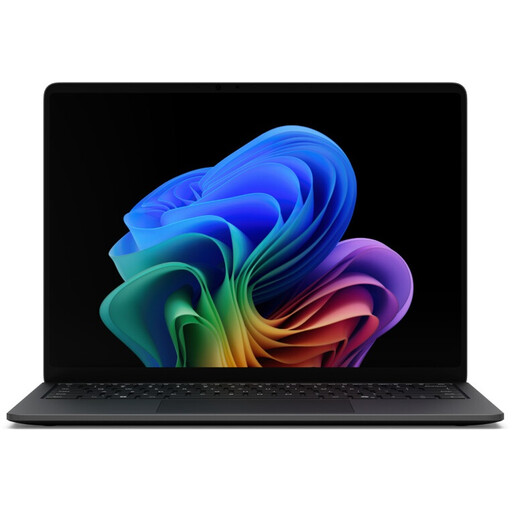
Microsoft Surface Laptop 8 Core Ultra 5, 16 GB RAM, 512 GB SSD, Black
This model could suit you if you want a compact screen for studying with flashcards in a Windows environment.
The product details list a 13.8-inch touchscreen, 16 GB RAM, a 512 GB SSD, Windows 11 Pro and a weight of 1.3 kg. Anki Docs lists Windows as a desktop platform.
View at Joybuy
 No image available
Microsoft Surface Laptop 7 Snapdragon X Plus, 16 GB RAM, 512 GB SSD, Black
This model could suit you if you want a compact screen for studying with flashcards in a Windows environment.
The product details list a 13.8-inch touchscreen, 16 GB RAM, a 512 GB SSD, Windows 11 Pro and a weight of 1.34 kg. Anki Docs lists Windows as a desktop platform.
View at Joybuy
 No image available
Apple MacBook Air 13-inch (M5, 2026), 10-core CPU, 10-core GPU, 24 GB RAM, 1 TB SSD, Silver
This model could suit you if your flashcard programmes run on macOS and you’re looking for a fanless device.
The product details list a 13.6-inch display, 24 GB memory, a 1 TB SSD and a weight of 1.23 kg. Apple describes the MacBook Air M5 as fanless, and Anki Docs lists macOS as a desktop platform. According to the product details, a power adapter isn’t included and must be purchased separately.
View at Joybuy
 No image available
Apple MacBook Air 13-inch (M5, 2026), 10-core CPU, 8-core GPU, 16 GB RAM, 512 GB SSD, Midnight
This model could suit you if your flashcard programmes run on macOS and you’re looking for a fanless device.
The product details list a 13.6-inch display, 16 GB memory, a 512 GB SSD and a weight of 1.23 kg. Apple describes the MacBook Air M5 as fanless, and Anki Docs lists macOS as a desktop platform. According to the product details, a power adapter isn’t included and must be purchased separately.
View at Joybuy
 No image available
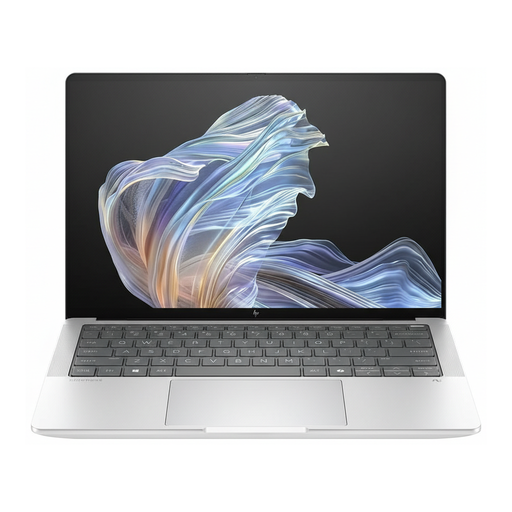
HP EliteBook Ultra G1a 14 (B66PTES), Snapdragon X Elite, 16 GB RAM, 512 GB SSD
This 14-inch model could suit you if you’d prefer a larger display for text and sources when creating flashcards.
The product title lists a 2.2K display, Snapdragon X Elite, 16 GB RAM, a 512 GB SSD and Windows 11 Pro. Anki Docs lists Windows as a desktop platform.
View at Joybuy
Frequently asked questions
Do I need a particularly powerful laptop for flashcards?
Not necessarily. First check that your flashcard app and any extensions you need work with the operating system and version. Check the requirements for any other programmes you actually use as well.
How can I keep my cards in sync when switching between devices?
If you use Anki, the Anki manual says you can sync your cards with AnkiWeb. Make sure you choose the right upload or download direction the first time you sync, and keep a separate copy of important data too; syncing doesn’t automatically replace a backup.
What should I set up before my first study session in the library?
Install the programme you need and test that your materials open and you can enter your cards. If you use Anki on more than one device, set up your first sync carefully before working on another device.
Who can help if my laptop is faulty, and do I have the right to cancel?
For a consumer purchase from a business seller in the EU, a minimum two-year legal guarantee generally applies. The seller, not necessarily the manufacturer, is responsible for legal claims. For an ordinary online distance sale, you generally have a 14-day right to cancel from the date of delivery, although exceptions may apply. Your Europe explains these EU rules.


