Frequent typists at a shared desk
If you create lots of text-based flashcards, a comfortable keyboard and an easy-to-read display are important. CHIP and Notebookcheck list input devices and displays among the key criteria for laptops for students.


If you mainly type your flashcards, a compact traditional laptop is usually the most obvious place to start. Check the keyboard, display and compatibility with your flashcard app. A convertible is worth considering if you’ll actually write with a stylus or edit images directly. If you’re buying a second-hand device, check its condition, battery, accessories and update support before you buy.
If you create lots of text-based flashcards, a comfortable keyboard and an easy-to-read display are important. CHIP and Notebookcheck list input devices and displays among the key criteria for laptops for students.
If you share your space with others or need room for papers beside your laptop, make sure the laptop’s dimensions and screen size suit your desk set-up. CHIP includes screen size and portability among its criteria for laptops for everyday study.
If you create your flashcards in different study spaces, weight and charging accessories become more important when choosing a laptop. Notebookcheck lists portability as a relevant consideration for students.
A good fit if: you mainly type your flashcards and need room for papers or other people beside your laptop.
The trade-off: A smaller display takes up less desk space, but leaves less room to view your source and flashcard editor side by side.
A good fit if: your flashcard app genuinely requires stylus input or direct editing of images.
The trade-off: A touchscreen alone offers little benefit if you mainly type your cards. Check that the app and stylus work with the specific model.
A good fit if: you’re considering a pre-owned device and can assess its condition, battery, accessories and the seller’s terms.
The trade-off: You can’t tell how much useful life is left or what condition the device is in from the model name alone.
| What matters | What to check before buying | Who it matters most to |
|---|---|---|
| Typing flashcards and reading sources | Keyboard layout and feel, as well as display size and finish; also check the requirements of the flashcard app you use. | If I write lots of flashcards, I want to type comfortably and read my sources clearly. This applies to around 33% of consumers whose main priorities are typing and reading. |
| Desk space at a shared workspace | Check the width and depth of the specific model; remember to allow space for a mouse, papers and charging cable. | If I share a desk or need room for study materials, the laptop has to fit my set-up. Around 25% of consumers mainly need to keep desk space free. |
| Portability and working away from a power socket | Check the weight of the specific configuration, whether a charger is included, the required charging wattage and whether battery-life figures are based on comparable conditions. | If I move between study spaces, I want to carry the laptop and its charging accessories easily and work when there isn’t a free power socket. This is a priority for around 25% of consumers. |
| Condition and what’s included | For second-hand devices, check the condition, battery, accessories, operating system updates and the seller’s terms for the specific listing. | When buying a second-hand laptop, I want to know what condition it’s in and exactly what’s included. Around 17% of consumers prioritise condition and specification. |
At a shared desk, it’s not just the display that matters: consider how much space the laptop itself takes up. A large display can make it easier to read alongside other material, but leaves less room on the desk.
Measure the space available and compare the dimensions, display and keyboard of the specific configuration.
The model name doesn’t tell you what condition an individual device is in or how much longer it will remain usable.
Check the condition description, battery, accessories, update support and the terms set by the seller.
Your choice of flashcard app may depend on the operating system. Some devices are also sold with an English QWERTY keyboard.
Before buying, check your app’s requirements, the full device configuration and the stated keyboard layout.
The IdeaPad Slim 3 and ThinkPad models are examples of laptops that may be worth considering when choosing a device for study.
The MacBook Neo and MacBook Air are compact macOS options, provided the study software you need works with macOS.
HP positions its OmniBook 3 and OmniBook 5 ranges for everyday and budget-conscious use respectively; this description comes from the manufacturer.
The Zenbook A14 UX3407QA-QD496W is a specific example with a 14-inch OLED display and Snapdragon processor, featured in a Notebookcheck selection of laptops for students.
Joybuy’s laptop selection for digital flashcards at a shared desk.
 No image available
For typing flashcards at a shared desk; macOS is a documented desktop platform for Anki.
13-inch display, 8 GB of memory and 512 GB SSD. A power adapter isn’t included; charging requires a USB-C PD power source of at least 20 W.
 No image available
For typing flashcards on a limited work surface; macOS is a documented desktop platform for Anki.
13-inch display, 8 GB of memory and 256 GB SSD. A power adapter isn’t included; charging requires a USB-C PD power source of at least 20 W.
 No image available
For using flashcards on Windows; Windows is a documented desktop platform for Anki. Check that the 16-inch display will fit on your shared desk.
FHD display, 16 GB DDR4 memory and 1 TB SSD.
 No image available
For using flashcards on Windows if you want a larger display for your sources and cards; measure the available space at your shared desk first.
16-inch WUXGA display, Core Ultra 5 322, 16 GB of memory and 1 TB SSD.
 No image available
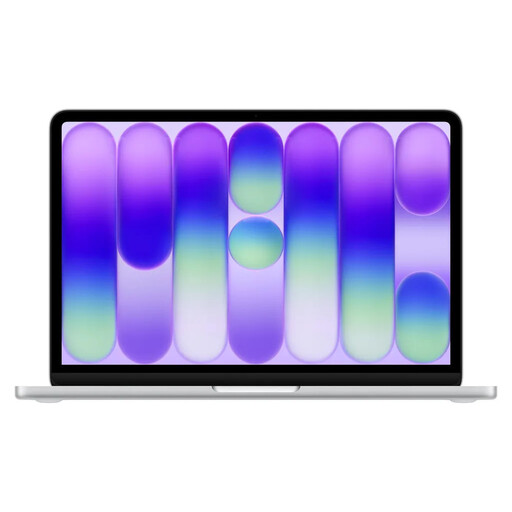
Its compact size suits flashcards when desk space is limited; macOS is a documented desktop platform for Anki. If you write in German, bear in mind that it has an English QWERTY keyboard layout.
13-inch display, 8 GB of memory and 256 GB SSD. A power adapter isn’t included; charging requires a USB-C PD power source of at least 20 W.
No, not if you mainly type your cards. A touchscreen or convertible is most useful if your way of working calls for stylus input or direct image editing. Check that the specific app and stylus work with the model.
Check which operating systems are supported and what your specific app requires. Anki documents desktop versions for Windows, macOS and Linux. Microsoft notes that Windows 11 in S mode restricts the installation of apps from outside the Microsoft Store until you permanently switch out of S mode.
Set up syncing in your chosen app carefully and check the direction of the first sync. Anki’s documentation explains when uploading or downloading replaces existing collections; separate user profiles shouldn’t use the same AnkiWeb account to sync.
When buying from a commercial seller, the statutory consumer guarantee generally applies for at least two years; a voluntary warranty doesn’t replace it. For second-hand goods from commercial sellers, a shorter period of at least one year may be agreed under certain conditions. The Council of the European Union also describes a general 14-day right to cancel online purchases from retailers, subject to exceptions. These retailer rules don’t apply in the same way to private sales.
The European Commission gives 28 April 2026 as the start date for common USB-C charging requirements for laptops. This doesn’t tell you which power adapter comes with a specific listing or how much power your existing charger supplies. Check the device and package details for that information.