When creating village exhibition boards using several open templates, prioritise usable screen space and enough memory for the software you use when choosing a laptop. At a fixed workstation, an external monitor can complement a smaller, portable laptop. A convertible is most useful if you want to draw directly on the display, while a high-performance creator configuration is better suited to additional demanding photo, video or 3D work. Before printing, check the file, links, fonts and bleed against the print company’s requirements, regardless of which laptop you use.
Which features are right for you?
Layouts with lots of templates
If you combine text, images and drawings on a board and keep templates open alongside your design, compare usable screen space and the option to connect a second monitor at your workstation. Apple documents support for external displays on the MacBook Air 15 M5.
Sketching directly on screen
If you prefer to draw designs or make corrections directly on the device, check for touch and pen support, as well as what’s included with the exact model variant. HP specifically lists a touchscreen and an included pen for the OmniBook Ultra Flip 14-fh0797ng.
Working in different locations
If you collect materials on location and continue working elsewhere, consider weight and ports when choosing a laptop. Also check whether you can connect your existing monitor at your regular workstation.
What should you look for when choosing?
Start by comparing workspace and the requirements of your design software. Choose pen input or additional graphics power only if those features suit the way you actually work.
| Buying criterion |
What to check before buying |
Who is it important to? |
| Workspace for designs and templates |
Screen size, resolution and scaling in your software; ports for a second monitor. |
If I want to see the board, toolbars and several templates side by side, the usable screen space matters most to me. Around 36% of consumers prioritise workspace. |
| Working with multiple files at once |
Software requirements, plus the RAM and SSD specification of the complete model variant. |
If I’m editing a layout and image files at the same time, I want to choose a configuration that meets my software’s requirements, rather than basing my decision on the graphics card alone. Around 29% of consumers prioritise smooth performance with multiple files and programmes. |
| Drawing with a pen |
Active pen support for the exact variant, included accessories and compatibility with your chosen software. |
If I want to sketch directly on screen, pen input is more important to me than extra space for references. Around 21% of consumers prioritise drawing directly on the display. |
| Portability and working in different locations |
Weight of the exact configuration and the ports you need; don’t assume the manufacturer’s battery-life figures will match your own design workflow. |
If I regularly carry my device between locations, I want to balance its weight and features against the space available on the built-in display. Around 14% of consumers put portability first. |
Avoid common buying mistakes
-
Assuming a large or vivid display means your board is print-ready
What you see on screen doesn’t replace checking the print file. Adobe lists links, available and licensed fonts, bleed, margins, print-ready colours and preflight checks among the things to review before exporting a PDF.
Get the print company’s file specifications and check the finished file before submission, regardless of which laptop you’ve chosen.
-
Assuming a touchscreen comes with a drawing pen
Touch functionality and an included pen aren’t the same thing. HP lists a pen as included with the specific OmniBook Ultra Flip 14-fh0797ng; you can’t assume this applies to other model variants.
Check the full model number, pen compatibility and the listed box contents.
-
Choosing the most powerful graphics card for simple vector boards
Adobe describes rendering vector graphics in Illustrator as primarily CPU-based. A high-end creator configuration isn’t automatically the right choice for simple board layouts.
Check the requirements of your design software and consider a dedicated graphics card mainly if you’re also planning demanding photo, video or 3D work.
Key brands to consider
Apple
The MacBook Air 15 M5 is a macOS option with a 15.3-inch display and documented support for external displays.
- Apple lists 16 GB of unified memory as standard, with 24 GB and 32 GB options for this model.
- The built-in IPS display isn’t a pen-enabled drawing surface. Apple’s battery-life figures are based on specific video playback or web browsing scenarios.
Lenovo
The ThinkPad X9-15 Gen 1 is represented here by the specific configuration 21Q6CTO1WWDE2.
- Lenovo specifies a 15.3-inch OLED display, 16 GB of RAM and a 512 GB SSD for this variant.
- This configuration’s display is explicitly not a touchscreen. A recommendation for the model family doesn’t necessarily apply to every configuration.
HP
The OmniBook Ultra Flip 14-fh0797ng is a Windows convertible option for anyone who wants to draw directly on the display.
- HP lists a 14-inch touchscreen, an included pen, 32 GB of RAM and a 1 TB SSD for this model.
- Its smaller display offers less room for multiple references than the larger devices listed here.
ASUS
The ProArt P16 H7606WP-RJ084X is a well-equipped Windows creator configuration for additional demanding creative work.
- ASUS lists 64 GB of RAM, a 4 TB SSD and an RTX 5070 for this exact variant.
- There’s no evidence that these specifications offer an advantage for simple vector boards. ASUS lists the weight of this configuration as 1.85 kg.
Acer
The Swift Edge 16 range is a Windows option with a large OLED display; the specific manufacturer configuration NX.KTDEG.003 is included as an example of its specifications.
- Acer lists a 16-inch display, 32 GB of RAM and a 1 TB SSD for NX.KTDEG.003.
- The specifications of this configuration can’t automatically be applied to other Swift Edge model numbers.
Joybuy product selection
This Joybuy selection includes larger laptops for layouts with several open references. It also features a macOS option and a range of memory configurations.
 No image available
Lenovo ThinkBook 16 G9 AHP 21UT
The 16-inch display provides built-in space for your design, with room for templates alongside it.
AMD Ryzen 5 220 at 3.2 GHz, 32 GB RAM and 1 TB NVMe SSD; Windows 11 Pro.
With HDMI 2.1 and USB4-C; stated weight is 1.7 kg.
View at Joybuy
 No image available
Lenovo ThinkBook 16 Gen 9, Intel Core Ultra 5 325
The 16-inch display gives you room for a layout and several open templates.
32 GB RAM and 512 GB SSD; Windows 11 Pro.
With HDMI 2.1 and Thunderbolt 4; stated weight is 1.7 kg.
View at Joybuy
 No image available
THUNDEROBOT Radiant S16
The 16-inch QHD+ display, with 2560 × 1600 pixels, gives you built-in space for designs and references.
AMD Ryzen 7 7745HX, 16 GB DDR5 RAM and 1 TB NVMe SSD; NVIDIA GeForce RTX 5060.
With HDMI and Mini DisplayPort for connecting external displays.
View at Joybuy
 No image available
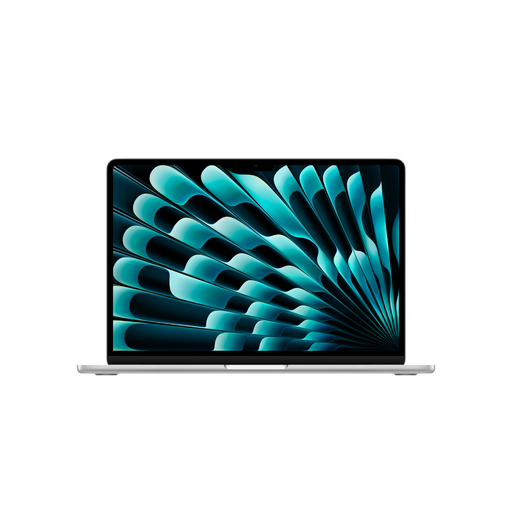
Apple 15-Inch MacBook Air (M5, 2026), 16 GB, 1 TB SSD
The 15.3-inch display provides built-in workspace, with supported external displays available to expand your setup at a fixed workstation.
IPS display with 2880 × 1864 pixels, 16 GB memory and 1 TB SSD; macOS.
Stated weight is 1.51 kg. According to the product description, a power adapter isn’t included.
View at Joybuy
 No image available
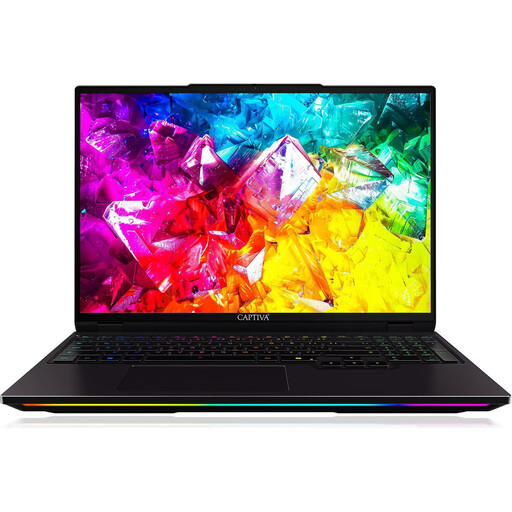
Captiva I92-069 Ultimate Gaming Laptop
The 16-inch WQXGA display, with 2560 × 1600 pixels, gives you room for your design and several references.
Intel Core Ultra 9 275HX, 32 GB DDR5 RAM and 1 TB SSD; NVIDIA GeForce RTX 5080 with 16 GB GDDR7.
Windows 11 Home; stated weight is 2.60 kg, which is worth bearing in mind if you’ll carry it regularly.
View at Joybuy
Frequently asked questions
Do I automatically need a particularly powerful graphics card for large exhibition boards?
No, not necessarily. Adobe describes vector graphics as resolution-independent and explains that vector rendering in Illustrator is handled mainly by the CPU. If you’re also planning demanding image, video or 3D work, check the requirements of the programmes you’ll be using.
What should I check before sending a board file to the print company?
First, get the print company’s file specifications. For print-ready InDesign PDFs, Adobe recommends checking links, available and licensed fonts, bleed, margins, print-ready colours and preflight results. A laptop display doesn’t replace these steps.
Does a convertible always come with a drawing pen?
No, you can’t assume that just because a device is described as a “convertible”. HP specifically lists an included pen for the OmniBook Ultra Flip 14-fh0797ng. For other variants, check the model number, pen compatibility and what’s included in the box.
What rights apply when buying a laptop online in Germany for personal use?
For a standard distance purchase by a consumer, a 14-day cancellation period generally applies from the date of delivery, subject to statutory exceptions. According to information from the European Union, if goods are faulty, consumers generally have a statutory legal guarantee against the seller for at least two years from receipt. This is separate from any additional manufacturer’s warranty; these consumer rules don’t necessarily apply to business purchases.


