For long writing sessions, a comfortable keyboard and an ergonomically positioned screen are key. If you often change workstations, portability and power become more important. Before buying, check that the connections on the specific model match the monitor and input devices at your shared desk. If you’ll be working on documents for an organisation, find out what security requirements apply.
What matters most to different users
Frequent writers at a fixed desk
If you’re writing and editing your application over extended sessions, the keyboard and screen position are important factors to consider. For longer periods of work, the German Social Accident Insurance (DGUV) recommends using an external keyboard and mouse, as well as an external monitor wherever possible.
Users who move between desks
If you bring your laptop to a shared workspace, it should be easy to connect to the equipment already there. Check the ports on the specific configuration, along with those on the monitor and other peripherals.
Applicants who work on the move
If you often change where you work or handle documents away from a permanent office, portability and information security are important. The Federal Office for Information Security (BSI) recommends setting out which information may be handled outside the organisation when working remotely.
What to look for when buying
Start by considering your actual workspace and how long you’ll be writing for. For longer periods of work, the DGUV recommends external input devices and, wherever possible, an external monitor.
| Priority |
What to check before buying |
Who it matters most to |
| Typing comfort and screen position |
Assess the keyboard and display on the specific device. Allow space and check the connections for an external keyboard, mouse and, ideally, a monitor. |
If I’m writing long documents, I want to type comfortably and position the screen to suit me. Around 36% of consumers prioritise typing comfort and screen position. |
| Connecting at a shared workspace |
Check that the ports on the exact model match the monitor and available peripherals. If using USB-C, check that it supports the video output and power delivery you need. |
If I want to use the equipment already at the desk, I need to be able to connect my laptop without running into incompatible ports. Around 29% of consumers prioritise connecting to a shared workspace. |
| Protecting work documents |
If your organisation has specific requirements, check which information you may handle outside its premises and what device features are required. |
If I’m handling documents for an organisation, I want to follow its rules for the device and place of work. Around 21% of consumers prioritise protecting the information they work with. |
| Portability and power |
Check the weight and power supply for the specific version, as well as the power sockets available at your workspace. Compare battery claims only when you know the test conditions used. |
If I often change where I work, I want to be able to carry and charge my laptop and the accessories I need without hassle. Around 14% of consumers place the greatest importance on portability and power. |
Avoid common buying mistakes
-
Choosing a compact device but forgetting about your workspace
For longer periods of work, the DGUV recommends additional input devices and, wherever possible, an external monitor. A small laptop on its own won’t necessarily give you a suitable workstation.
Before choosing a screen size or accessories, check the desk space, how long you’ll be working and which connections are available.
Depending on your workspace, you may also need an external keyboard, a mouse or a monitor.
-
Assuming every model in a range has the same specification
Specifications and what’s included in the box can vary between versions. For example, no charger was listed for one specific Dell Pro 14 configuration.
Check the full model number, ports and box contents for the device actually on offer.
An adapter or a power supply that isn’t included with your chosen version could mean extra hassle.
-
Confusing a voluntary guarantee with your statutory rights
Your statutory rights are against the seller; a guarantee is a voluntary service with its own terms. The consumer advice centre clearly distinguishes between the two.
Before paying for a service plan, compare what it offers with the rights you already have and read the specific terms and conditions.
Brands and product ranges to consider
Lenovo
ThinkPad E models are a business laptop range worth comparing if you need specific ports for your workspace.
- Lenovo lists USB-A, USB-C and HDMI for the E14 Gen 7 range.
- For one specific E14 Gen 7 configuration, Lenovo lists a matte 14-inch WUXGA display, 16 GB RAM and a 512 GB SSD. This specification won’t necessarily apply to every version.
Dell
The Dell Pro 14 PC14250 is a business laptop option for a 14-inch workspace.
- For one specific configuration, Dell lists a 14-inch IPS display with a resolution of 1,920 × 1,200 pixels, 16 GB RAM and a 512 GB SSD.
- Dell states that this configuration doesn’t include a charger. Check the specification of the version you actually choose.
HP
EliteBook ranges are worth comparing for organisation-managed workspaces. HP offers different screen sizes and configurable business features.
- HP lists management and security features, as well as optional configurations, for certain EliteBook series.
- Check the full specification of an individual configuration to confirm that it meets your organisation’s requirements.
ASUS
The ExpertBook PM3 (PM3406) is a business laptop range to consider when comparing anti-glare displays and configuration options.
- ASUS lists a 2.5K anti-glare display and dual-SSD options.
- Some specifications are stated as maximums. Check the exact version rather than assuming they apply across the range.
Apple
The MacBook Air could be a compact option if the apps and peripherals you need work with macOS and the ports on your chosen version.
- For the 13-inch model, Apple lists a 13.6-inch display and two Thunderbolt 4 ports.
- You may need a suitable adapter for accessories with different connectors. Battery-life claims don’t guarantee how long it will last during your own writing sessions.
Joybuy products for your workspace
The Joybuy devices below give you a range of options to compare for writing at a shared desk, including models with ports for peripherals and laptops with a larger built-in display.
 No image available
Samsung Galaxy Book6 Enterprise Edition 14
A possible option for writing at a shared desk if you need an RJ45 port.
Intel Core Ultra 7 355, 32 GB LPDDR5X RAM, 512 GB NVMe SSD and Windows 11 Pro. This configuration is also listed with a 14-inch WUXGA display and an RJ45 port.
Joybuy
 No image available
HP OmniBook Ultra Flip 14-fh0670ng
This 14-inch convertible is worth comparing if you’re looking for a compact device and want to connect external displays.
Intel Core Ultra 7 258V, 32 GB RAM, 1 TB SSD, 2.8K OLED touchscreen and Windows 11 Home. According to the description, it weighs 1.34 kg and supports external displays via Thunderbolt 4; a USB-C to HDMI adapter is also listed.
Joybuy
 No image available
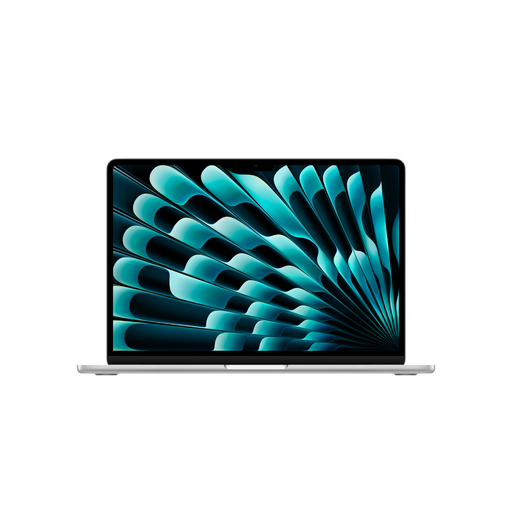
Apple 15-Inch MacBook Air (M5, 2026), 16 GB, 1 TB SSD
The larger built-in display and German QWERTZ keyboard may be useful for longer writing sessions without an external monitor.
This version is listed with 16 GB, a 1 TB SSD and two Thunderbolt 4 ports. According to the description, it supports up to two external displays; a power adapter isn’t included.
Joybuy
 No image available
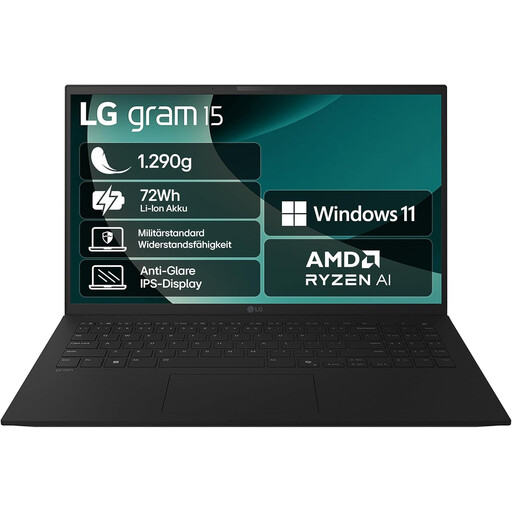
LG gram 15 (2025), AMD Ryzen AI 7 350
The 15.6-inch display and listed ports are worth considering for longer writing sessions and connecting existing peripherals.
The description lists a weight of 1.29 kg, a German QWERTZ keyboard, 16 GB RAM and a 1 TB SSD. It also lists USB-C with DisplayPort and Power Delivery, USB-A and HDMI.
Joybuy
 No image available
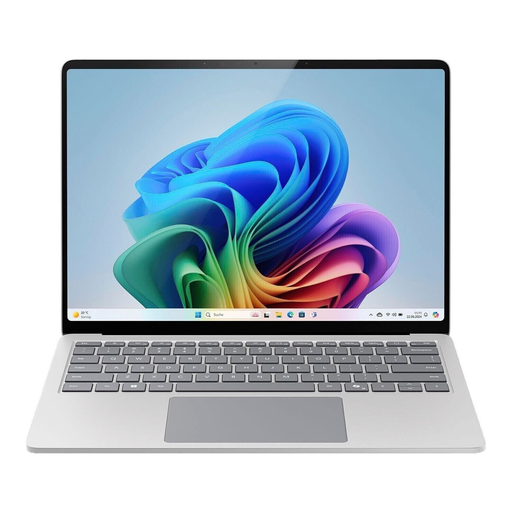
Microsoft Surface Laptop 7 Business 15-Inch EP2-21334
The larger touchscreen may appeal if you’d rather not rely as much on an additional monitor while writing.
This configuration is listed with 16 GB RAM, a 512 GB SSD and Windows 11 Pro. The 15-inch display has a resolution of 2,496 × 1,664 and a 3:2 aspect ratio. Thunderbolt 4/USB4 and USB-A are also listed.
Joybuy
Frequently asked questions
How should I set up my laptop for longer writing sessions at a shared desk?
If there’s enough room, use an external keyboard and mouse, and an external monitor if possible. The DGUV particularly recommends this for longer periods of work. Check in advance that you have enough desk space and the right connections.
Do I need to buy a specific secure laptop for grant applications?
The fact that you’re writing an application doesn’t in itself mean you need a particular type of device. If you’re working for an organisation, check which information you’re allowed to handle outside its premises and what safeguards its rules require. The BSI recommends that organisations set out clear requirements.
What should I check when it comes to accessories and service plans?
Check what’s included with the specific configuration and only plan for adapters or external input devices you actually need. The consumer advice centre distinguishes between your statutory rights against the seller and a voluntary guarantee. Before buying, also read the terms of any additional service plan.
What should I know about product compliance in Germany?
For devices that must carry the CE marking, the required marking and accompanying documentation must comply with the applicable rules. The Federal Network Agency also refers to user manuals and safety information in German where these are required for the product to be placed on the market. A CE mark on its own is not an independent quality seal.


