Who is this selection for?

Applicants spending long days in the library

If you’re writing lengthy documents while reading calls for applications, look for a screen that’s easy to work with and a comfortable keyboard. Lenovo lists a matt 14-inch screen and a backlit German keyboard for the ThinkPad E14 Gen 7, model number 21SX000RGE.

People working on the move without a dedicated plug socket

If you move between workspaces or need to open documents without an internet connection, check the test conditions behind battery-life claims and plan how you’ll work offline. Apple’s battery-life figures are based on the manufacturer’s test conditions and may not reflect your own usage.

Teams using set templates and handling confidential data

If you have to use specific programmes, templates or submission methods, the operating system must suit your actual workflow. For confidential documents, device security and safe data transfer are important too; the German Federal Office for Information Security provides advice on using public Wi-Fi.

What matters when buying?

Priority What to check when buying Who it matters most to
Typing comfort and workspace Check the keyboard layout and typing feel; compare the screen size and finish of the specific model. If I’m writing for long periods while reading calls for applications, I want to type comfortably and keep an overview of my documents. Around 28% of consumers put typing comfort and workspace first.
Portability and battery life Check the weight and power adapter included with the specific offer; compare battery-life figures only when they use the same test conditions. If I work at different library desks without a guaranteed plug socket, I need a device that suits my journey and the length of my sessions. Around 22% of consumers prioritise portability and battery life.
Software and submission Test the required programmes, templates and submission portal on the intended operating system; make files available offline in advance. If the funding body specifies a particular programme, file format or portal, I want to be able to complete the whole process reliably. Around 22% of consumers prioritise software and submission compatibility.
Confidentiality and data backup Set up a device lock and recoverable backup; only transfer confidential data over public Wi-Fi using a secure connection. If I’m working on sensitive application documents in a public place, I want to protect them from unauthorised access and loss. Around 17% of consumers put data protection and backup first.
Upfront and ongoing costs Check what’s included and which software you’ll need; distinguish optional service terms from your statutory rights if goods are faulty. If I’m planning the device and the accessories I need together, I want to know the total cost of the specific offer. Around 11% of consumers prioritise upfront and ongoing costs.

Avoid common buying mistakes

  • Assuming the advertised maximum battery life guarantees how long you can write

    Manufacturers’ figures are based on specific test conditions and don’t promise the same battery life when you have lots of documents open.

    Compare battery-life claims alongside their test conditions and allow some extra time for longer sessions.

  • Assuming a Chromebook is a replacement for desktop Office just because it can access the Office website

    Microsoft says the Windows and Mac desktop versions of Microsoft 365 cannot be installed on a Chromebook; web apps and desktop programmes aren’t the same thing.

    Before buying, test the required template and submission method using your intended workflow.

  • Confusing cloud syncing with a backup that’s always available

    The German Federal Office for Information Security warns that data can be lost without a suitable backup.

    Set up a recoverable backup in line with your organisation’s rules, and check that you can open the files from it.

Key brands at a glance

Lenovo

The ThinkPad E14 Gen 7 is a Windows option for document work, but the specific configuration matters.

  • For model 21SX000RGE, Lenovo lists a matt 14-inch WUXGA display, a backlit German keyboard, 16 GB RAM and a 512-GB SSD.
  • These specifications apply to the configuration listed; they don’t prove how comfortable the keyboard is or how much noise the laptop makes in use.

Apple

The MacBook Air with M5 is worth considering if the programmes, templates and submission methods you need work with macOS.

  • For the 13-inch model, Apple lists a 13.6-inch display and, for one configuration, 16 GB of memory and a 512-GB SSD.
  • The advertised battery life of up to 18 hours is a manufacturer claim based on test conditions, not a measurement taken while writing a grant application.

HP

The ProBook 4 G2i 14 is another Windows business option to consider if you’re comparing 14-inch configurations with Windows 11 Pro.

  • HP lists configuration DM9H7EA#ABD with 16 GB RAM, a 512-GB SSD and a 14-inch WUXGA display.
  • The listed specifications don’t independently tell you how comfortable the keyboard is or how long the battery lasts.

Acer

The Swift Go 14 range is another compact Windows option; check the display type on the specific model you’re considering.

  • The range includes OLED versions, among others.
  • Claims about portability and battery life for a range don’t automatically apply to every individual configuration.

Laptops for working in the library

This Joybuy selection includes laptops for writing and research in the library, from compact devices to models with larger screens.
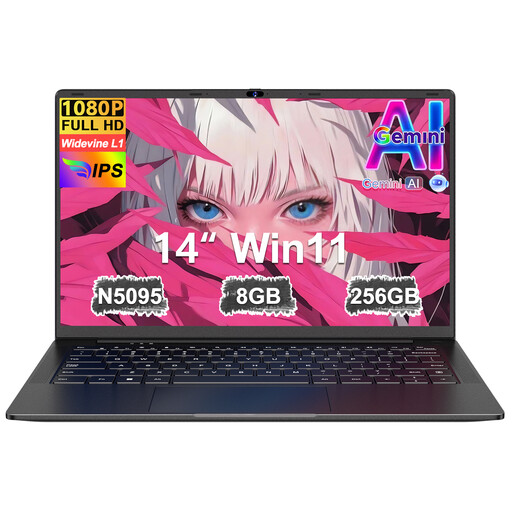
Ruzava 14-inch laptop with 8 GB RAM and 256 GB SSD

Ruzava 14-inch laptop, N5095, 8 GB RAM, 256 GB SSD

The 14-inch format is an option for writing and research at a library desk.

14 inches, FHD display, 8 GB RAM and 256 GB SSD; N5095 processor with speeds of up to 2.9 GHz. The title says the storage can be expanded to 1 TB.

View at Joybuy

Apple MacBook Air 13-inch with M5, 16 GB RAM, 512 GB SSD and German QWERTZ keyboard

Apple MacBook Air 13-inch (M5, 2026), 10-core CPU, 8-core GPU, 16 GB, 512 GB SSD, German QWERTZ keyboard

This macOS configuration may suit you if the programmes and submission methods you need work with macOS.

Listed in the product title: M5, 10-core CPU, 8-core GPU, 16 GB memory, 512 GB SSD and German QWERTZ keyboard.

Before buying, check which power supply is included.

View at Joybuy

Apple MacBook Air 13-inch with M5, 16 GB RAM, 1 TB SSD and German QWERTZ keyboard

Apple MacBook Air 13-inch (M5, 2026), 10-core CPU, 10-core GPU, 16 GB, 1 TB SSD, German QWERTZ keyboard

This macOS configuration may suit you if the programmes and submission methods you need work with macOS.

Listed in the product title: M5, 10-core CPU, 10-core GPU, 16 GB memory, 1 TB SSD and German QWERTZ keyboard.

Before buying, check which power supply is included.

View at Joybuy
Acer TravelMate TMP216-41-TCO with 16-inch WUXGA display, 16 GB RAM and 512 GB SSD

Acer TravelMate TMP216-41-TCO, 16-inch, Ryzen 3 PRO 7335U, 16 GB DDR5, 512 GB SSD

The 16-inch format gives you more screen space, but takes up more room at a library desk.

Listed in the product title: WUXGA display, AMD Ryzen 3 PRO 7335U, 16 GB DDR5, 512 GB SSD and Windows 11 Pro Education.

View at Joybuy
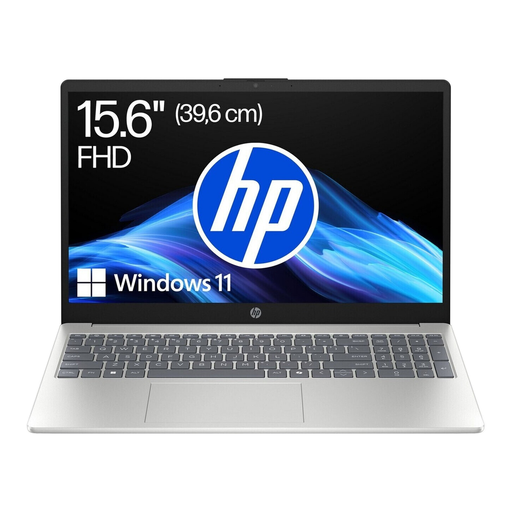
HP Laptop 15-fc1054ngx with 15.6-inch FHD display, 8 GB RAM and 256 GB SSD

HP Laptop 15-fc1054ngx, 15.6-inch FHD, Ryzen 5 7520U, 8 GB, 256 GB SSD

If you’re working at a library desk, bear in mind that the 15.6-inch screen takes up more space.

Listed in the product title: AMD Ryzen 5 7520U, 8 GB RAM, 256 GB SSD and Windows 11 Home.

View at Joybuy

Frequently asked questions

Can I work on my application without the library’s Wi-Fi?

Yes, provided the application you’re using and the files you need are available offline. Google explains how to make Drive files available offline in advance on a Chromebook; not all apps work without an internet connection. Test the whole process, including submitting your application later.

Is a Chromebook enough for Microsoft Word templates?

It depends on the features the template uses. Microsoft says Microsoft 365 web apps can be accessed on Chromebooks, but the Windows or Mac desktop versions can’t be installed. Before buying, test the specific template and required submission format.

What should I bear in mind when working with application data on public Wi-Fi?

The German Federal Office for Information Security advises against transferring confidential data over public Wi-Fi without protection. It suggests encrypting data locally before transferring it or using a VPN; you should also follow your organisation’s rules.

What are my rights when buying a new laptop online in Germany?

When buying online from a commercial seller, you generally have a 14-day right to cancel, starting from delivery; some exceptions apply. If goods are faulty, consumers can generally exercise their statutory rights against the seller. The German consumer advice centre distinguishes these statutory rights from a voluntary guarantee.

How should I dispose of a laptop I’m replacing?

According to the German Environment Agency, old electrical equipment must not go in household waste. Check the relevant requirements for returning it, for example at a recycling centre or a retailer, and remove your personal data first.