Those who write extensively and prepare lengthy applications
If you write longer documents and check guidelines or sources as you go, pay particular attention to a comfortable keyboard and a screen with enough usable space.


A laptop is suitable for working on a grant application on the train if it runs the writing and submission software you need, and its screen and keyboard are comfortable for extended use at your seat. Prepare your documents for offline work, and plan for charging and data privacy: Deutsche Bahn notes that ICE trains have shared power sockets and that Wi-Fi can be unreliable. Manufacturers’ battery-life claims won’t tell you how long your own writing routine will last without charging.
If you write longer documents and check guidelines or sources as you go, pay particular attention to a comfortable keyboard and a screen with enough usable space.
If you often carry your laptop and want to keep working while you’re out and about, consider its weight, charging options and offline workflow together. Deutsche Bahn says there is normally one power socket per pair of seats in second class.
If you work on non-public drafts or institutional files, check that the required software is compatible and follow your organisation’s access rules. Germany’s Federal Office for Information Security advises against accessing confidential data over public Wi-Fi wherever possible.
Think about what matters most on your train journey: comfortable typing, power, working offline or software that can handle confidential files.
| Priority | What to check when buying | Who is it particularly important to? |
|---|---|---|
| Typing comfort and space | Try the keyboard and touchpad; consider the screen size, readability and space available at your train seat. | If I’m writing for a long time and checking my application and guidelines, I want to be able to use the keyboard and screen comfortably at my seat. Around 33% of consumers put typing comfort and space for documents first. |
| Battery reserve, charging and portability | Check the charging port, required charging power and what’s included with the specific configuration; don’t rely solely on power sockets or advertised maximum battery life. | If I carry my device regularly and can’t count on finding a free power socket, weight and suitable charging options are essential. Around 27% of consumers prioritise portability and power. |
| Working offline | Save the documents and sources you need locally before travelling, try editing them offline and check how they’ll sync later. | If I need to work on application files even when Wi-Fi is unreliable, I want to be able to open them offline and sync my changes reliably afterwards. Around 20% of consumers put offline working first. |
| Software and confidential files | Check that the required software and drivers work on the specific platform; clarify your organisation’s access rules for confidential files. | If I use institutional software or non-public documents, the platform needs to suit my workflow and meet security requirements. Around 20% of consumers prioritise compatibility and data privacy. |
Apple’s figures for wireless web browsing and ASUS’s battery-life claims don’t reflect the same usage as writing, reading and syncing at the same time.
Compare the testing conditions, allow for a safety margin, and check the charging port and the power required by the configuration you choose.
Microsoft describes broad app support, but that doesn’t mean every specialist programme and driver will work.
Before you buy, check that the required apps and peripherals work with the specific platform.
The Dell configuration described doesn’t include a charger. Checking the charging requirements is no substitute for checking what comes with the specific device.
Check what’s included and compare it with the charging power you need for the device you’ve chosen.
According to Deutsche Bahn, ICE Wi-Fi speeds depend on factors including the connection along the route and the number of other passengers. Word cloud files also need to be made available for offline work in advance.
Save your files locally before you set off, open them offline and check that they’ve synced after your journey.
The ThinkPad X1 Carbon Gen 13 Aura Edition is a 14-inch business range of compact Windows laptops.
The Dell Pro 13 Premium PA13250 is a compact, configurable Windows business laptop.
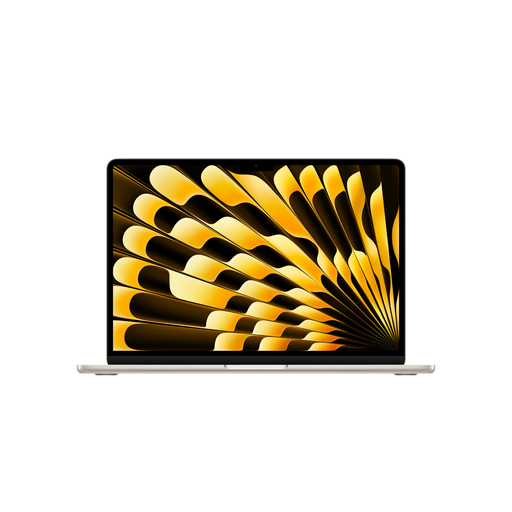
The 13-inch MacBook Air with M5 is a macOS option, provided it’s compatible with the institutional software you need.
The Zenbook A14 UX3407 range includes Windows on Arm devices designed with portability in mind.
This selection includes compact Windows laptops, a Windows 2-in-1 and a MacBook Air. The key things to consider are whether your software is compatible, whether the screen is comfortable for writing and what charging accessories come with each configuration.
 No image available
A compact Windows configuration for working on the move, provided it’s compatible with the application software you need.
13-inch touchscreen with 1920 × 1280 pixels, Windows 11 Pro, 24 GB RAM and 1 TB SSD.
 No image available
This Windows 2-in-1 could be a good choice for working on the move if the specific configuration is comfortable for extended typing; check whether a suitable keyboard is included.
Windows 11 Pro, 13-inch OLED display with 2880 × 1920 pixels, 512 GB SSD and stated device weight of 0.872 kg.
 No image available
A macOS option for extended writing and reading sessions, provided the writing, referencing and submission software you need is compatible.
13.6-inch display, German QWERTZ keyboard, 24 GB RAM, 1 TB SSD and stated weight of 1.23 kg. A power adapter isn’t included and needs to be purchased separately.
 No image available
The larger screen can make it easier to check your work, but takes up more space at your train seat than a compact display.
Matte 16-inch WUXGA IPS display with 400 nits, German keyboard, 32 GB RAM and 1 TB SSD.
 No image available
If you want plenty of room for writing and checking your work, bear in mind that a 16-inch device takes up more space at your train seat.
Matte 16-inch WUXGA display, backlit German keyboard, stated weight of 1.71 kg, 32 GB RAM and 1 TB SSD.
Yes, as long as the file is available locally. Microsoft Support recommends downloading and opening any cloud documents you need before working offline; your changes can sync once you’re connected again. Try this with your files before you travel.
No, neither is guaranteed to be available throughout your journey. Deutsche Bahn says there is normally one power socket per pair of seats in second class, although some selected train series differ. Wi-Fi speeds depend on factors including the connection along the route and the number of other passengers.
Wherever possible, don’t access confidential data over public Wi-Fi. Germany’s Federal Office for Information Security recommends using a VPN if you have no alternative. Also check your organisation’s access rules; a VPN doesn’t replace them.
Laptops covered by EU requirements have been subject to the common charging port rules since 28 April 2026. This doesn’t mean older devices, or those already placed on the market before then, have been retrofitted. Check the charging specifications and whether a power adapter is included with the specific product.
If your laptop is faulty, the seller’s statutory rights are separate from any voluntary manufacturer’s warranty. For goods ordered online, consumers generally have 14 days from receipt to cancel, although exceptions and the specific terms and conditions apply. The Verbraucherzentrale explains these differences.