People with lots of handwritten recipes
You want to turn photos or scans into searchable entries, then check every recognised word against the original.


Choose a laptop to suit the way you work. If you’ll be comparing recipe images with an index for long periods, a clear display and comfortable keyboard may matter more than dedicated graphics performance. Keep the original images, check any text recognised from the handwriting and compare potential duplicates before deleting entries.
You want to turn photos or scans into searchable entries, then check every recognised word against the original.
You need an index you can verify: recipes with the same title may not be the same recipe, while different titles don’t necessarily mean they’re different recipes.
You switch between paper, files or a scanner, so you need to consider screen space, where you work and which connections you need.
First, decide how you want to check images against your index. Then choose a display and design that suit your workspace, and make sure the operating system and connections work with your software and devices.
| Priority | What to check before buying | Who is this important to? |
|---|---|---|
| Capturing and checking handwriting | Check that your chosen OCR application runs on the operating system and that you can easily compare the image with the recognised text. | When I capture handwritten recipes, I want to check ingredients and quantities against the original. This is the top priority for around 36% of consumers. |
| Telling duplicates and variations apart | Test which fields are compared using a copy, and back up the index before deleting any entries. | When two recipes have similar names, I want to compare the variations before removing one. Reliable duplicate checking is the top priority for around 29% of consumers. |
| Viewing the image and index side by side | Try out the actual image and spreadsheet views, and consider the screen size and potential glare. | During longer sessions, I want to read the original alongside the index without constantly switching views. A clear workspace is the main priority for around 21% of consumers. |
| Portability and existing devices | Compare the design, scanner connection, operating system and what’s included with the specific configuration. | If I’m recording recipes in different places or using a scanner I already own, the laptop and its connections need to suit the way I work. This is the top priority for around 14% of consumers. |
Text recognition can misread words and quantities, or get the layout of the original wrong. Microsoft Support recommends checking the results; tables and columns can also be lost during conversion.
Keep the original image and check the recognised entry against it before sorting or sharing it.
Recipes with the same name may be different variations. In Excel, selected duplicate values are permanently deleted when you remove them.
First flag or filter potential duplicates, compare the ingredients and quantities with the original, and make a backup.
Some specific configurations are sold without a power adapter or with FreeDOS. The operating system and power supply could therefore be crucial to your workflow.
Check everything included in the box and the connections on the exact configuration on offer before comparing it with other devices.
The Aspire Go 15 NX.JW5EG.006 is a documented Windows configuration suited to working mainly at a desk.
The IdeaPad Slim 5i 14, in configuration 83S5004HGEMS, is a more compact Windows option for a workflow using the OneNote desktop app.
The Inspiron 14 2-in-1 7440 combines a Windows configuration with touchscreen controls.
A MacBook Air with M5 could be an option if you already use macOS.
The HP Laptop 15-fd1771ngx D8CR6EA#ABD is a 15.6-inch configuration with a different software and power-supply setup.
These laptops could suit a workflow where you check recipe images against an index on your device. Choose based on the display, operating system and connections you actually need.
 No image available
If you want to interact with recipe images directly on the screen, a touchscreen is a useful feature to look for.
13.8-inch touchscreen, 16 GB RAM, 512 GB SSD and Windows 11 Pro. For OneNote OCR, you’ll need the desktop app; the web version on its own doesn’t offer this OCR feature.
 No image available
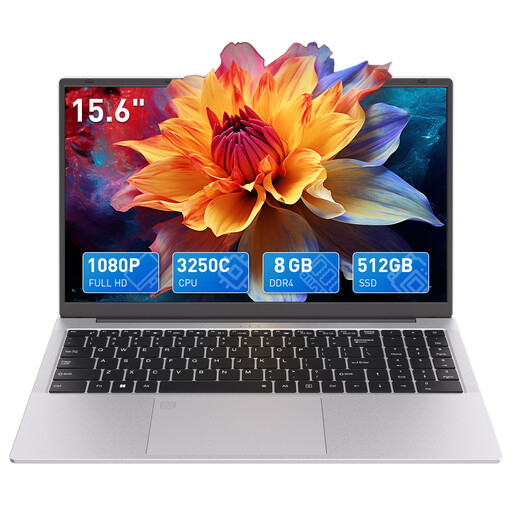
If you prefer a larger screen for your workspace, the listed 15.6-inch display is a useful feature to consider.
15.6-inch FHD display, 8 GB DDR4 RAM, 512 GB SSD and backlit keyboard.
 No image available
If you’re looking for a larger screen to compare the original with your index, the listed 16-inch display is worth considering.
16-inch WUXGA display, 16 GB RAM, 1 TB SSD and Windows 11 Home. For OneNote OCR, you’ll need the desktop app; the web version on its own can’t use this feature.
No. Choosing a laptop doesn’t guarantee error-free text recognition. OneNote can copy text from images, but recommends checking the results; Microsoft specifically notes that handwriting can be difficult to recognise in OneNote for Mac. Keep the photo or scan so you can check the text against it.
First flag or filter potential duplicates, then compare the ingredients, quantities and variations with the original. Excel permanently deletes selected duplicate table values, so check which fields you’re comparing and make a backup beforehand.
No. Microsoft says you can use the OneNote desktop app on Windows or Mac to copy text from inserted images; a touchscreen isn’t required. OneNote on the web can’t use this OCR feature. Touchscreen functionality is a separate choice for how you interact with the device.
According to consumer information from the European Union, when you buy from a professional seller, you’re entitled to a legal guarantee of at least two years from the date you receive the goods; an additional manufacturer’s warranty doesn’t replace it. Germany’s Federal Network Agency lists correct CE marking, manufacturer details and instructions in German among the things to check for electrical devices and products with Wi-Fi or Bluetooth. These general checks don’t prove that any individual listing complies.