What should you look for?
First, work out whether you simply want to bypass your laptop speakers, fix an audio signal problem or use a microphone for calls. Each of these needs points to a different type of device.
| What you need |
What to check before buying |
Who is it important to? |
| Listen without using the laptop speakers |
Test your existing headphones and laptop output first; only consider extra equipment if you have a specific playback problem. |
If I simply want to use headphones instead of my laptop speakers, I’ll start by checking the connection I already have. Around 36% of consumers put this need first. |
| The right headphone output |
Check the plug type and whether you need an adapter; consider power ratings alongside the output, load in Ω and test conditions. |
If you want to keep using wired headphones, you need a compatible connection and sufficient power for them. This is the main priority for around 29% of consumers. |
| Identify the source of the noise |
Work out whether the issue is the speakers, the headphone signal or audible background noise. |
If fan noise or other sounds in the room are what bother me, I’ll look for a way to deal with that source of noise rather than adding more amplification. Around 21% of consumers put this first. |
| Microphone and calls |
Check the microphone connection, headset plug and calling software separately from the headphone output. |
If you want to make calls from the same desk, make sure you can actually connect your microphone. For around 14% of consumers, calls and microphone functionality are the main priority. |
Joybuy products for your desk
This selection includes headphone amplifiers and DACs, as well as USB headphones and headsets that connect directly to your laptop. Check that the inputs, headphone connection and microphone functions suit your laptop and how you plan to use the device.
 No image available
Nobsound Q4 USB audio DAC with Bluetooth
An option if you want to send audio from your laptop via USB and need a headphone amplifier for wired headphones.
The description lists support for headphones with 16–300 Ω, an optical input and 24-bit/192 kHz. It also specifies an external DC power supply; use only a compatible power supply.
View at Joybuy
 No image available
Douk Audio T4 PRO Mini Valve
A possible option if your laptop has an analogue 3.5 mm AUX output and you’d like to use a separate headphone amplifier.
The description lists MM phono and 3.5 mm AUX inputs, plus a 3.5 mm headphone output for headphones with 32–300 Ω. It specifies an external DC 12 V / at least 1.5 A power supply.
View at Joybuy
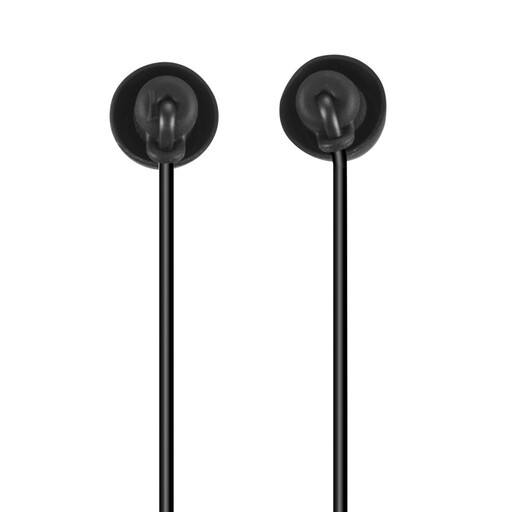 No image available
Calm USB-C in-ear headphones with microphone
A direct listening option if your laptop supports USB-C audio and you don’t need to amplify a separate pair of headphones.
The description lists a built-in microphone and an in-line remote. USB-C audio output must be compatible with your laptop.
View at Joybuy
 No image available
Logitech 960 USB stereo headset
A straightforward option if you want to listen and make conference calls on your computer using a USB headset, rather than amplifying an existing pair of headphones.
The description lists a microphone with boom arm, volume control, mute function and a 2.4 m cable.
View at Joybuy
Frequently asked questions
Will a headphone amplifier make my laptop fan quieter?
No. A headphone amplifier is designed for audio playback through headphones, not for reducing noise in the room. If the fan bothers you, look separately at the features of headphones with noise cancellation; how effective they are depends on the specific model and the source of the noise.
Can I connect my headset microphone to any DAC?
No. A headphone output on its own doesn’t mean the microphone will work too. Creative says the Sound Blaster G8 supports four-pole 3.5 mm headsets; according to its guide, the Focusrite Scarlett Solo 4th Gen has a separate XLR microphone input. Check the connection on your particular headset.
What should I bear in mind about power and volume?
Allow for the external 12 V / 2 A power supply when using the FiiO K11. The iFi ZEN DAC 3 guide recommends turning the volume down before changing the gain setting. The German Environment Agency warns that high volume and long listening sessions can damage your hearing.
What rights apply when shopping online?
According to consumer information from the European Union, consumer purchases from a trader are generally covered by a two-year legal guarantee from the seller. Distance purchases generally come with a 14-day right to cancel; both are subject to the applicable legal conditions and exceptions.
Is CE marking required on every device?
Not automatically. The European Union’s consumer information lists electrical and electronic equipment as product groups that may be subject to specific CE requirements. Whether a particular device needs the marking depends on the applicable rules; it isn’t an independent quality assessment.


