If you simply want to avoid using your laptop speakers, a suitable pair of headphones plugged into the existing output may be all you need; an additional amplifier isn’t automatically necessary. A USB DAC with a headphone amplifier may be worth considering if the laptop’s analogue output is causing interference, the right connection isn’t available or your headphones can’t be driven adequately by the existing output. For audible fan or room noise, however, you’ll need well-fitting, suitable headphones and, if available, their noise-cancelling feature. More amplifier power won’t solve the problem.
Which solution is right for you?
Listening in a room with distracting background noise
If you can still hear fan or room noise while listening, first check the fit and design of your headphones. Shure highlights how ear pads and fit affect noise isolation on its SRH headphones, while Sony explains that active noise cancellation works differently depending on the type of noise.
Laptop users experiencing interference in the headphone signal
If you can hear interference through your laptop’s analogue output, or the right connection isn’t available, you could try a different signal path via USB. Check the connections on your laptop and headphones, as well as the operating system requirements for the features of the specific device.
Users with more demanding wired headphones
If your existing headphones need a suitable output or a different level of amplification, compare the specifications for the exact connection you plan to use. FiiO and iFi list different headphone outputs and gain options on their desktop devices; the key is choosing what suits your headphones.
What to look for when buying
First, work out whether you simply want to avoid your laptop speakers, are experiencing interference in the headphone signal or can hear noise from the room. Then check your headphones and their fit, the connections and how much amplification you actually need.
| Concern |
What to check when buying |
Who it matters to |
| Noise in the room |
Headphone fit and design; if they have active noise cancellation, also consider the type of noise. |
If fan or room noise distracts me, I’ll check my headphones first rather than looking for more amplifier power. Around 40% of consumers put reducing outside noise first. |
| Signal path and connection |
USB connection on the laptop, headphone socket on the device and required operating system features. Creative lists USB-C, a USB-A adapter and a 3.5-mm output for the PLAY! 4; according to the manufacturer, the Creative App and SmartComms Kit are currently only available on Windows. |
If the laptop’s analogue output is causing interference or the right output isn’t available, I want to use a suitable alternative signal path. Around 30% of consumers prioritise this connection or signal issue. |
| Driving your headphones |
Compare the plug, available output and power specifications for the appropriate load and test conditions; start at a low volume before changing the gain. |
If I want to keep using my existing wired headphones, I’ll look for a suitable, controllable output. Around 20% of consumers put this need first. |
| Space and power supply |
Check the cables and power supply required, as well as the connections you’ll actually use. A desktop setup may need a separate power supply. |
If I don’t want unnecessary devices or cables cluttering my desk, I’ll compare the extra hassle with the headphone output I already have. Around 10% of consumers prioritise keeping equipment to a minimum. |
Common buying mistakes
-
Buying an amplifier to combat fan or room noise
A DAC or amplifier affects playback, not the sound reaching your ears from outside. Shure and Sony explain how fit, design and the type of noise affect noise reduction.
Before buying, work out whether you’re dealing with interference in the headphone signal or audible outside noise. If the surroundings are the problem, check your headphones first.
An extra device takes up space and uses connections, while the noise problem itself may remain.
-
Assuming the highest power rating applies to every headphone output
FiiO’s specifications for the K11 differ between the 6.35-mm and 4.4-mm outputs. A figure on the spec sheet doesn’t automatically apply to the other socket.
Compare the rating for the output your headphones can actually use, and check the stated load and test conditions.
-
Confusing call features with noise isolation while listening
Creative describes SmartComms on the PLAY! 4 as a feature for headset calls; according to the quick start guide, the associated software features are currently only available on Windows. They’re not the same as blocking fan noise from reaching your ears.
If you want to hear less background noise while listening, assess the fit and design of your headphones rather than relying on a microphone or call feature.
Key brands and product ranges
FiiO
The K11 is a desktop DAC with a headphone amplifier, designed for a permanent laptop setup.
- FiiO lists USB, optical and coaxial inputs, three gain levels, and separate 6.35-mm and 4.4-mm headphone outputs.
- According to the manufacturer, the K11 requires DC 12 V/2 A. Power ratings differ by output, so check the figure for the socket you’ll actually use.
Creative
The Sound Blaster PLAY! 4 combines a compact USB audio output with features for headset calls.
- Creative lists USB-C, a USB-A adapter in the box, a 3.5-mm output and a microphone mute button.
- According to the manufacturer, the Creative App and SmartComms Kit are currently only available on Windows. Call features don’t block room noise from reaching your ears.
iFi audio
The smaller uno and the ZEN DAC 3 are different desktop options for laptops and wired headphones.
- iFi lists a headphone output and RCA outputs for the uno. According to the manual, the ZEN DAC 3 offers USB-C, 6.35-mm and 4.4-mm headphone outputs, as well as switchable gain.
- The extra connections and features are only useful if they suit your headphones and setup. iFi recommends turning the volume down before changing the PowerMatch setting.
AudioQuest
The DragonFly Black v1.5 is a compact USB stick-style DAC and headphone amplifier.
- For this specific model, AudioQuest lists a headphone output and an output voltage of 1.2 V.
- This manufacturer’s specification alone doesn’t prove that it’s suitable for every pair of headphones or that it will solve audible room noise.
Joybuy products for listening to headphones on a laptop
This selection includes wired headphones for direct connection to a laptop, as well as USB DACs and amplifiers for alternative signal paths or desktop setups. An amplifier isn’t a substitute for choosing suitable headphones if outside noise is your main concern.
 No image available
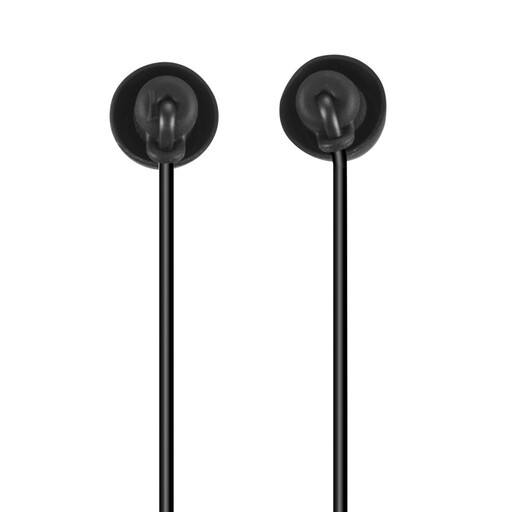
Calm USB-C in-ear headphones with microphone
For direct listening through a compatible USB-C audio connection, without a separate amplifier.
Includes silicone ear tips, an in-line remote, a microphone and cable strain relief; the description mentions passive noise reduction from the fit.
View at Joybuy
 No image available
Logitech G PRO X gaming headset, USB, black
For wired listening on a PC through the external USB sound card described.
The description lists a detachable microphone and leatherette and fabric ear pads. The noise-reducing properties are attributed to the ear pads described.
View at Joybuy
 No image available
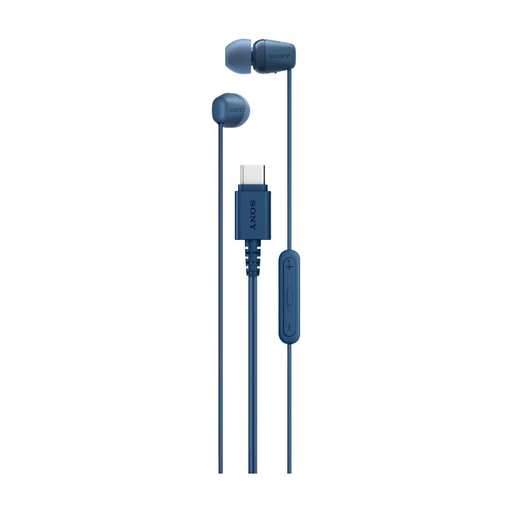
Sony IER-EX15C USB-C earbuds, blue
For direct listening on a laptop or PC with a compatible USB-C audio connection, without a separate amplifier.
Includes an in-line remote and microphone; the description lists ear tips in several sizes. No specific protection against outside noise is stated.
View at Joybuy
 No image available
Nobsound Q4 USB audio DAC with headphone amplifier
For an alternative playback path through the PC USB input described, and for a desktop setup with additional connections.
The description lists support for 16–300 Ω headphones, RCA outputs, treble and bass controls, and a remote control. An external DC power supply is required; the amplifier doesn’t directly reduce fan or room noise.
View at Joybuy
 No image available
Douk Audio T4 Pro Mini valve headphone amplifier
For an analogue signal path when your laptop’s signal is already clean and you want to use a separate headphone amplifier.
The description lists a 3.5-mm AUX input, a 3.5-mm headphone output, 150 mW at 32 Ω and support for 32–300 Ω. A DC 12 V power adapter is included, according to the description. The analogue input won’t bypass an analogue laptop output that’s causing interference.
View at Joybuy
Frequently asked questions
Will a headphone amplifier make my laptop fan quieter?
No, not directly: an amplifier affects the playback signal, not audible noise from the room. For outside noise, check the fit and design of your headphones or their noise-cancelling feature; how well it works depends on the fit and type of noise.
How do I check whether a USB DAC is compatible with my laptop and headphones?
Compare your laptop’s USB connection and your headphone plug with the specifications for the specific device. Creative lists USB-C with a USB-A adapter included and a 3.5-mm output for the PLAY! 4; the iFi ZEN DAC 3 has 6.35-mm and 4.4-mm headphone outputs. Once it’s connected to your laptop, select the appropriate audio device as the playback output and start at a low volume.
What should I look for in a headphone amplifier’s power specifications?
The power rating needs to match the output you’ll actually use and the stated load. Compare the test conditions for the connection your headphones can use, and don’t apply figures from one socket to another.
What should I bear in mind when using a desktop amplifier?
Use the power supply specified for your particular model, and start at a low volume when changing the gain. FiiO specifies DC 12 V/2 A for the K11; iFi recommends keeping the volume low before changing the PowerMatch setting on the ZEN DAC 3.
How can I choose a sensible listening volume?
Start at a low volume and don’t turn it up just to drown out outside noise. The German Environment Agency notes that both sound level and exposure time are relevant to the risk of hearing damage.


