What should you look for when choosing one?
Start by checking which software and video footage you’ll be working with. For Premiere on Windows, Adobe specifies 32 GB or more of RAM and 8 GB of GPU memory for 4K and higher.
| Consideration |
What to check before buying |
Who should pay particular attention |
| Editing and preview performance |
Check the editing software, source resolution, RAM, and the type and memory of the graphics unit for the exact model variant. |
If I regularly edit 4K footage in Premiere, I want the specifications to meet the needs of my project. Around 28% of consumers put suitable editing and preview performance first. |
| Total cost |
Factor in software, included accessories and whether your existing drives and connections will work with the laptop. |
As a student, I want to budget for software and essential accessories as well as the laptop. Around 22% of consumers prioritise the total cost of the package. |
| Storage for working files |
Check the SSD capacity, available space and ports for external drives against the size of your clips and projects. |
If I want to keep my original footage, cache and any proxies, I need enough storage for all my working files. Around 22% of consumers put media storage first. |
| Workspace and image monitoring |
Check the screen size and resolution of the model variant, the space on your desk and any monitor ports you may need. |
At a small desk, I want enough screen space for the preview and timeline without overlooking the space available. Around 17% of consumers prioritise workspace. |
| Portability |
Compare the dimensions, weight and ports of the exact configuration. Don’t assume battery life figures for video streaming also apply to editing. |
If I often carry my laptop between my room and university, a portable device matters to me. Around 11% of consumers put portability first. |
Joybuy laptops for video editing in your student room
This selection includes Windows and macOS laptops with different screen sizes, storage capacities and RAM configurations for editing holiday clips. Compare the exact specifications and, for listings in Germany, check the conformity information for the specific variant.
 No image available
Lenovo ThinkPad E16 Gen 3 21ST
An option for a larger workspace if 32 GB of RAM suits your editing software and footage.
16-inch WUXGA IPS display, 32 GB DDR5, 1-TB NVMe SSD, integrated Radeon 780M graphics, built-in SD card reader and Windows 11 Pro. For Premiere on Windows with 4K and higher, Adobe also recommends 8 GB of GPU memory; check that the graphics in this specific variant suit your workflow.
View at Joybuy
 No image available
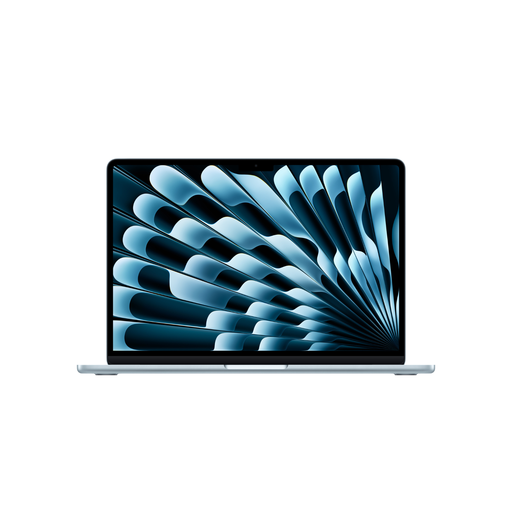
Apple 15-inch MacBook Air M5 (2026), 10-Core CPU, 10-Core GPU, 16 GB, 512 GB SSD, Sky Blue, German QWERTZ keyboard
For anyone using macOS who prefers a larger built-in display for editing travel clips.
15.3-inch display, M5 with a 10-core CPU and 10-core GPU, 16 GB unified memory, 512-GB SSD and two Thunderbolt 4 ports. According to the listing, a power adapter is not included.
View at Joybuy
 No image available
HP OmniBook Ultra Flip 14-fh0670ng
A more compact 2-in-1 option if using different modes matters more to you than having a 16-inch display.
14-inch OLED touchscreen with a resolution of 2,880 × 1,800 pixels, Intel Core Ultra 7 258V, 32 GB RAM, 1-TB SSD and Windows 11 Home. The listed weight is 1.34 kg; the display offers less workspace than a 16-inch screen.
View at Joybuy
 No image available
MSI Crosshair 16 Max HX E2WGXK-023
For more demanding projects, with discrete graphics and a large display; bear in mind the RAM requirements for Premiere with 4K footage.
16-inch QHD+ OLED display with a 165 Hz refresh rate, Intel Core Ultra 9 275HX, RTX 5070 with 12 GB of graphics memory, 16 GB DDR5, 1-TB SSD and Windows 11 Home. Adobe recommends at least 32 GB of RAM for Premiere on Windows with 4K and higher; this configuration has 16 GB.
View at Joybuy
 No image available
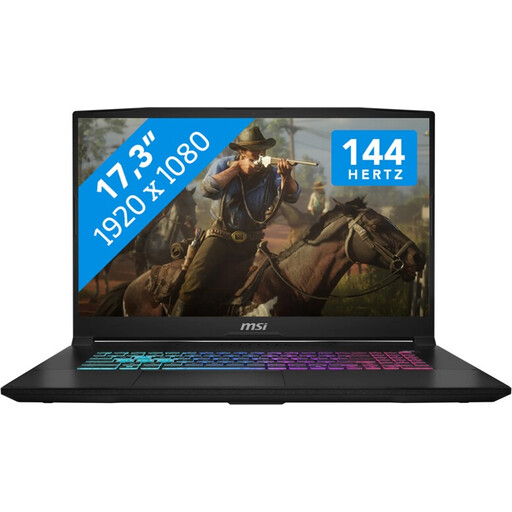
MSI Katana 17 HX B14WFK
For anyone who prioritises a large display and discrete graphics when working at a desk, and can accommodate the extra weight.
17.3-inch FHD display with a 144 Hz refresh rate, Intel Core i7, 16 GB RAM, 1-TB SSD, RTX 5060 with 8 GB GDDR6 and Windows 11. The listed weight is around 2.7 kg. Adobe recommends at least 32 GB of RAM for Premiere on Windows with 4K and higher; this configuration has 16 GB.
View at Joybuy
Frequently asked questions
Do I definitely need 32 GB of RAM for occasional holiday videos?
No, that isn’t a general requirement for every video-editing task. For Premiere on Windows with 4K and higher, Adobe recommends at least 32 GB of RAM; for HD, Adobe recommends 16 GB. Your editing software and footage are what matter.
How can I edit large clips in Premiere on a less powerful laptop?
For suitable clips, you can use proxies in Premiere: low-resolution copies for editing. Allow for the extra storage they need; Adobe notes some limitations, including for clips with subtitles.
What should I budget for software and accessories?
Factor in the cost of your chosen editing software and check what comes with the specific laptop variant. Adobe notes that Premiere may require a subscription; Apple also offers Final Cut Pro for Mac as a one-off purchase.
What rights apply when buying a laptop in Germany?
For faulty goods, consumers in the EU generally have a statutory guarantee of at least two years from receipt. This is separate from a voluntary manufacturer’s warranty. For a standard online purchase, you generally have a 14-day right to cancel, subject to legal exceptions.
Does a CE mark prove that a laptop is particularly good for video editing?
No. For products subject to applicable EU rules that require CE marking, the manufacturer confirms that they comply with those rules and does so under its own responsibility. The mark is not proof of video-editing performance; check the conformity information for the specific variant.


