What should you look for when buying?
For a laptop that can handle long-form writing, reference images and occasional network checks, the key things to consider are the exact configuration and the features you’ll actually use.
| Priority |
What to check before buying |
Who is this most relevant to? |
| Writing and checking sources |
Check the screen format, resolution and keyboard layout of the exact version. |
If I write lengthy guides, I need a comfortable working area and a layout that lets me type fluently in German. Around 29% of consumers are likely to prioritise writing. |
| Editing reference images |
Check the screenshot tools, as well as touch and, where relevant, pen support for the specific version. |
Direct input can be useful when cropping and marking up screenshots, but a touchscreen alone doesn’t confirm pen support. Around 24% of consumers are likely to prioritise image editing. |
| Connecting network devices |
Check whether you need to test wired connections; if so, look for integrated RJ-45 or a compatible adapter. |
If I regularly test routers or switches over a wired connection, I want to plan for the right port from the outset. Around 23% of consumers are likely to prioritise wired networking. |
| Working on the move |
Consider the screen size, weight and ports you need on the exact version. |
If you write in different locations, weigh a compact working area against your need for screen space and ports. Around 12% of consumers are likely to prioritise portability. |
| What’s included and future use |
Check the included power adapter, the software and adapters you need, and any changes you might want to make later. |
If I want to keep an eye on future costs and potential upgrades, I check what’s included and which components I’ll need before buying. Around 12% of consumers are likely to put this first. |
Joybuy products for this workflow
This selection includes traditional Windows laptops with RJ-45, touchscreen models for working directly with images, and a portable macOS laptop.
 No image available
Acer TravelMate TMP216-41-TCO, 16-inch
An option if you’re looking for a traditional Windows laptop with RJ-45 for writing and wired connection tests.
WUXGA display, 16 GB DDR5, 512 GB SSD, AMD Ryzen 3 PRO 7335U and Windows 11 Pro Education. The description lists RJ-45 and a weight of 1.80 kg.
View at Joybuy
 No image available
MSI Prestige N16 Flip AI+ C1XMT-027Y
A good fit if you want to edit reference images directly on a touchscreen and switch between laptop mode and other modes.
16-inch OLED touchscreen, 128 GB DDR5, 2 TB SSD and Windows 11 Pro. The description lists a 360° flip design, an MSI Nano Pen and a QWERTZ keyboard.
View at Joybuy
 No image available
ASUS Zenbook 14 UX3405CA-QD1303W
A compact Windows option for writing, browsing sources and working with reference images if you want touch and a German keyboard.
14-inch WUXGA OLED touchscreen, Intel Core U7 255H, 16 GB RAM, 1 TB SSD and Windows 11 Home. The description lists HDMI 2.1, a German keyboard and a weight of 1.22 kg.
View at Joybuy
 No image available
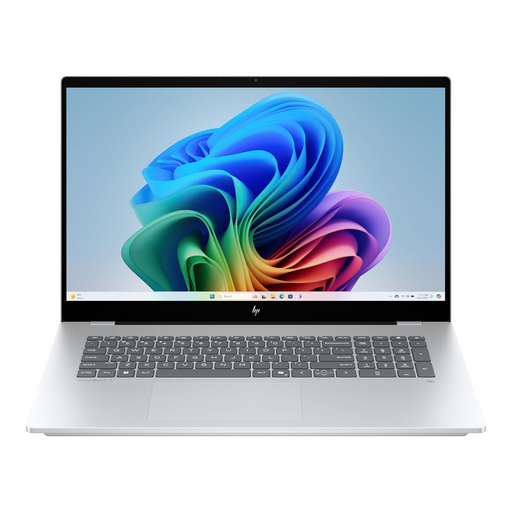
HP OmniBook X Flip 16
A good fit if you want a large touchscreen and the different modes of a 2-in-1 for writing and working with reference images.
16-inch WUXGA touchscreen, 16 GB RAM, 512 GB SSD and Windows 11. The description lists laptop, tablet, tent and stand modes, and a weight of around 1.88 kg.
View at Joybuy
 No image available
Apple 13-inch MacBook Air (M5, 2026), 16 GB, 512 GB
A portable macOS option if the writing and image tools you use are compatible with macOS.
13.6-inch display, 10-core CPU, 8-core GPU, 16 GB memory and 512 GB SSD. The description lists a weight of 1.23 kg, a German QWERTZ keyboard and two Thunderbolt 4 ports. The power adapter isn’t included; you’ll need to allow for additional compatible hardware for Ethernet.
View at Joybuy
Frequently asked questions
Do I need a touchscreen for working with reference images?
No. On Windows, the Snipping Tool can capture rectangular selections, windows and the entire screen. Touch gives you another way to interact with your device; whether you can use a pen depends on the specific configuration. Microsoft Support explains the available capture options.
What should I look for in a laptop for testing routers over a network cable?
First, check whether your tests actually require a wired connection. Lenovo PSREF lists RJ-45 for the ThinkPad E14 Gen 7, model 21U2003YEQ; Apple lists Thunderbolt 4 ports for the 13-inch MacBook Air M5, so you’ll need a compatible adapter or docking solution for Ethernet.
Does it already include the writing and image software I need?
You can’t tell from the model name alone. Check the specific offer to see which programmes and licences are included; Lenovo lists the documented ThinkPad E14, model 21U2003YEQ, as having no pre-installed operating system.
Can I publish router screenshots without checking them first?
Don’t publish screenshots that may contain personal information without checking them first. Use suitable sample data where possible and review every image before publishing; what counts as personal information and which legal basis applies depends on the specific case. The Federal Commissioner for Data Protection and Freedom of Information explains the general principles of data protection.
Are statutory rights and a warranty the same thing?
No. For a consumer purchase, your statutory rights are against the seller; a manufacturer’s warranty is voluntary and has its own terms. Details may vary for second-hand goods and particular contractual arrangements. The Verbraucherzentrale explains the difference between statutory rights and a warranty.


