Regular train writers
If you edit longer interview notes at your seat, the screen, keyboard and casing should suit the space available. Deutsche Bahn says that many ICE seats have fixed or fold-down tables.


If you regularly edit interview notes on the train, first check that the display, keyboard and casing suit the space available at your seat. Then consider battery life for the work you actually do, offline access to your files and compatibility with your software. A MacBook Air and compact Windows laptops are different options; manufacturers’ battery-life figures are no substitute for testing a laptop under your own working conditions.
If you edit longer interview notes at your seat, the screen, keyboard and casing should suit the space available. Deutsche Bahn says that many ICE seats have fixed or fold-down tables.
If you want to keep editing notes without usable Wi-Fi or a spare power socket, check offline access and plan to work on battery power. Deutsche Bahn lists power sockets depending on the ICE model, and Wi-Fi on ICE trains, some Intercity trains and selected regional trains.
If you need to keep using existing word-processing, audio or transcription software and external devices, check the operating system and ports on the exact configuration. Manufacturers’ specifications for individual models, such as those from Apple and Lenovo, apply to the particular versions they identify.
Start by comparing how much space the laptop needs and how easy its display is to read at your usual seat. Then consider working offline, software compatibility and everything included for charging.
| Criterion | What to check before buying | Who it matters most to |
|---|---|---|
| Writing in a confined space | Dimensions of the exact version, keyboard layout and space to set it up at your usual seat. | If I write longer notes at my train seat, I need enough room for my laptop and papers. Around 26% of consumers prioritise writing in a confined space. |
| Working without power or internet | Battery-life figures for comparable tasks, the charging port and included power adapter, as well as the software’s offline features. | If I’m travelling without a spare power socket or a stable connection, I want to keep editing notes saved locally. Around 26% of consumers prioritise working without a power or internet connection. |
| Easy-to-read notes | Display finish and resolution on the exact version; if possible, check how easy it is to read in changing light conditions for yourself. | If I need to compare notes with another file, a display that’s easy for me to read matters more than the smallest possible size. Around 21% of consumers put readability first. |
| Software and confidential data | Compatibility with your applications, file formats and devices, as well as the rules that apply to interview data. | If my work depends on specific programmes or careful handling of confidential files, I check both before choosing an operating system. Around 16% of consumers prioritise software compatibility or the handling of sensitive notes. |
| Everything you need included | The power adapter and any other items needed for the exact configuration, as well as any software you may need. | If I’d need to buy a compatible power adapter or other essential items, the complete usable package matters to me. Around 11% of consumers put the total cost first. |
Manufacturers may quote different battery life for different types of use. Apple’s figures for video streaming and wireless browsing are not measurements of battery life while editing interview notes.
Only compare battery-life figures when the test conditions are clear, and make sure the files you need are available offline for longer journeys.
Deutsche Bahn says that power sockets may be shared between seats. Wi-Fi availability and the connection also depend on the train and route.
Prepare a way to work without being plugged in, and check before travelling that you can access the files you need offline.
Display type, keyboard layout and what’s included can vary within a model range.
Before ordering, compare the full model number, display, keyboard layout and included power adapter.
When you’re handling confidential interview data, a secure working process depends on more than just the laptop model.
Follow your workplace requirements and use the designated secure connections to access protected resources.
The 13-inch MacBook Air M5 is a compact macOS option for compatible writing and note-taking workflows.
The ThinkPad X1 Carbon Gen 13 is a Windows business option. The German version, 21NX008PGE, is a specific configuration to check for its display and keyboard.
The Dell Pro 14 PC14255 is available in configurable Windows business versions. Check the specifications of each one against the software you need for work.
The Zenbook S 14 UX5406 is a compact Windows alternative, available with different display and port configurations.
The Joybuy products below include compact Windows laptops and a MacBook Air for writing on the move. Compare the operating system, display, keyboard and charging equipment with your workflow.
 No image available
The 14-inch display and stated weight of 1.14 kg are worth considering for taking notes at your seat.
This version is listed with a 2.8K OLED display, backlit German keyboard, 16 GB of memory and a 1 TB SSD.
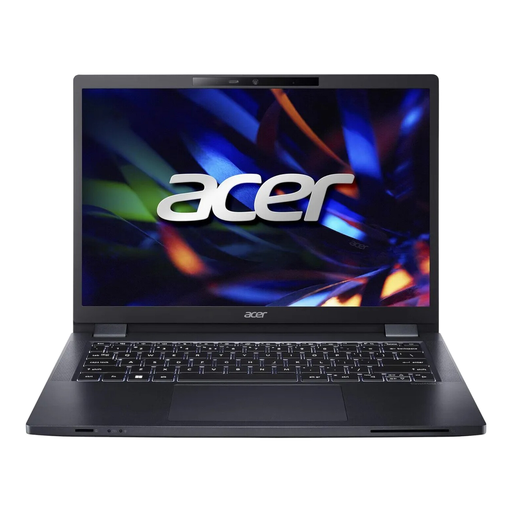 No image available
The 14-inch display and stated weight of 1.41 kg are useful details to consider for writing on the move.
This version has a 16:10 WUXGA display, 16 GB DDR4, a 512 GB SSD, USB-A, USB-C and HDMI. USB-C charging is also listed.
 No image available
With 24 GB of memory and a 1 TB SSD, this Windows version is one possible configuration for working with local files.
It is listed with a 13-inch touchscreen with a resolution of 1920 × 1280 and Windows 11 Pro.
 No image available
The stated 14-inch FHD display and weight of 1.39 kg are useful details for mobile use.
The product specifications list 8 GB RAM and a 256 GB SSD. The battery life of up to 7 hours is a product claim, not an independent measurement.
 No image available
The stated German QWERTZ keyboard and 13.6-inch display may suit writing German-language notes at your seat.
This version is listed with an M5 chip, 16 GB of memory, a 512 GB SSD and a weight of 1.23 kg. According to the product description, no power adapter is included.
No, there’s no general train rule about this. Deutsche Bahn says there is usually one power socket per pair of seats in second class, and one per seat on selected train models. If you want to work without relying on a shared socket, though, you should plan to use battery power.
You shouldn’t count on it. Deutsche Bahn says Wi-Fi is available across the ICE fleet, but only on some Intercity trains and selected regional trains. The connection also depends on factors such as mobile reception and other passengers using the network. Check whether your application lets you edit files offline and sync them later.
Check your programmes and file formats, download any files you need for offline use, and test saving, reopening and syncing them later. If you’re handling confidential interview data, also check the rules that apply to using public Wi-Fi for your work. The Federal Office for Information Security describes a VPN as an encrypted connection for transferring data over an untrusted network.
Before buying, check whether the exact version includes a power adapter and whether it’s compatible with the specified charging port. For example, Dell lists one Pro 14 configuration without a power adapter; you should also check what’s included with the MacBook Air M5 version you choose.
According to consumer information from the European Union, when you buy as a consumer from a commercial seller in the EU, you have a statutory legal guarantee of at least two years from receiving the goods. This is separate from any additional manufacturer’s warranty or service plan; these seller obligations do not apply in the same way to private sales.