People who do a lot of typing between appointments
If you take your device with you several times a day and edit longer notes in different places, compare the keyboard, footprint and weight of the specific model.


Start by checking which software your organisation uses and what its data protection requirements are, then compare the keyboard, display and weight of the exact configuration. If you need to work without a power socket or internet connection, also check battery performance under relevant test conditions, charging options and whether offline access is permitted. A headline battery-life figure alone isn’t enough to make your decision.
If you take your device with you several times a day and edit longer notes in different places, compare the keyboard, footprint and weight of the specific model.
If you need to keep working on your notes without access to a charger or the internet, check battery life under relevant test conditions and confirm whether offline access to your files is permitted.
If your notes contain personal data or information protected by your organisation, the device, storage location and working environment must meet the relevant data protection requirements and your organisation’s policies.
A good fit if: Your organisation requires Windows software or a managed Windows configuration, and you often take notes between appointments.
The trade-off: The keyboard, display and weight vary by configuration. A business label alone doesn’t confirm battery life or approval for handling client data.
A good fit if: The software you need and your IT policies allow macOS, and you’re looking for a compact device.
The trade-off: Apple quotes up to 18 hours of battery life. This is a manufacturer’s claim, not a guarantee for your working day. Also check the ports and whether the device is approved for use.
A good fit if: You want to add notes using a touchscreen or view other documents while you read.
The trade-off: Extra input options or screen space don’t remove the need to check the weight, keyboard, footprint and included accessories.
| Priority | What to check before buying | Who it matters to |
|---|---|---|
| Typing comfort and portability | Compare the keyboard layout and display finish, as well as the dimensions and weight of the specific model. | If I often type longer notes on the go, the keyboard and display need to suit the places where I work. Around 31% of consumers put typing and portability first. |
| Battery reserve and charging | Check the test conditions, your own usage patterns, the charging port and whether a power adapter is included. | If there’s no power socket available between appointments, I need enough battery for my needs and a practical way to charge. Around 25% of consumers prioritise working without a power socket. |
| Protecting confidential notes | Check the rules on access, storage, encryption and places where your screen could be seen. | If I’m working with confidential interview or client data, using it on the go must comply with my organisation’s rules. Around 25% of consumers prioritise protecting this type of information. |
| Software and offline access | Check that the required software is compatible with your operating system; only set up offline copies if they’re permitted. | If I rely on specific software or files, they need to work as expected without an internet connection too. Around 19% of consumers put software and offline access first. |
Manufacturers’ figures and measured battery life may be based on different conditions, so they aren’t necessarily directly comparable.
Compare the test conditions with your usage patterns and the charging options along your usual route.
The keyboard, operating system and items included can vary between configurations. Dell notes that changes to a configuration can affect its specifications.
Check the full model number and what’s included before you buy.
A larger or additional screen can help when reading and writing at the same time, but it needs to suit your available workspace and daily commute.
Before choosing, check whether you’ll actually be able to use the extra screen space in the places where you usually work.
A device’s name and features don’t prove that processing particular client data is permitted in every working environment.
Check the rules for the device, storage and working location separately from the product’s features.
The ThinkPad X1 Carbon range includes compact business configurations worth considering for this type of work.
The EliteBook 8 G1i 14 is a Windows business option; the EliteBook 8 Flip is a separate convertible model that needs checking on its own merits.
The 13-inch MacBook Air with M5 is a compact macOS alternative, provided your software and organisation’s policies allow macOS.
The Dell Pro 13 Premium PA13250 is a compact business range with configurable options.
The ExpertBook Ultra is a business laptop available in different configurations.
The devices below include Windows laptops, a convertible and a MacBook to suit different software requirements, ways of working and workspace needs.
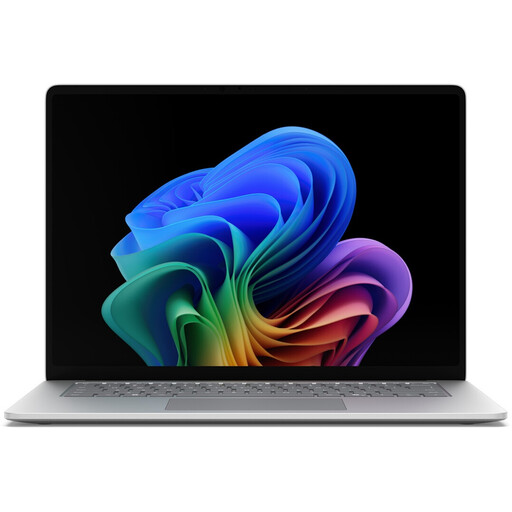 No image available
A Windows Pro configuration with a 15-inch touchscreen may suit you if you need this software environment and a larger workspace.
Intel Core Ultra 5 335; Windows 11 Pro; 16 GB RAM; 512 GB SSD; 15-inch touchscreen with 3270 × 2180 pixels and 120 Hz; Wi-Fi 7 and Bluetooth.
 No image available
Described as a 2-in-1 touchscreen laptop, this model may suit you if you’re considering using touch input for your notes.
14 inches; Intel Core Ultra 7 258V; 32 GB RAM; 1 TB SSD; 2.8K OLED touchscreen; Windows 11 Home.
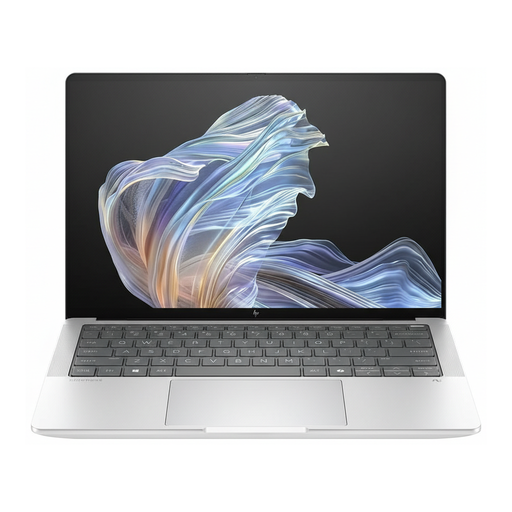 No image available
This 14-inch model is an option if you’re considering Windows 11 Pro and a matte display.
Snapdragon X Elite; 16 GB RAM; 512 GB SSD; 2.2K display; Windows 11 Pro.
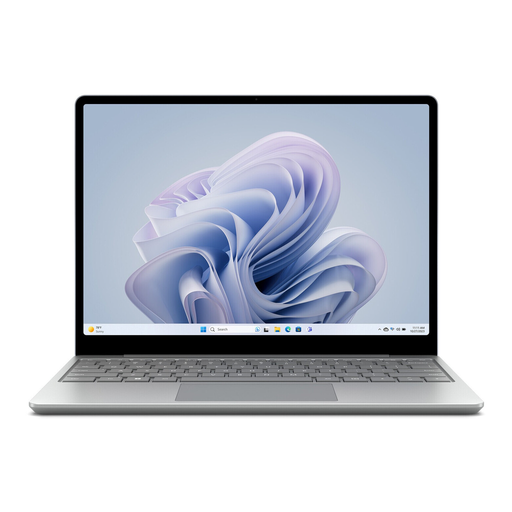 No image available
This 12.45-inch touchscreen model is an option if you’re looking for a smaller display for working between appointments.
Intel Core i5; 8 GB RAM; 256 GB SSD; Windows 11 Home; 12.45-inch touchscreen.
 No image available
This MacBook may suit you if your software and organisation’s policies allow macOS and you need a German QWERTZ keyboard.
10-core CPU and 10-core GPU; 24 GB RAM; 1 TB SSD; 13.6-inch display; German QWERTZ keyboard.
A power adapter isn’t included and must be purchased separately.
If your organisation has approved this use of OneDrive, you can sync the folders you need on a Windows PC for offline access. Check first whether your organisation allows local copies of these notes.
There’s no guarantee. Apple quotes up to 18 hours for the MacBook Air with M5; for your decision, you also need to consider the usage conditions behind that figure and your charging options.
The Federal Commissioner for Data Protection and Freedom of Information explains that controllers and processors must take appropriate technical and organisational measures under Art. 32 GDPR. The rules that apply to your device, storage and working location depend on the data and your organisation’s policies. Germany’s Federal Office for Information Security lists the risk of others viewing your screen as a reason not to work in a particular mobile location.
No. According to the consumer advice centre, consumers buying new goods in Germany generally have two years of statutory rights against the seller from the date of delivery; a manufacturer’s warranty is a separate, voluntary benefit. If you’re buying on behalf of a business, check the specific contract terms separately.
Apple describes FileVault as an additional layer of protection for Macs with an Apple chip and warns against losing the recovery key. Whether and how you set up FileVault on a work-managed device must comply with your organisation’s policies.